Wii Remote Input Test
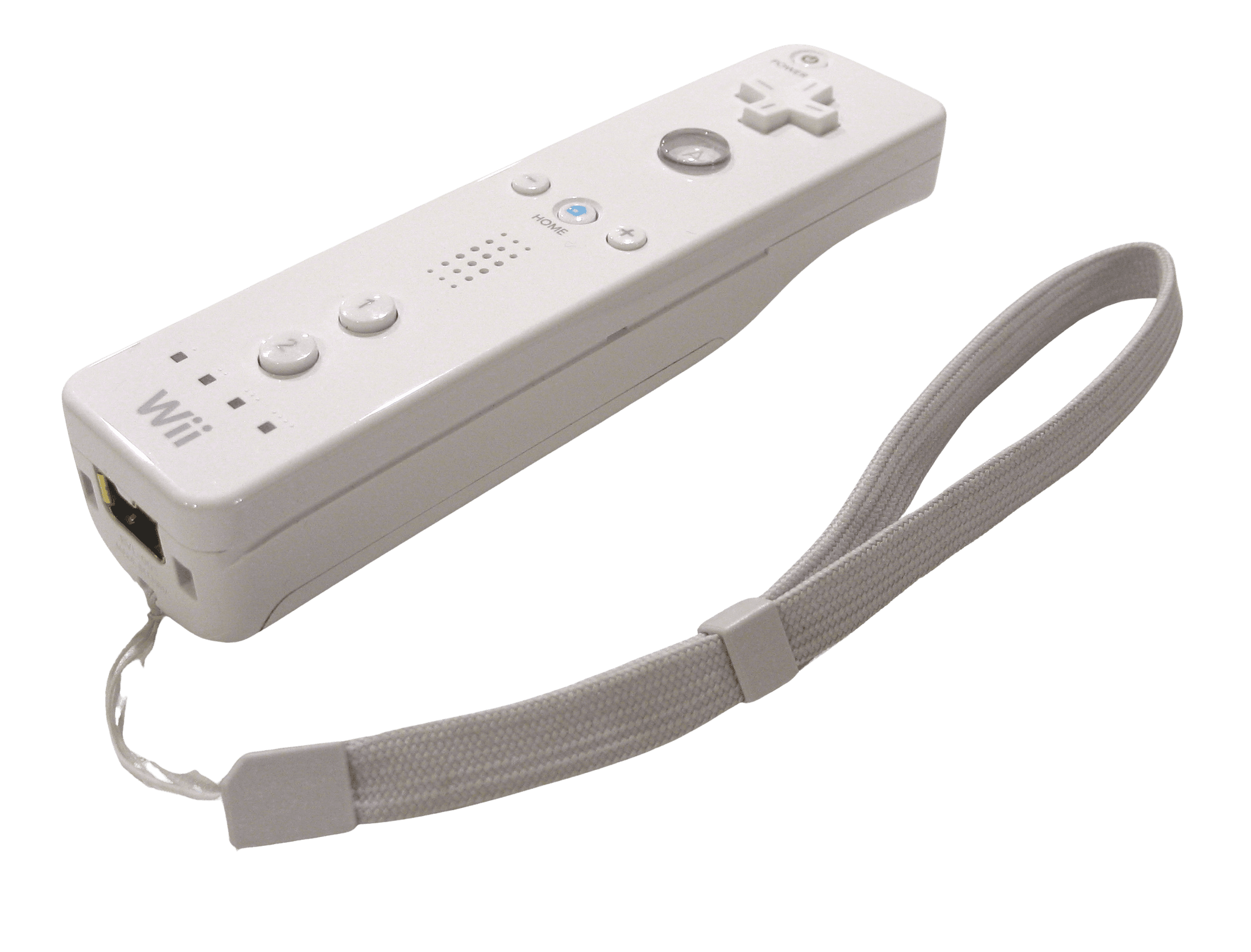
The Wii Remote test covers Nintendo's 2006 motion controller — its 11 buttons, 3-axis accelerometer, IR pointer, and rumble. Unlike a gamepad, the Wiimote has no analog sticks and doesn't appear to the browser Gamepad API without third-party drivers (or the Dolphin emulator). This page explains what's testable and how to connect it.
Verify your Wii Remote inputs
The Wii Remote isn't a standard gamepad, so input verification depends on your driver setup. With a compatible Wii Remote driver or the Dolphin emulator bridging it, the button test can light up the A, B, 1, 2, D-pad, and menu buttons as you press them. The accelerometer, IR pointer, and rumble are handled by the driver layer rather than the raw Gamepad API.
Wii Remote hardware specifications
| Specification | Wii Remote |
|---|---|
| Connection | Bluetooth |
| Button count | 11 |
| Analog stick type | Mixed (varies by revision) |
| Gyroscope | No |
| Rumble / haptics | ERM motors (standard rumble) |
| Impulse triggers | No |
| Adaptive triggers | No |
| Touchpad | No |
| Built-in microphone | No |
| Built-in speaker | Yes |
| Back paddles | No |
| Battery life | ~60 hours |
| Weight | 145 g |
| Release year | 2006 |
| MSRP | $39.99 USD |
Recommended tests for Wii Remote
Each test runs in your browser via the Gamepad API — no install, no account, no upload. Run any individually, or use the full benchmark above.
Known Wii Remote notes
Recurring problems users report with this controller, ranked by frequency. Each links to a step-by-step fix guide.
- Common
Doesn't appear as a standard gamepad in a browser
The Wii Remote lacks native HID/XInput support, so the browser Gamepad API won't read it directly. You need a third-party Wii Remote driver on Windows, or the Dolphin emulator, which pairs the Wiimote over Bluetooth and exposes its inputs. Without that layer, the controller won't show up in any browser tester.
View fix guide - Common
IR pointer needs a sensor bar
The pointer works by the Wiimote's IR camera triangulating off the Sensor Bar's two IR LED clusters. Without a sensor bar (or a substitute IR source, even two candles in a pinch), the pointer can't track. The buttons and accelerometer still work without it.
View fix guide - Occasional
Gyro requires MotionPlus or a Wii Remote Plus
The original 2006 Wii Remote has only an accelerometer. True gyroscopic motion needs the MotionPlus adapter plugged into the expansion port, or a 'Wii Remote Plus' unit with MotionPlus built in. Without it, fine rotational motion isn't available.
View fix guide - Occasional
Hard to pair over Bluetooth
Wii Remotes are notoriously finicky to pair on PC. Use the 1+2 button combo (or the red SYNC button under the battery cover) to enter discoverable mode, and pair quickly before it times out. A compatible Bluetooth adapter and the right driver stack make this far more reliable.
View fix guide
How to connect the Wii Remote
Get your controller connected before running diagnostics — wired or wireless, mobile or desktop.
Enter discoverable mode
Press the 1 and 2 buttons together (or the red SYNC button inside the battery compartment) to make the Wii Remote discoverable. Its blue LEDs will blink while it waits to pair.
Pair over Bluetooth
On the Wii, press SYNC on the console. On PC, pair it as a Bluetooth device quickly before it times out — it appears as 'Wii Remote Controller RVL-003' (HWID 057E:0306).
Install a driver or use Dolphin
On PC the Wiimote needs a third-party Wii Remote driver, or use the Dolphin emulator, which supports Wii Remotes natively over Bluetooth including the IR pointer and MotionPlus.
Verify buttons in the browser
With a driver bridging the Wiimote to standard input, press any button to expose it to the Gamepad API. Remember the accelerometer, IR pointer, and rumble route through the driver layer, not the raw API.
Wii Remote vs the competition
Head-to-head reviews against the other controllers most buyers cross-shop.
- vs
Joy-Con
The Joy-Con carry the Wii Remote's motion legacy forward with built-in gyro and HD rumble plus full analog sticks; the Wiimote is the pioneering motion wand that started it all, with no sticks of its own.
- vs
Switch Pro Controller
The Switch Pro Controller is a conventional gamepad with optional motion; the Wii Remote is the opposite — a motion-first pointer device that defined the Wii's unique play style.
- vs
GameCube Controller
Both connect to the Wii, but they're opposite philosophies: the GameCube controller is a traditional analog gamepad, while the Wii Remote is a motion-and-pointer wand.
Wii Remote definitions
Plain-language definitions for the terms used on this page. Each links to the full glossary entry with thresholds, mechanism, and FAQs.
Wii Remote questions
Only with help. The Wii Remote doesn't present as a standard gamepad to the browser Gamepad API — it lacks native HID/XInput support. You need a third-party Wii Remote driver on Windows, or the Dolphin emulator bridging it over Bluetooth, for its buttons to show up in a browser tester.
No. The Wii Remote itself has only buttons, a D-pad, motion sensing, and an IR pointer — no analog stick. The optional Nunchuk attachment adds an analog stick and a second accelerometer through the expansion port.
The Wiimote has an IR camera that detects the two IR LED clusters on the Wii Sensor Bar and triangulates where you're pointing, combining that with accelerometer tilt data. The sensor bar emits IR light; it doesn't actually 'sense' anything despite the name.
The Wii Remote Plus has MotionPlus gyroscope hardware built in for true rotational motion sensing. The original 2006 Wii Remote is accelerometer-only unless you attach the separate MotionPlus adapter to its expansion port.
Wii Remotes are finicky over Bluetooth and time out quickly. Use the 1+2 combo or the SYNC button to enter discoverable mode and pair fast. A compatible Bluetooth adapter plus a proper driver stack (or Dolphin) makes it much more reliable.
Yes. The Wii Remote has a small built-in speaker on its face that plays game sounds — like the twang of a bowstring in Wii Sports — adding to the sense that the action is in your hand.
Yes. It found a large second life in PC homebrew and, notably, in assistive technology — its motion sensors and IR pointer let people with limited dexterity control computers through large movements or gestures.
Get a full health report for your Wii Remote
Run the Controller Benchmark to score every subsystem and generate a shareable Controller Health Score graded S through F.
Run the Benchmark