Joy-Con 2 Drift Test
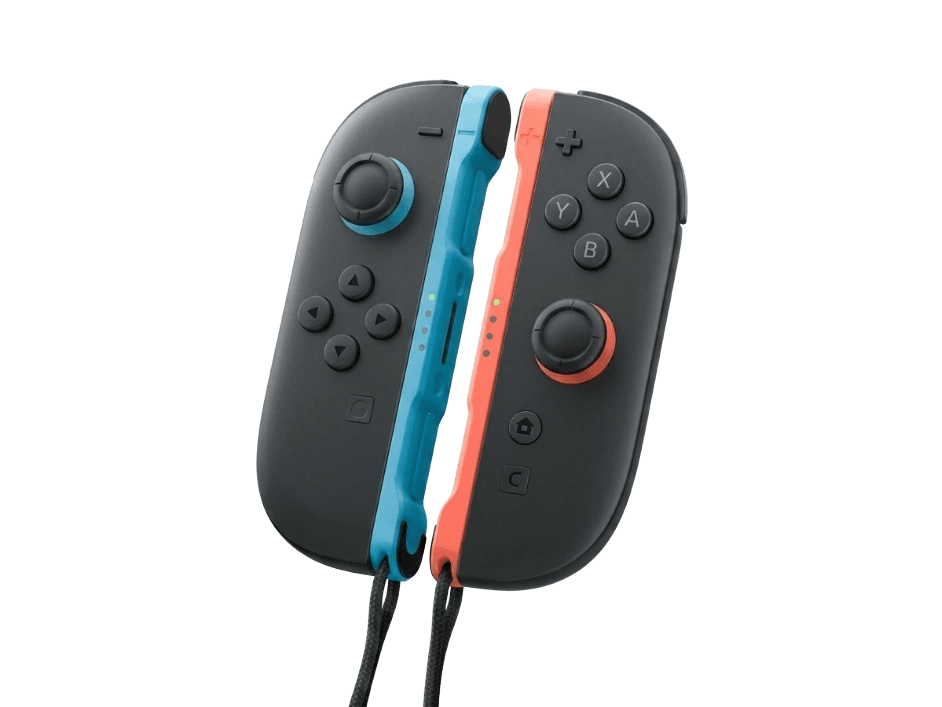
The Switch 2 Joy-Con 2 are Nintendo's redesigned detachable controllers, with larger sticks, magnetic attachment, and an optional mouse mode. Nintendo confirmed they use new potentiometer sticks — not Hall-effect — so the drift that plagued the original Joy-Con remains a theoretical risk worth testing for.
Test your Joy-Con 2 for drift
Because the Joy-Con 2 uses potentiometer sticks rather than Hall-effect, drift testing is the most relevant diagnostic. Pair a Joy-Con 2 and check whether its resting position has wandered off-center.
Joy-Con 2 hardware specifications
| Specification | Joy-Con 2 |
|---|---|
| Connection | Proprietary Wireless, USB-C |
| Button count | 14 |
| Analog stick type | Potentiometer (susceptible to drift) |
| Gyroscope | Yes |
| Rumble / haptics | Haptic (voice-coil / LRA) |
| Impulse triggers | No |
| Adaptive triggers | No |
| Touchpad | No |
| Built-in microphone | No |
| Built-in speaker | No |
| Back paddles | No |
| Battery life | Wired (no internal battery) |
| Weight | — |
| Release year | 2025 |
| MSRP | $94.99 USD |
Recommended tests for Joy-Con 2
Each test runs in your browser via the Gamepad API — no install, no account, no upload. Run any individually, or use the full benchmark above.
Known Joy-Con 2 drift
Recurring problems users report with this controller, ranked by frequency. Each links to a step-by-step fix guide.
- Occasional
Potentiometer sticks carry drift risk
Nintendo confirmed the Joy-Con 2 uses new potentiometer sticks rather than Hall-effect. The modules are redesigned for durability, but potentiometer sensors can still wear over time, so drift remains a possibility worth monitoring.
View fix guide - Rare
Magnetic attachment alignment
The Joy-Con 2 attach magnetically to the Switch 2 rather than sliding on rails. Debris or misalignment on the magnetic connectors can affect attachment; keeping the contacts clean ensures a reliable connection.
View fix guide - Rare
Mouse mode tracking on uneven surfaces
The Joy-Con 2's optional mouse mode reads movement as you slide it on a surface. Glossy, transparent, or uneven surfaces can cause inconsistent tracking, similar to an optical mouse on a poor surface.
View fix guide
How to pair the Joy-Con 2
Get your controller connected before running diagnostics — wired or wireless, mobile or desktop.
Attach to the Switch 2
Align each Joy-Con 2 with the magnetic connectors on the side of the Switch 2 console; they snap into place. Attached, they pair automatically and charge from the console.
Pair wirelessly to the console
Detached, hold the sync button on each Joy-Con 2 until the indicator lights cycle, then register them from the Switch 2's Controllers menu. They reconnect automatically once paired.
Use mouse mode
In supported games, set a Joy-Con 2 on its edge on a flat surface and slide it to use as a mouse. Use a matte, opaque surface for the most consistent tracking.
Joy-Con 2 vs the competition
Head-to-head reviews against the other controllers most buyers cross-shop.
- vs
Original Joy-Con
The Joy-Con 2 are larger with redesigned sticks, magnetic attachment, and mouse mode — but like the original, they use potentiometer sticks rather than the Hall-effect sensors many hoped for.
- vs
Switch 2 Pro Controller
The Switch 2 Pro Controller offers a traditional full-size grip and is better for long sessions; the Joy-Con 2 add detachability, motion play for two, and mouse mode.
Joy-Con 2 definitions
Plain-language definitions for the terms used on this page. Each links to the full glossary entry with thresholds, mechanism, and FAQs.
Joy-Con 2 questions
No. Nintendo confirmed on record — through NoA Senior VP Nate Bihldorff — that the Joy-Con 2 does not use Hall-effect sticks. Instead they're new potentiometer modules described as 'designed from the ground up' with larger, smoother movement and a focus on durability. Many fans had hoped for Hall-effect (or TMR) sensors to end the original Joy-Con's drift problems, so this was a notable and somewhat controversial decision.
It's possible, because they still use potentiometer sticks, which wear through physical contact over time. Nintendo says the new modules are redesigned for durability and bigger, smoother movement, which may reduce the issue compared to the original Joy-Con. But the fundamental sensor type that caused the original drift is unchanged. The honest answer is that drift remains a theoretical risk — testing your sticks periodically is the way to catch it early.
Mouse mode is a new Switch 2 feature where you set a Joy-Con 2 on its edge on a flat surface and slide it like a computer mouse. Supported games use it for precise cursor-style aiming and control. It works best on a matte, opaque surface — glossy, transparent, or uneven surfaces can cause inconsistent tracking, just like an optical mouse. It's an addition to, not a replacement for, the normal stick and motion controls.
Magnetically. Unlike the original Joy-Con, which slid onto rails, the Joy-Con 2 snap onto the Switch 2 with magnetic connectors. This makes attaching and detaching faster and is intended to be more durable than the rail mechanism. If attachment feels weak, check that the magnetic contacts on both the Joy-Con and console are clean and free of debris.
The original Joy-Con use a rail-and-slide attachment that's physically different from the Joy-Con 2's magnetic system, so they don't attach to the Switch 2 the same way. The Switch 2 is designed around the Joy-Con 2. For specifics on backward compatibility of accessories, Nintendo's official compatibility information is the authoritative source, as support details can change.
Yes. The Joy-Con 2 retain 6-axis gyroscope motion sensing for motion-aiming and motion controls in supported games, plus HD Rumble for nuanced haptic feedback — the voice-coil-style vibration that can simulate subtle textures rather than a simple buzz. These are carried forward from the original Joy-Con and remain central to Nintendo's motion-and-haptics play style.
Pair the Joy-Con 2 and run a stick drift test, which reads the stick's resting position and flags whether it's reporting movement when you're not touching it. Because the Joy-Con 2 uses potentiometer sticks, this is the single most relevant test for it. Catching drift early — before it becomes severe — lets you recalibrate or seek repair while the issue is still minor.
Get a full health report for your Joy-Con 2
Run the Controller Benchmark to score every subsystem and generate a shareable Controller Health Score graded S through F.
Run the Benchmark