Vibration Test - rumble motor checker
A controller vibration test drives the rumble motors in your gamepad to confirm they fire correctly. Our free browser-based tester uses the Gamepad API's vibrationActuator to trigger the strong (low-frequency) and weak (high-frequency) motors independently, letting you isolate single-motor failure. Works in Chrome, Edge, and Opera with Xbox, PlayStation, Switch, and most third-party controllers.
Try the two rumble effects separately
Connect your controller
Plug in via USB or pair over Bluetooth, then press any button. Browsers hide controllers until a button press, so the actuator stays invisible until you interact.
Verify capability detection
The tester reads your controller's vibrationActuator interface and surfaces which effect types are supported - dual-rumble universally, trigger-rumble on DualSense.
Test the strong motor
Press Test on the Strong Motor card. The strongMagnitude is set to your slider value; weakMagnitude is forced to zero. You should feel a deep, low-frequency rumble.
Test the weak motor
Repeat for the Weak Motor card. This time strongMagnitude is zero and weakMagnitude is your slider value. The sensation is faster and higher-pitched.
Confirm each motor
Tap the check or X for each motor based on what you felt. The verdict combines these confirmations with the objective capability detection.
Separate missing support from missing rumble
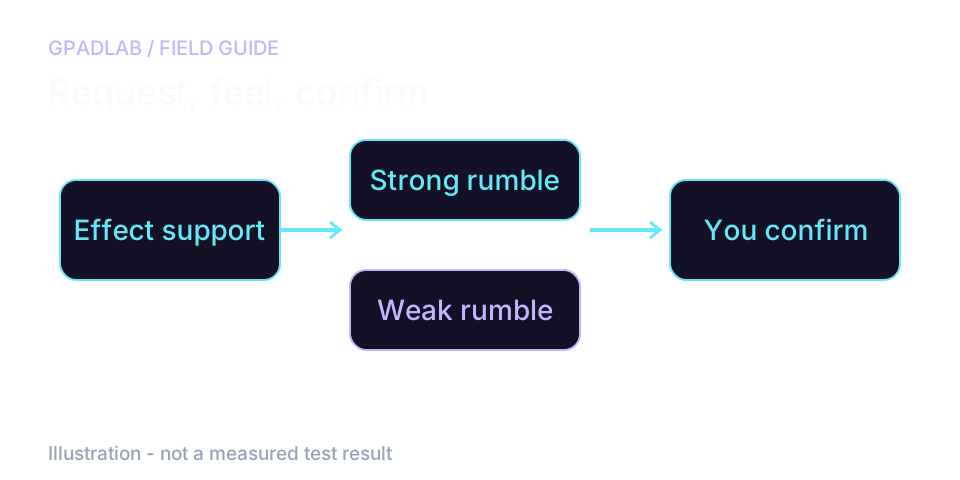
Check whether the effect is available
A connected controller can expose buttons without exposing rumble. If the tool reports no supported effect, try a connection and browser supported by your device. No effect here does not prove a motor has failed.
Compare the two effects by feel
Hold the controller the same way for each short burst. Test strong and weak feedback separately, then repeat any missing effect. The two effects need not feel equally strong.
If rumble works in a supported game but not here, focus on browser support. If it fails in both, check the game's vibration setting and follow the controller maker's support steps.
What the verdict means
Vibration intensity is not sensor-readable from the browser, so the verdict combines objective capability detection (actuator present? effects supported?) with your tactile confirmation per motor.
| Verdict | Trigger | What It Means |
|---|---|---|
| Fully Functional | Both motors confirmed | Rumble subsystem is healthy. Both motors fire and produce expected sensation. |
| Partial Function | One motor confirmed, one not | Only one requested effect was confirmed. Repeat and check a supported game; the page cannot identify a failed motor or solder joint. |
| Detected, Unconfirmed | Actuator reports support | Re-run at higher intensity or try a wired connection. Bluetooth can throttle vibration commands. |
| No Rumble | No actuator or no sensation | Could be a browser limitation (Firefox/Safari are spotty), a driver issue, or genuinely failed motors. Test in Chrome/Edge with a wired connection to rule out software. |
Compatible devices
The vibration test works with any controller whose vibrationActuator is exposed by the browser. Device guides below can help with setup. Confirm support on your browser and connection before interpreting results.
Common repair guides
Related diagnostics
Vibration questions
Browsers expose a vibrationActuator interface on connected gamepads through the Gamepad API. Calling playEffect('dual-rumble', { strongMagnitude, weakMagnitude, duration }) tells the controller to fire its motors at the requested intensity for the requested duration. The browser cannot read vibration back, so the tester combines this output with your tactile confirmation.
Each rumble motor is a separate component with its own wiring and weight. Drops, age, or solder fatigue can kill one without affecting the other - typically the strong (left) motor fails first because its larger weight stresses the mount. The fix is usually a motor replacement, which costs under $10 for most controllers.
The strong motor uses a large weight rotating slowly to produce a deep, low-frequency rumble felt across the whole controller. The weak motor uses a smaller weight rotating quickly for a faster, higher-pitched buzz. Games use them together for layered haptic feedback, like distant explosions on the strong motor and gunfire ticks on the weak.
The DualSense uses voice-coil actuators (linear resonant actuators) instead of traditional rotating-weight motors. This gives it finer-grained haptic feedback - game-driven textures and adaptive trigger effects. The Gamepad API exposes them through the same dual-rumble interface, but the sensation is qualitatively different and intensity perception may vary.
Mozilla has historically gated the vibrationActuator behind flags or omitted it entirely, citing fingerprinting and security concerns. As of 2025, Chromium-based browsers (Chrome, Edge, Opera, Brave) have the most reliable rumble support. If our tester shows No Actuator Exposed in Firefox, try Chrome before assuming hardware failure.
No. Each test fires for one second at an intensity you set, well below what games routinely demand. Sustained max-intensity rumble can shorten motor lifespan over many hours of continuous use, but a few seconds of diagnostic testing is harmless.
Bluetooth introduces latency and bandwidth limits that can cause the browser to throttle vibration commands. Many controllers also reduce vibration power on wireless to conserve battery. If wireless rumble feels weak but wired works fine, that's a power-saving feature, not a fault.
Partially. Our tester drives the standard dual-rumble effect, which the DualSense's actuators support fully. It does not test game-specific haptic textures or adaptive triggers - those require trigger-rumble effects, covered by our separate Adaptive Trigger Test.
How we test controller vibration
The page requests strong and weak rumble effects where the browser exposes them. You confirm what you feel after each burst. There is no force sensor or vibration readback. A missing browser effect cannot establish a failed motor. Effects can feel different across controller designs.Dedicated methodology article not yet published; see the methodology hub for the methods currently available.
Run the GPADLAB Controller Health Score
The Controller Benchmark combines six core diagnostic stages into GPADLAB's site-defined composite score. Use the stage breakdown for diagnosis and the score for repeat comparison.
Run the Benchmark