Xbox Elite Series 2 Controller Test
The Xbox Elite Series 2 controller test runs a full diagnostic on Microsoft's premium pad in the browser — checking analog sticks for drift, paddle response, hair-trigger lock positions, button consistency, and impulse trigger feedback. Connect over USB-C, Bluetooth, or the Xbox Wireless dongle, press any button, and get a Controller Health Score graded S through F.
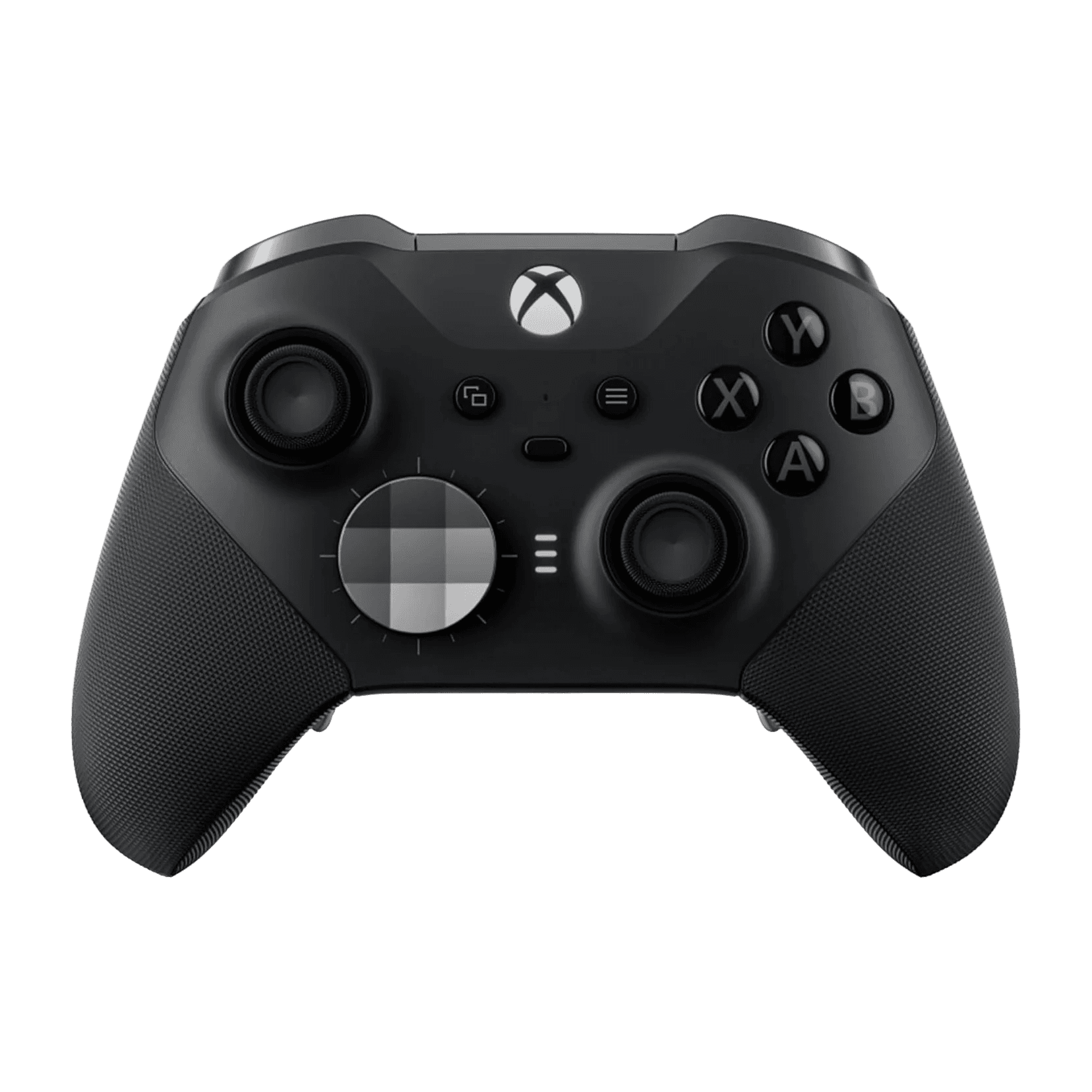
Full Elite Series 2 diagnostic
The Controller Benchmark runs every relevant subsystem on your Elite Series 2 — sticks, paddles, triggers, button response, latency, and connection stability — then produces a composite Controller Health Score. Especially useful for verifying a refurbished or warranty-replaced unit before competitive play.
Xbox Elite Series 2 hardware specifications
| Specification | Xbox Elite Series 2 |
|---|---|
| Connection | USB-C, Bluetooth, Proprietary Wireless |
| Button count | 21 |
| Analog stick type | Potentiometer (susceptible to drift) |
| Gyroscope | No |
| Rumble / haptics | ERM motors (standard rumble) |
| Impulse triggers | Yes |
| Adaptive triggers | No |
| Touchpad | No |
| Built-in microphone | No |
| Built-in speaker | No |
| Back paddles | Yes |
| Battery life | ~40 hours |
| Weight | 345 g |
| Release year | 2019 |
| MSRP | $179.99 USD |
Recommended tests for Xbox Elite Series 2
Each test runs in your browser via the Gamepad API — no install, no account, no upload. Run any individually, or use the full benchmark above.
Stick Drift Test
Detect unwanted analog input at rest
Deadzone Test
Measure your stick’s deadzone radius
Trigger Pressure
Verify full analog range on triggers
Button Test
Check every button responds instantly
Snapback Test
Measure how fast sticks return to center
Circularity Test
Visualize stick travel as a circle
Latency Test
Measure input lag in milliseconds
Connection Stability
Detect dropouts and signal interruptions
Known Xbox Elite Series 2 issues
Recurring problems users report with this controller, ranked by frequency. Each links to a step-by-step fix guide.
- Common
Stick drift on left analog
The Elite Series 2 was the subject of a 2023 class-action settlement specifically over stick drift. Microsoft extended warranty terms in response, but the underlying potentiometer sticks remain unchanged from earlier production runs.
View fix guide - Common
Bumper buttons stop registering
LB and RB button failure is the second-most-common Elite Series 2 complaint. The dome switches fatigue under heavy use — particularly in shooters. Check via the button test; any inconsistent registers indicate switch wear.
View fix guide - Occasional
Battery cannot be replaced (built-in)
Unlike the standard Xbox controller, the Elite Series 2 has a sealed internal Li-ion battery instead of AAs. Battery degradation after 2–3 years is normal; replacement requires opening the controller (warranty-voiding).
View fix guide - Occasional
Rear paddles develop play or rattle
Magnetic paddle attachments can loosen over time, leading to inconsistent activation. Reseat or replace the paddle and verify with the button test that each paddle registers cleanly without double-inputs.
View fix guide - Rare
Hair-trigger lock won't engage
The two physical hair-trigger locks behind the controller can seize if not used regularly, or develop play after heavy switching. Trigger pressure test will report a non-zero floor when the lock is engaged.
View fix guide
How to pair the Xbox Elite Series 2
Get your controller connected before running diagnostics — wired or wireless, mobile or desktop.
Power on the controller
Press the Xbox button briefly. The Xbox button lights up solid white once powered. The Elite Series 2 has an internal battery — no AAs to install.
Enter pairing mode
Hold the small Pair button on the top edge (next to the USB-C port) for about three seconds. The Xbox button flashes rapidly — pairing mode is active.
Open your device's Bluetooth menu
Windows: Settings → Bluetooth & devices → Add device → Bluetooth. macOS: System Settings → Bluetooth. Android/iOS: open the Bluetooth menu. The controller appears as "Xbox Elite Wireless Controller Series 2".
Select the controller to pair
Tap or click the entry. The Xbox button stops flashing and stays solid once paired. For competitive play on PC, prefer the Xbox Wireless Adapter over Bluetooth — the proprietary protocol has lower latency.
Press any button to confirm in the browser
Browsers gate gamepad access behind a user gesture. Press any button (or any of the four rear paddles) to expose the controller to the Gamepad API.
Xbox Elite Series 2 vs the competition
Head-to-head reviews against the other controllers most buyers cross-shop.
- vs
Standard Xbox Series Controller
Elite adds 4 paddles, hair triggers, swappable parts, and a sealed battery — at nearly three times the price.
- vs
DualSense Edge
Edge has 2 paddles + swappable stick modules; Elite has 4 paddles + adjustable tension but no swappable sticks.
- vs
Scuf Instinct Pro
Scuf Instinct Pro offers similar paddle layout with more grip and trigger customization options at a comparable price.
Xbox Elite Series 2 questions
No. Despite being Microsoft's premium offering, the Elite Series 2 uses the same potentiometer-based sticks as the standard Xbox controller. The 2023 class-action settlement over stick drift specifically named this hardware. Aftermarket Hall-effect stick replacements exist but void the warranty.
Yes. The four paddles register as buttons 16, 17, 18, and 19 in the standard Gamepad API mapping when no profile is overriding them. The button test detects each individually. Paddles mapped to other buttons via the Xbox Accessories app will appear as duplicates of their mapped button.
Identical controllers internally — the Core just ships without the accessory pack (swappable sticks, D-pad, paddles, USB cable, carrying case) and the rechargeable battery. The Core is the better value if you already own a previous Elite controller with the accessories.
Engage one of the two trigger locks (small slider switches on the back), then run the trigger pressure test. With the lock engaged, the trigger has roughly 1/3 of its normal travel — the test will show a much shorter range from 0.0 to maximum. Disengage to confirm full travel returns.
The internal Li-ion battery degrades after 2–3 years of regular charge cycles. Unlike the standard Xbox controller with swappable AAs, you cannot replace the battery without opening the controller. Microsoft's extended warranty covers some battery failures within the warranty window.
Yes. The Elite Series 2 works on Windows 10/11, macOS, Linux, Android, and iOS through Bluetooth, USB-C, or the Xbox Wireless Adapter. The Xbox Accessories app for Windows is required to customize paddle mappings — without it, paddles default to button duplicates.
Not by the end user without opening the controller. The dome switches under LB and RB are soldered to the main board. Microsoft has acknowledged bumper failure as a known issue and offers warranty replacement; for out-of-warranty units, third-party repair shops (or iFixit guides) can swap the switches.
Not natively. The controller speaks Xbox Wireless and Bluetooth, but PS5 and Switch do not recognize the Bluetooth profile. Third-party adapters like the 8BitDo Wireless Adapter 2 or Mayflash Magic-S Pro can translate the signal for non-Xbox platforms.
Get a full health report for your Xbox Elite Series 2
Run the Controller Benchmark to score every subsystem and generate a shareable Controller Health Score graded S through F.
Run the Benchmark