Connection Stability Test - controller stress test
A connection stability test detects whether your controller maintains a steady link during continuous use - catching dropouts, mid-game disconnects, and polling jitter that the other diagnostic tools cannot surface. Our free browser-based stress test runs for 30 seconds while you move both sticks, tracks four signals (disconnect events, input dropout gaps over 100ms, polling jitter outliers, and activity ratio), and scales the verdict thresholds based on whether your controller is wired, Bluetooth, or on a 2.4GHz dongle. No download required.
Watch the link during continuous input
Connection type fingerprinting
Before the stress window starts, the tester reads your controller identifier and classifies the connection as wired (USB), Bluetooth, 2.4GHz wireless dongle, or unknown. The verdict thresholds are then scaled - a wired controller is held to a near-perfect standard, while a Bluetooth controller is allowed more jitter because Bluetooth radios have known timing variance.
30-second active stress window
You move both thumbsticks in continuous circles for 30 seconds - the test cannot detect dropouts during periods when there is no input to drop. A live stick-position visualization confirms the controller is reporting movement, and an activity meter shows the percentage of the window you were actively inputting.
Disconnect event tracking
If the gamepaddisconnected event fires during the stress window, the disconnect counter increments. A reconnect that occurs within the same window counts as one disconnect event - the link broke even if it recovered.
Input dropout detection
On every frame where state changes are detected, the tester measures the gap from the previous state change. Any gap longer than 100 milliseconds during active input is classified as a dropout. A secondary check catches long silences (over 500 milliseconds) where the user is actively inputting but no state changes arrive - the signature of a held-state dropout.
Polling jitter outlier analysis
All inter-event intervals are collected over the 30-second window. The median interval establishes the baseline polling cadence, and any interval longer than three times the median is flagged as a jitter outlier. The result panel reports the outlier percentage - under 1% is healthy on a wired connection, while under 2% is healthy on Bluetooth.
What the measurements mean
Three signals are classified independently with thresholds scaled by connection type. The overall verdict is the worst of the three. Activity ratio is informational only and does not affect the verdict.
| Signal | Verdict | Threshold |
|---|---|---|
| Disconnect events | gamepaddisconnected fires during the stress window | Healthy 0 events · Partial 1 event · Faulty 2+ events. Applied identically to wired and wireless - any disconnect during 30 seconds of continuous use is abnormal, but wired connections that disconnect almost always mean a failing cable or USB port. |
| Input dropouts (wired) | Gaps > 100ms during active input on a wired connection | Healthy ≤ 2 · Functional ≤ 5 · Partial ≤ 10 · Faulty > 10. Wired connections should rarely produce dropouts - frequent gaps point to cable damage, a flaky USB port, or a failing controller PCB. |
| Input dropouts (Bluetooth) | Gaps > 100ms during active input on Bluetooth | Healthy ≤ 5 · Functional ≤ 10 · Partial ≤ 20 · Faulty > 20. Bluetooth radios share the 2.4GHz band with Wi-Fi, microwaves, and other devices, so occasional gaps are normal under congestion. Persistent high counts suggest interference or distance issues. |
| Polling jitter | Percentage of intervals exceeding 3× the median | Wired: Healthy ≤ 1% · Functional ≤ 3% · Partial ≤ 5% · Faulty > 5%. Bluetooth and dongle: Healthy ≤ 2% · Functional ≤ 5% · Partial ≤ 10% · Faulty > 10%. High jitter means polling is uneven - frames arrive in bursts and gaps rather than at a steady cadence. |
| Activity ratio | Informational - does not affect verdict | Percentage of the 30-second window with active input. Above 70% is sufficient for a confident result. Below 70% means dropouts had fewer opportunities to surface, so a clean verdict is less meaningful - the result panel notes this and recommends re-running with continuous input. |
A quiet input stream is not always a dropped link
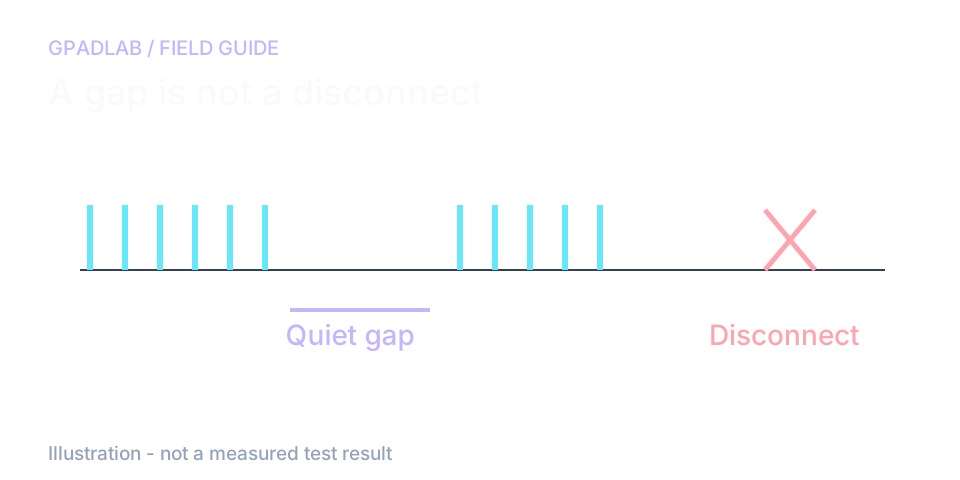
Keep moving during the sample
Move both sticks for the full 30 seconds. A pause in your movement can look like a gap in input. Keep the page visible and avoid changing windows.
The activity reading helps you judge whether the run had enough movement. It should be read alongside the gap count.
Narrow down a repeated problem
If the controller disconnects, repeat with the same setup to check whether it happens again. Then change one thing, such as the cable or connection method.
This page cannot measure radio signal strength or true packet loss. The connection label is inferred from the controller name and may be wrong. Treat it as context rather than proof of the link type.
Compatible controllers
Works with any controller the browser recognizes as a standard gamepad. Thresholds adapt to the detected connection type.
Common troubleshooting guides
Related diagnostics
Connection Stability questions
When the test window starts, the tester polls your controller on every frame for 30 seconds. It tracks four things: disconnect events that fire when the link breaks, gaps over 100 milliseconds between state changes during active input, the percentage of polling intervals that exceed three times the median (jitter outliers), and how much of the window you were actively inputting. All processing happens in your browser tab - nothing is uploaded.
Dropouts can only be detected when there is input to drop. If your controller sits idle, the test sees no state changes - not because the connection is perfect, but because there is nothing for it to drop. Moving both sticks in continuous circles for the full 30 seconds gives the test maximum opportunity to detect gaps, stutters, and dropouts.
A wired USB connection has a dedicated, interference-free data path and should be near-perfect - any dropouts or jitter usually mean a failing cable or USB port. Bluetooth radios share the crowded 2.4GHz band with Wi-Fi, microwaves, and other devices, so a small amount of jitter and the occasional dropout is normal even on a healthy controller. Holding both to the same standard would unfairly fail every Bluetooth controller, so thresholds are scaled by connection type.
Not necessarily. On Bluetooth, up to about five dropouts in 30 seconds is normal under typical RF conditions. On wired, even one or two dropouts is worth investigating - most likely a damaged cable or USB port rather than the controller itself. Try a different cable, a different USB port (preferably directly on the motherboard rather than a hub or front-panel), and re-run the test. If the dropouts persist on wired across multiple cables and ports, the controller's internal connector or PCB is the next thing to inspect.
Polling jitter is the variance in time between consecutive input events. A controller polling at a steady 250Hz should produce one event roughly every 4 milliseconds. If the intervals come in bursts and gaps instead - 1ms, 1ms, 1ms, then a 20ms wait - the jitter percentage is high. In fast-paced games, high jitter feels like occasional input lag spikes even when average latency is fine, because some inputs arrive late and clump together.
Not directly. It measures the symptoms of interference (dropouts, jitter, disconnects) but cannot read RF signal strength or identify the interfering device. If you get a poor result on Bluetooth, common causes include Wi-Fi on the same 2.4GHz band, a microwave running nearby, a USB 3.0 port radiating interference into the Bluetooth dongle, or simple distance from the receiver. Try moving closer, switching the receiver to a USB 2.0 port, and re-running.
Because the result is only as meaningful as the input it was given. If you only moved the sticks 30% of the time, the test had 70% less opportunity to detect dropouts than it could have. The activity percentage is shown as information rather than a pass/fail signal - a Healthy verdict with 95% activity is much stronger evidence than the same verdict with 40% activity, and the result panel calls this out when activity falls below 70%.
A mid-test disconnect on wired almost always points to a cable or port issue: try a different cable, plug directly into the motherboard, and avoid front-panel ports and unpowered hubs. On Bluetooth, check the battery level (low battery is the most common cause of mid-session disconnects), move closer to the host device, and disable Wi-Fi temporarily to rule out 2.4GHz interference. If the disconnect repeats consistently across power, cable, and proximity changes, the controller's radio or USB controller is suspect.
How we measure connection stability
During 30 seconds of movement, the page tracks disconnect events, gaps, timing outliers, and activity. Connection type is inferred from the controller name and may be wrong. Thresholds vary with that inference. A quiet interval can reflect user movement or browser scheduling; it does not measure packet loss or radio strength.Dedicated methodology article not yet published; see the methodology hub for the methods currently available.
Run the GPADLAB Controller Health Score
The Controller Benchmark combines six core diagnostic stages into GPADLAB's site-defined composite score. Use the stage breakdown for diagnosis and the score for repeat comparison.
Run the Benchmark