Polling Rate Test - measure controller Hz online
A controller polling rate is the frequency at which a device reports input, expressed in Hz. GPADLAB estimates the update rate visible to the browser by tracking Gamepad API timestamp changes during 10 seconds of stick movement. The result can be compared with known controller specifications, but browser and OS scheduling can cap what a webpage observes, so it is not a raw HID polling measurement.
Keep input moving during the sample
Connect your controller
Plug in via USB or pair over Bluetooth, then press any button. The test detects the controller's id string to determine its expected polling rate.
Rotate the left stick continuously
The Gamepad API exposes pad.timestamp values that change as new controller state becomes visible to the browser. GPADLAB tracks those changes while you move the stick. This is a browser-observed update stream, not direct access to the controller's raw USB or Bluetooth HID reports.
Capture 10 seconds of samples
During the sampling window the tester records distinct timestamp changes that the browser exposes. Continuous motion helps generate changing input state, but the number of samples can still be limited by browser, operating-system, and frame-scheduling behavior even when the controller's native polling specification is higher.
Compute median interval
Inter-sample deltas are sorted, the median taken, then Hz = 1000 / median_ms. Median is used instead of mean because USB and Bluetooth subsystems produce occasional gaps that would skew an arithmetic average.
Compare against spec
If the controller is recognized, GPADLAB shows its configured reference polling specification beside the browser-observed result. A direct spec verdict is only meaningful when the browser's own observation cadence is high enough; otherwise the result is labeled browser-limited or inconclusive rather than treated as a hardware failure.
What the verdict means
The displayed Hz is a browser-observed update-rate estimate. Known controller specifications are shown as references, while browser frame cadence is used to identify cases where the page cannot observe the controller's full native polling rate. Stability is reported separately as IQR over median.
| Verdict | Trigger | What It Means |
|---|---|---|
| At / near reference | Browser can observe the reference range | The browser-observed update rate is close to the configured controller reference. This supports a near-spec observation in this browser session, but it is not a raw HID measurement. |
| Browser Limited | Browser cadence is below the controller reference | The page cannot directly observe the controller's full advertised polling rate. A result near the browser frame cadence should not be treated as hardware throttling. |
| Low Observed Rate | Updates are well below the browser cadence | The browser is seeing fewer controller-state updates than its own frame cadence would allow. Re-test with a wired connection, another port, another browser, or reduced background load before drawing a hardware conclusion. |
| Unknown specification | No reliable model reference | GPADLAB reports the browser-observed Hz and timing stability without certifying the controller's native polling specification. |
Why a 1000 Hz controller may show a lower rate
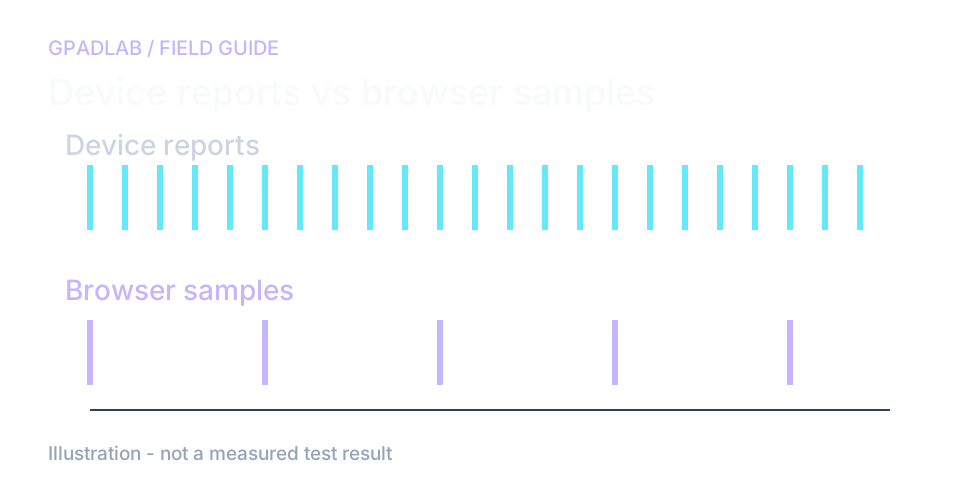
Keep the controller sending changing input
Rotate the stick for the full ten seconds. A still controller may not produce the timestamp changes this test needs. Keep the page visible and use the same browser for repeat runs.
The result comes from distinct timestamps observed by the page. The browser and operating system may limit which updates are visible.
Compare under the same conditions
A lower number than the box advertises does not prove the controller is running below specification. The advertised rate may describe a specific connection or device reporting mode.
Try three runs with the same movement. If you compare USB and wireless, keep the display and browser settings fixed. Use the pattern as a clue, not a direct measurement of every hardware report.
Compatible devices
The polling rate test works with any controller exposed via the Gamepad API. Controllers below are recognized for spec-relative verdicts:
Common troubleshooting guides
Related diagnostics
Polling Rate questions
Polling rate is how often your controller sends a state update to your computer, measured in Hz. A 125Hz controller sends 125 reports per second - roughly one every 8ms. A 1000Hz controller sends 1000 reports per second - roughly one every 1ms. Higher polling rate means lower input latency and finer-grained motion tracking, which matters for competitive gaming and racing simulators.
Check the specification for the exact controller model, firmware, and connection mode. Rates differ across those conditions. This page measures updates visible to the browser, so a value below an advertised rate does not establish that the device is running below specification.
A 60Hz or 144Hz result on a controller advertised at 1000Hz can be caused by the browser observation path rather than the controller itself. GPADLAB samples Gamepad API state inside the page's frame loop, so browser and OS scheduling can cap the visible update rate. When the browser cadence is below the controller reference, the result is labeled browser-limited instead of being treated as proof of throttled hardware.
A higher native polling rate reduces the maximum time between controller reports: 125Hz is an 8ms report interval and 1000Hz is a 1ms interval. That is a theoretical 7ms difference in report spacing, not a guaranteed 7ms reduction in total input latency. Firmware, USB or radio transport, the OS, game loop, display, and browser observation path all contribute to the end-to-end result.
Bluetooth uses time-division multiplexing and shares spectrum with WiFi, mice, keyboards, and other peripherals. The protocol enforces minimum connection intervals (typically 7.5ms, which caps at ~133Hz) and packets can be delayed by interference. Wireless 2.4GHz dongles bypass this by using dedicated radio protocols, which is how premium pads achieve 1000Hz wirelessly.
For most users, yes. A controller polling at a consistent 250Hz feels smoother than one polling at an average 500Hz with high jitter. Our test reports stability as the interquartile range divided by the median - values below 15% are consistent, above 35% are noticeably jittery. Jitter is often caused by USB hub contention, bluetooth interference, or driver issues.
A still controller may produce too few visible state changes for a useful browser measurement. Continuous stick rotation creates changing axis values so GPADLAB can collect more Gamepad API timestamp changes and estimate browser-observed update intervals. Those intervals should not be treated as raw HID inter-poll timing.
Hardware polling rate is fixed by the controller's firmware and cannot be increased on most pads. Some premium controllers ship with companion software that exposes a polling rate setting - 8BitDo Ultimate Software and GuliKit Studio both expose 125/500/1000Hz toggles. For other controllers, the only way to increase polling rate is to upgrade to a higher-spec model.
How we measure polling rate
The page watches for distinct gamepad timestamps during ten seconds of movement. It uses their intervals to estimate the update rate visible to the browser. It also reports timing spread and browser cadence. It does not capture the raw USB or Bluetooth report stream.Dedicated methodology article not yet published; see the methodology hub for the methods currently available.
Run the GPADLAB Controller Health Score
The Controller Benchmark combines six core diagnostic stages into GPADLAB's site-defined composite score. Use the stage breakdown for diagnosis and the score for repeat comparison.
Run the Benchmark