Flydigi Apex 4 Controller Test
The Flydigi Apex 4 controller test runs a full diagnostic on Flydigi's Hall-effect flagship in your browser — verifying the force-adjustable alloy sticks, four back paddles, force feedback triggers, gyroscope, and four-motor stereo vibration. Connect over Bluetooth, USB-C, or the included 2.4GHz dongle, press any button, and get a Controller Health Score graded S through F.
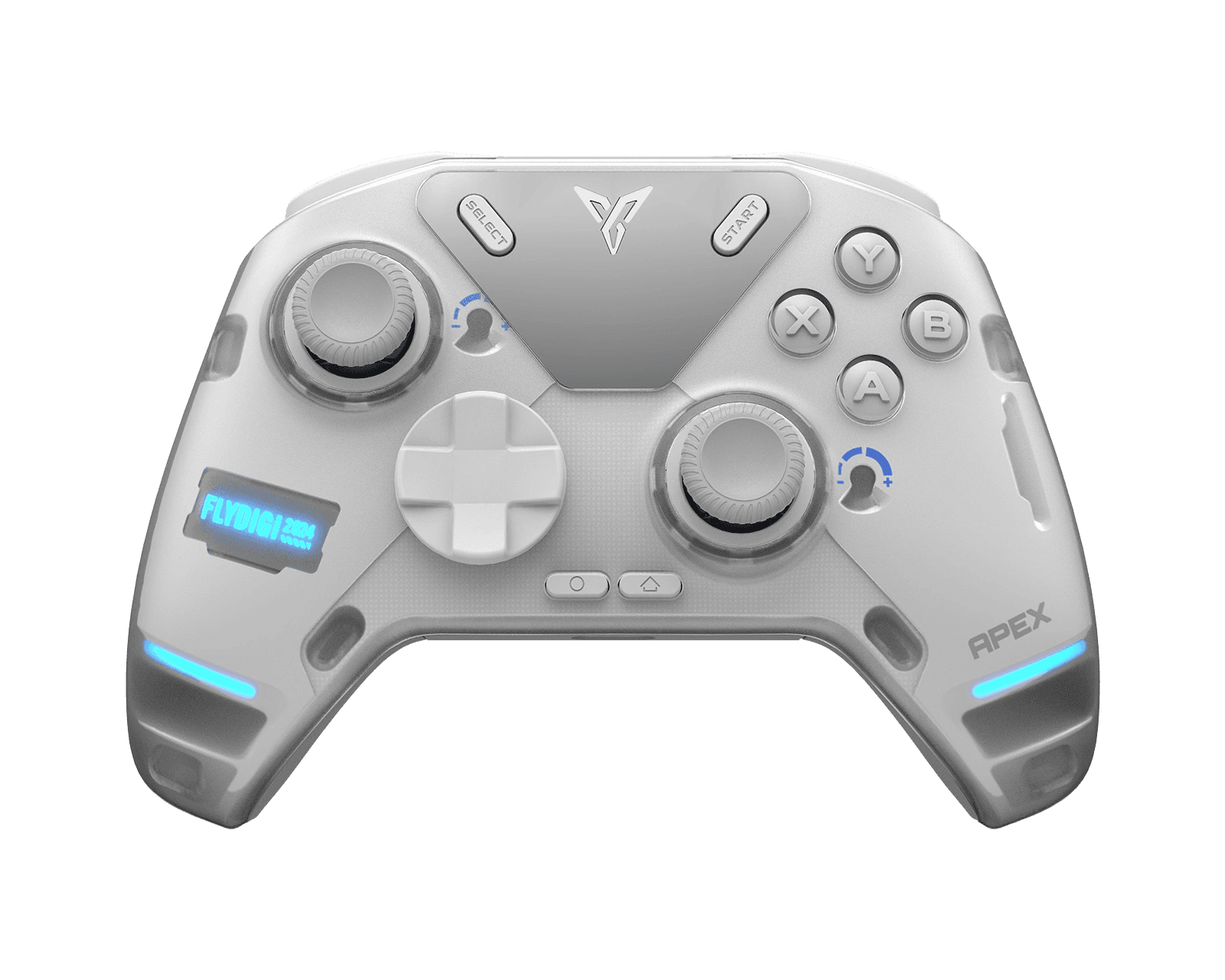
Full Flydigi Apex 4 diagnostic
The Controller Benchmark runs every relevant subsystem on your Apex 4 — Hall-effect sticks, deadzone, button response, four back paddles, force feedback trigger range, four-motor rumble, gyroscope, latency, and connection stability — then produces a composite Controller Health Score. Hall-effect sticks should test exceptionally clean for drift; if they don't, the magnet alignment may need attention.
Flydigi Apex 4 hardware specifications
| Specification | Flydigi Apex 4 |
|---|---|
| Connection | USB-C, Bluetooth, 2.4GHz Wireless Dongle |
| Button count | 21 |
| Analog stick type | Hall-effect (drift-resistant) |
| Gyroscope | Yes |
| Rumble / haptics | ERM motors (standard rumble) |
| Impulse triggers | Yes |
| Adaptive triggers | Yes |
| Touchpad | No |
| Built-in microphone | No |
| Built-in speaker | No |
| Back paddles | Yes |
| Battery life | ~18 hours |
| Weight | 250 g |
| Release year | 2024 |
| MSRP | $129.99 USD |
Recommended tests for Flydigi Apex 4
Each test runs in your browser via the Gamepad API — no install, no account, no upload. Run any individually, or use the full benchmark above.
Stick Drift Test
Detect unwanted analog input at rest
Deadzone Test
Measure your stick’s deadzone radius
Hall Effect Checker
Identify Hall Effect vs potentiometer sticks
Trigger Pressure
Verify full analog range on triggers
Adaptive Trigger
Test DualSense adaptive trigger resistance
Button Test
Check every button responds instantly
Circularity Test
Visualize stick travel as a circle
Vibration Test
Test both rumble motors independently
Gyro Test
Test 6-axis motion sensors
Polling Rate
Measure inputs reported per second
Known Flydigi Apex 4 issues
Recurring problems users report with this controller, ranked by frequency. Each links to a step-by-step fix guide.
- Occasional
Force-adjust dial occasionally drifts in tension
The physical tension dial under each stick can loosen during transport or rough handling — the stick feels lighter than the dial setting suggests. Rotate the dial to its max position, then back to your preferred setting, to re-engage the mechanism. Persistent looseness indicates the internal tension spring needs reseating, which requires partial disassembly.
View fix guide - Common
Force Feedback Triggers feel weaker than DualSense
Flydigi's Force Feedback Triggers simulate adaptive resistance but use a different mechanism than Sony's DualSense (voice-coil) — the feedback feels firmer-but-less-nuanced. Games designed specifically for DualSense triggers may not translate as cleanly to the Apex 4. Force Feedback works best when configured per-game via Flydigi Space Station software.
View fix guide - Occasional
Bluetooth pairing fails on first connect to PC
The Apex 4 boots into the mode last used (PC / Switch / Android / iOS). If you switch hosts, the LCD will show the current mode — hold the function button + a face button combo for 3 seconds to change. The Flydigi Space Station software documents the combos; getting this right before pairing prevents most first-connect failures.
View fix guide - Common
Does not work on Xbox or PlayStation consoles
Xbox and PlayStation consoles enforce controller authentication and reject non-licensed controllers. The Apex 4 works on PC (Windows), Switch, Switch 2, TV/Android boxes, and mobile devices — but cannot be used on Xbox One, Series X|S, PS4, or PS5. Workarounds via Brook Wingman or Cronus Zen exist but aren't officially supported.
View fix guide - Occasional
LCD screen flickers under low battery
When battery drops below 15%, the full-color LCD display can flicker or dim noticeably as the controller throttles power to extend gameplay time. The flicker is normal behavior, not a hardware fault — the controller will keep working for another 30–60 minutes before forcing a recharge.
View fix guide
How to pair the Flydigi Apex 4
Get your controller connected before running diagnostics — wired or wireless, mobile or desktop.
Check the LCD for current mode
The full-color LCD on the controller body shows the active mode (PC / Switch / Android / iOS) when you power on. If it's not the mode you need, hold the Function button + the corresponding face button for 3 seconds to switch — Flydigi Space Station software documents the exact combos.
Enter pairing mode
Hold the Home button on the controller for about 5 seconds. The LCD displays a Bluetooth pairing icon and the controller's lighting begins pulsing rapidly, indicating it's discoverable.
Open your device's Bluetooth menu
On Windows: Settings → Bluetooth & devices → Add device. On Switch: Controllers menu → Change Grip/Order. On Android: Settings → Connected devices → Bluetooth. The Apex 4 appears as "Flydigi APEX 4" — tap or click to pair.
2.4GHz dongle for 1000Hz polling
Plug the included 2.4GHz USB-A dongle into a USB port. The Apex 4 connects automatically — no manual pairing required for the dongle. Polling rate hits 1000Hz on the dongle vs Bluetooth's 125Hz cap, which the polling rate test will show clearly.
Press any button to confirm in the browser
Browsers gate gamepad access behind a user gesture. Press any button on the Apex 4 to expose it to the Gamepad API. The button mapping reflects whichever mode you set in step 1 — PC mode uses Xbox-style A/B/X/Y, Switch mode uses B/A/Y/X. Use the mode that matches your intended gameplay.
Flydigi Apex 4 vs the competition
Head-to-head reviews against the other controllers most buyers cross-shop.
- vs
GuliKit KingKong 3 Max
KK3 Max has higher precision Hall sticks and 6 back paddles; Apex 4 adds force-adjustable stick tension, Force Feedback Triggers, and a full-color LCD display.
- vs
8BitDo Ultimate
8BitDo Ultimate is a third the price with charging dock and simpler feature set; Apex 4 adds adjustable stick tension, force feedback triggers, LCD display, and 4 back paddles.
- vs
PS5 DualSense
DualSense has true haptic feedback and adaptive triggers with PS5 native support; Apex 4 has drift-resistant Hall sticks, four back paddles, and LCD customization, but doesn't work on PlayStation consoles.
Flydigi Apex 4 definitions
Plain-language definitions for the terms used on this page. Each links to the full glossary entry with thresholds, mechanism, and FAQs.
Flydigi Apex 4 questions
Flydigi's headline Apex 4 feature: a physical tension dial under each thumbstick lets you tune the spring resistance from approximately 30 grams-force to 100 grams-force. Tight (high force) is better for precision aiming; loose (low force) is better for fast spins and quick direction changes. No other major controller offers this physical-tension adjustment.
Yes — the Apex 4 uses Hall-effect sensors that measure stick position via magnetic field rather than physical carbon contact. Without the wear mechanism that causes drift on DualShock 4 and Xbox controllers, the Apex 4 sticks should not develop drift over normal use. If the drift test reports center-noise, the magnet alignment inside the stick housing may need adjustment.
No. Xbox and PlayStation consoles enforce controller authentication at the system level and reject non-licensed third-party controllers. The Apex 4 works on PC, Switch, Switch 2, Android TV boxes, and mobile devices — but cannot be used on Xbox One, Series X|S, PS4, or PS5. This applies to all Flydigi controllers, not just the Apex 4.
Both simulate variable trigger resistance, but they use different mechanisms. DualSense uses voice-coil actuators that produce smooth, infinitely-variable resistance. The Apex 4 uses programmable stepped resistance with a different actuator design — the feel is firmer and less nuanced. The Apex 4 also can't receive DualSense-specific trigger commands from PS5 games, since it doesn't work on PS5 anyway.
The LCD shows current mode (PC / Switch / Android / iOS), active profile name, trigger configuration, battery level, vibration intensity, and connection type. Through the Flydigi Space Station software, you can also upload custom static images or animated GIFs to the LCD as a personalized wallpaper.
Most controllers have two rumble motors (one in each grip). The Apex 4 has four motors — typical stereo rumble plus two additional motors with counter-weighted offsets for more spatial vibration effects. The result is rumble that feels more directional, useful in racing games and shooters where physical-direction feedback matters. Falls short of DualSense's voice-coil haptics in nuance, but exceeds standard dual-motor controllers in spatial detail.
The Black Myth: Wukong Edition is Flydigi's premium tier with a few hardware upgrades over the Standard Edition: higher polling rate (2000Hz vs 1000Hz on the Standard), premium finish materials, and themed packaging. Internal sensor and motor hardware is otherwise identical between editions. Most players don't notice the polling rate difference outside of pixel-perfect 240Hz+ displays.
Yes, via Bluetooth or the included 2.4GHz dongle. Steam Deck recognizes the Apex 4 through Steam Input as a generic XInput controller. Force Feedback Triggers, the LCD display, and back paddles all work; configure them via Steam Input's controller config menu. The Apex 4 is heavier than the Deck's built-in controls (250g vs the Deck's grip ergonomics), so it's better suited for docked play.
Get a full health report for your Flydigi Apex 4
Run the Controller Benchmark to score every subsystem and generate a shareable Controller Health Score graded S through F.
Run the Benchmark