Gyro Test - 3-axis motion sensor checker
A controller gyro test can check whether a browser exposes motion-responsive controller signals, but the standard Gamepad API does not provide a universal calibrated gyro mapping or degrees-per-second conversion for extra axes. GPADLAB therefore auto-detects three candidate motion axes and runs a guided rest-motion-rest sequence using normalized browser values. The result is a browser motion-signal check, not a laboratory angular-velocity calibration or standalone proof of sensor hardware health.
Look for browser-visible motion signals
Connect your controller
Plug in via USB or pair over Bluetooth. Press any button to expose the controller to the page. Best results on Chromium-based browsers (Chrome, Edge, Opera, Brave) - Firefox and Safari have limited gyro support.
Auto-detect candidate motion axes
There is no standard Gamepad API index for controller gyro data. GPADLAB probes extra axes 4 through 9 during a 500-millisecond gentle-motion window and selects the three highest-variance values as candidate X, Y, and Z motion signals. This is a heuristic mapping, so controller and browser behavior can vary.
Phase 1 - Rest (2 seconds)
Place the controller flat with hands off. The tester records the worst absolute normalized value on each candidate motion axis. Lower resting values are preferred, but these are browser axis units rather than calibrated degrees-per-second, so an elevated value should be confirmed with the controller platform's own motion-calibration tools.
Phase 2 - Motion (8 seconds)
Rotate the controller through all three directions - tilt, pitch, and twist. The tester records peak normalized signal magnitude and other-axis activity when one candidate axis is dominant. These values are useful for repeat comparisons in the same browser setup but are not physical angular-velocity measurements.
Phase 3 - Rest again (2 seconds)
Place the controller flat again. GPADLAB compares the post-motion resting signal with the first rest phase and combines the heuristic classifications across the three candidate axes. A browser result alone cannot distinguish true IMU drift from controller mapping, browser behavior, or signal noise.
No motion data does not mean no gyro
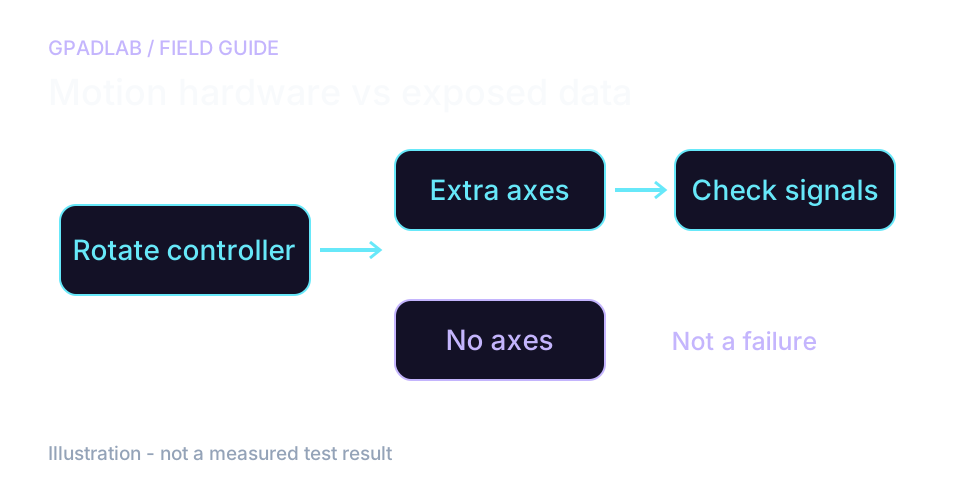
Check the connection before the sensor
Your controller may support gyro aiming in a game while exposing no motion axes to this webpage. Standard gamepad support does not guarantee a browser gyro readout.
Keep both sticks still while you rotate the controller for detection. Extra axes are only candidates; they are not a universal gyro mapping.
Compare rest with deliberate motion
Set the controller down during both rest phases. Rotate it during the motion phase, then put it back in the same position.
If no extra axes appear, try a game that supports gyro or the maker's app. This test does not read raw motion reports through WebHID. A blank result does not prove the sensor is broken.
What the gyro signals mean
The bands below are heuristic normalized-axis thresholds used consistently by this browser test. They preserve the tester's existing classification behavior after removing the old arbitrary ×500 display conversion. They are not calibrated °/s limits or manufacturer specifications.
| Signal | Verdict | Threshold |
|---|---|---|
| Rest drift | Worst |value| during rest | Healthy ≤ 0.002 · Good ≤ 0.004 · Worn ≤ 0.010 · Failing > 0.010 normalized axis units. Treat an elevated resting signal as a reason to retest and verify with the controller platform's own calibration tools, not as a standalone hardware diagnosis. |
| Peak reach | Max magnitude during motion | Healthy ≥ 0.200 · Good ≥ 0.150 · Worn ≥ 0.100 · Failing < 0.100 normalized axis units. This measures how strongly the selected browser axis responds during the guided motion phase; it does not measure a calibrated physical rotation rate. |
| Cross-axis interference | Other-axis bleed when one is dominant | Healthy ≤ 0.030 · Good ≤ 0.060 · Worn ≤ 0.120 · Failing > 0.120 normalized axis units. Higher other-axis activity can reflect real sensor coupling, the user's motion path, axis mapping, or browser/controller behavior, so it should not be treated as proof of mechanical isolation failure. |
| Calibration callout | Rest > 0.004 + peak ≥ 0.150 on all axes | Surfaced automatically when resting signal is elevated but motion response remains strong. Retest first; if the same problem appears in the console or controller's own motion-calibration tools, follow its recalibration guidance. |
Compatible devices
The gyro test requires a browser/controller combination that exposes motion-responsive values through extra Gamepad axes. Because this mapping is not standardized, compatibility and axis meaning can vary by browser, operating system, connection mode, and controller.
Related diagnostics
Gyro questions
A controller gyroscope is a small motion sensor that measures how fast the controller is rotating in three dimensions - pitch (tilt up/down), yaw (twist left/right), and roll (lean left/right). Games use gyro data for fine aiming (Splatoon, Zelda Breath of the Wild, Resident Evil 4 Remake), for steering in racing games, and as a mouse-like pointer for menu navigation. PC players often pair gyro with stick-aim through Steam Input or GyroDSU for hybrid control schemes.
The standard Gamepad API does not define a universal controller-gyro field or physical unit. Some browser/controller combinations expose additional motion-responsive values in extra axes. GPADLAB probes axes 4 through 9 during a brief motion window and selects the three highest-variance values as candidate motion signals. That mapping is heuristic and may not represent the same sensor channels on every controller or browser.
A resting motion signal can remain slightly above zero because of sensor noise, controller mapping, browser behavior, or actual gyro bias. GPADLAB reports the browser value in normalized axis units rather than °/s. If the resting value is repeatedly elevated, verify the behavior in the console or controller's own motion-calibration interface before concluding that the sensor needs recalibration or repair.
GPADLAB uses "cross-axis activity" to describe how much the other selected browser axes move while one candidate axis is dominant. It is not a calibrated measurement of IMU cross-axis sensitivity. The value can be affected by the way the controller is physically rotated, the browser's axis mapping, and genuine sensor coupling, so use it mainly for repeat comparisons under similar conditions.
Splatoon's entire combat system is built around gyro aim. A drifting or imprecise gyro causes your crosshair to wander or judder, missing shots that should land. Competitive Splatoon players check gyro health before tournaments and after any controller drop or storage gap. Switch Pro Controllers and Joy-Cons are particularly sensitive to gyro calibration after long storage in pockets, bags, or hot/cold environments.
Limited. Chromium-based browsers (Chrome, Edge, Opera, Brave) expose extra gyro axes on most supported controllers. Firefox has historically gated motion sensor access behind privacy flags. Safari supports the basic Gamepad API but does not consistently expose extra axes for gyro. If our tester shows Detection Failed in Firefox or Safari, your controller may still have working gyro - try the test in Chrome or Edge before assuming hardware failure.
The standard Gamepad API does not provide a universal controller-gyro calibration or physical unit for extra axes. Earlier versions of this tester multiplied the browser value by 500 and displayed the result as approximate °/s, but that conversion was not controller-specific and was not a defensible physical calibration. GPADLAB now shows the observed normalized axis value directly. Calibrated angular velocity requires controller-specific raw sensor data and calibration information.
A gyroscope measures angular velocity while an accelerometer measures linear acceleration; both are commonly packaged in an IMU. The browser test does not receive a standardized sensor-type label for the extra Gamepad axes it probes, so GPADLAB cannot guarantee that every selected extra axis maps exclusively to raw gyro rather than another motion-related channel. Controller-specific raw HID decoding would be required for that stronger claim.
How we measure controller gyro
A short probe checks extra axes 4 through 9 and selects three with the most variation. The test then compares rest, motion, and rest again. Values are browser axis units, not degrees per second. Extra axes are not a standard gyro mapping. The current version does not implement raw WebHID motion reads.Dedicated methodology article not yet published; see the methodology hub for the methods currently available.
Run the GPADLAB Controller Health Score
The Controller Benchmark combines six core diagnostic stages into GPADLAB's site-defined composite score. Use the stage breakdown for diagnosis and the score for repeat comparison.
Run the Benchmark