PS5 DualSense Controller Test
The PS5 DualSense controller test runs a full diagnostic on your DualSense in the browser — checking analog sticks for drift, adaptive trigger resistance, haptic motors, gyroscope, touchpad, and built-in microphone. Connect over USB-C or Bluetooth, press any button to begin, and get a Controller Health Score in under two minutes.
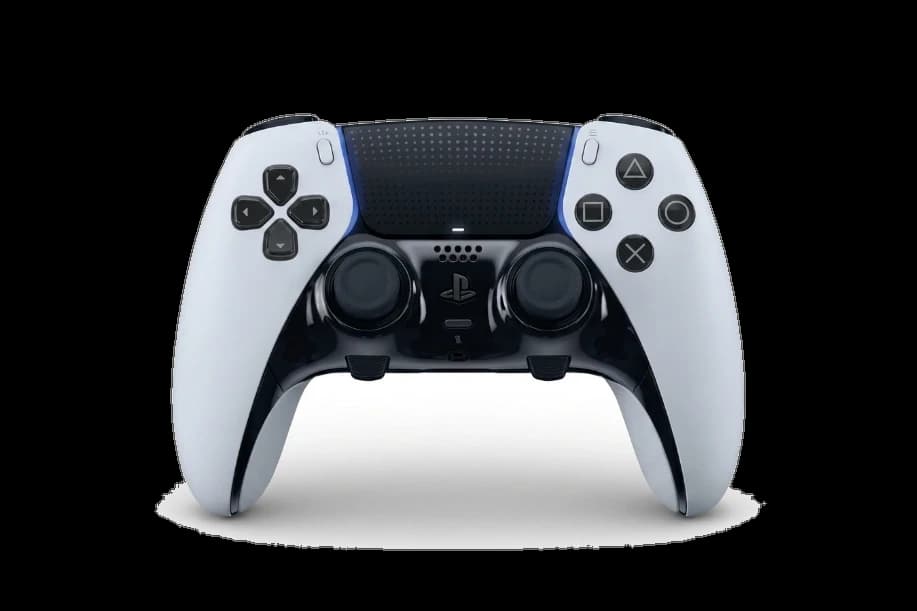
Full DualSense diagnostic
The Controller Benchmark runs every relevant test on your DualSense — drift, deadzone, button response, trigger range, latency, and connection stability — then produces a composite Controller Health Score graded S through F. Plug in or pair over Bluetooth, then press any button to begin.
PS5 DualSense hardware specifications
| Specification | PS5 DualSense |
|---|---|
| Connection | USB-C, Bluetooth |
| Button count | 17 |
| Analog stick type | Potentiometer (susceptible to drift) |
| Gyroscope | Yes |
| Rumble / haptics | Haptic (voice-coil / LRA) |
| Impulse triggers | No |
| Adaptive triggers | Yes |
| Touchpad | Yes |
| Built-in microphone | Yes |
| Built-in speaker | Yes |
| Back paddles | No |
| Battery life | ~12 hours |
| Weight | 280 g |
| Release year | 2020 |
| MSRP | $74.99 USD |
Recommended tests for PS5 DualSense
Each test runs in your browser via the Gamepad API — no install, no account, no upload. Run any individually, or use the full benchmark above.
Stick Drift Test
Detect unwanted analog input at rest
Deadzone Test
Measure your stick’s deadzone radius
Adaptive Trigger
Test DualSense adaptive trigger resistance
Touchpad Test
Test DualSense and DualShock touchpads
Gyro Test
Test 6-axis motion sensors
Vibration Test
Test both rumble motors independently
Mic Test
Test controller and headset microphones
Latency Test
Measure input lag in milliseconds
Known PS5 DualSense issues
Recurring problems users report with this controller, ranked by frequency. Each links to a step-by-step fix guide.
- Common
Left stick drift
DualSense units commonly develop analog drift on the left stick after 6–12 months of regular use, attributed to potentiometer wear inside the stick module.
View fix guide - Occasional
Adaptive triggers stuck or weak
Adaptive trigger motors can lose resistance variation over time or seize entirely — a sign the internal gear assembly needs replacement.
View fix guide - Common
Won't pair with PC over Bluetooth
DualSense pairing fails on PCs when the controller is still bound to a PS5 console nearby, or when older Bluetooth 4.x adapters refuse the handshake.
View fix guide - Occasional
Battery drains rapidly when idle
Speaker, lightbar, and haptic motors keep drawing power even when the game pauses — leading to faster-than-expected battery depletion on long sessions.
View fix guide - Rare
Touchpad click feels mushy or unresponsive
The touchpad's mechanical click switch can degrade after heavy use, particularly in games that map menu navigation to the touchpad press.
View fix guide
How to pair the PS5 DualSense
Get your controller connected before running diagnostics — wired or wireless, mobile or desktop.
Power off the DualSense
If the lightbar is on, hold the PS button until it turns off. The controller must be fully off before entering pairing mode.
Hold PS + Create until the lightbar flashes
Press and hold the central PS button and the Create button (left of the touchpad) simultaneously for about three seconds. The lightbar will pulse blue rapidly when pairing mode is active.
Open Bluetooth settings on your device
On Windows: Settings → Bluetooth & devices → Add device → Bluetooth. On macOS: System Settings → Bluetooth. On Android/iOS: open the Bluetooth menu.
Select “DualSense Wireless Controller”
The controller appears in the device list. Tap or click to pair. The lightbar will turn solid once the connection is established.
Press any button to confirm in the browser
Browsers gate gamepad access behind a user gesture. Press any button on the controller to expose it to the Gamepad API and begin testing.
PS5 DualSense vs the competition
Head-to-head reviews against the other controllers most buyers cross-shop.
- vs
DualSense Edge
The Edge adds swappable stick modules, back paddles, and adjustable triggers — at over twice the price.
- vs
Xbox Series X Controller
Xbox's pad has better stick precision and longer battery; DualSense wins on haptics and adaptive triggers.
- vs
8BitDo Ultimate
8BitDo Ultimate ships with Hall-effect sticks (no drift) at a third the price, but lacks haptics and adaptive triggers.
PS5 DualSense questions
Yes. The DualSense works as a standard USB or Bluetooth gamepad on Windows, macOS, Linux, Android, and iOS. Connect it to any device with a browser and the Gamepad API will expose all axes, buttons, and the touchpad for testing.
The DualSense lightbar is controlled by the host system. Browsers do not expose lightbar control through the Gamepad API, so the bar will sit at its default color (usually blue) for the duration of the test. This does not affect any measurements.
The browser can read trigger pressure values from 0.0 to 1.0, which is enough to verify the trigger physically moves through its full range. Sending force-feedback resistance back to the trigger requires a native driver and is not exposed to web pages.
Yes. The stick drift test samples axis values for several seconds with the sticks at rest. Any reading above 0.05 indicates drift the operator can feel in-game; anything above 0.15 typically requires module replacement.
DualSense controllers enter low-power sleep when no input is detected for several minutes — Windows often interprets the sleep as a disconnect. Either keep one stick lightly engaged during long idle periods or run wired over USB-C to eliminate the timeout.
No. The standard DualSense uses potentiometer-based sticks, which is why drift is the controller's most common long-term failure mode. The DualSense Edge also uses potentiometers, though its swappable stick modules let you replace a worn unit without a full repair.
Yes. The Gamepad API exposes the touchpad as an additional input surface on the standard mapping. The touchpad test reads position and click state in real time, so both the swipe surface and the mechanical click switch can be verified independently.
Sony specifies 12 hours, but real-world battery life ranges from 6 to 10 hours depending on haptic intensity, adaptive trigger usage, lightbar brightness, and speaker output. The Battery Health Check tool tracks the trend over multiple readings to estimate degradation.
Get a full health report for your PS5 DualSense
Run the Controller Benchmark to score every subsystem and generate a shareable Controller Health Score graded S through F.
Run the Benchmark