GuliKit KingKong 3 Max Controller Test
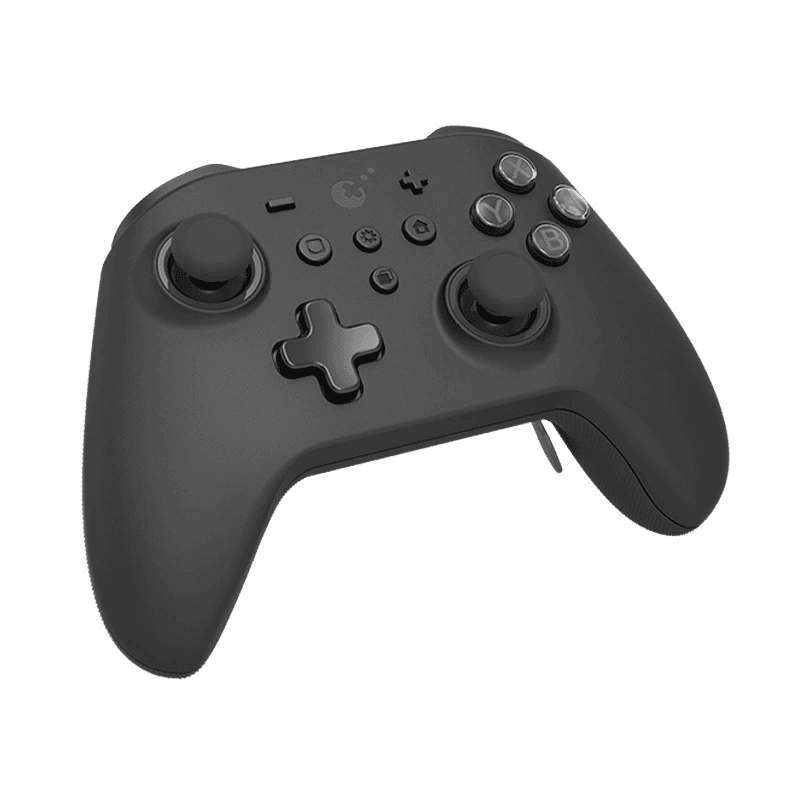
The GuliKit KingKong 3 Max controller test runs a full diagnostic on Gulikit's Hall-effect precision flagship in your browser — verifying the Level 2200 drift-resistant sticks, six back paddles, three vibration modes, and analog Hall-effect triggers. Connect over Bluetooth, USB-C, or the included Hyperlink dongle, press any button, and get a Controller Health Score graded S through F.
Full GuliKit KK3 Max diagnostic
The Controller Benchmark runs every relevant subsystem on your KK3 Max — Hall-effect sticks, deadzone, button response, six back paddles, analog trigger range, Maglev rumble, gyroscope, latency, and connection stability — then produces a composite Controller Health Score. The KK3 Max ships with zero deadzone enabled by default; if the test still shows drift, the magnet alignment may need attention.
GuliKit KingKong 3 Max hardware specifications
| Specification | GuliKit KingKong 3 Max |
|---|---|
| Connection | USB-C, Bluetooth, 2.4GHz Wireless Dongle |
| Button count | 21 |
| Analog stick type | Hall-effect (drift-resistant) |
| Gyroscope | Yes |
| Rumble / haptics | Haptic (voice-coil / LRA) |
| Impulse triggers | No |
| Adaptive triggers | No |
| Touchpad | No |
| Built-in microphone | No |
| Built-in speaker | No |
| Back paddles | Yes |
| Battery life | ~28 hours |
| Weight | 247 g |
| Release year | 2024 |
| MSRP | $79.99 USD |
Recommended tests for GuliKit KingKong 3 Max
Each test runs in your browser via the Gamepad API — no install, no account, no upload. Run any individually, or use the full benchmark above.
Stick Drift Test
Detect unwanted analog input at rest
Deadzone Test
Measure your stick’s deadzone radius
Hall Effect Checker
Identify Hall Effect vs potentiometer sticks
Trigger Pressure
Verify full analog range on triggers
Button Test
Check every button responds instantly
Circularity Test
Visualize stick travel as a circle
Vibration Test
Test both rumble motors independently
Gyro Test
Test 6-axis motion sensors
Polling Rate
Measure inputs reported per second
Known GuliKit KingKong 3 Max issues
Recurring problems users report with this controller, ranked by frequency. Each links to a step-by-step fix guide.
- Common
Inconsistent quality control across units
The KK3 Max has reported QC variance — some units arrive with slightly off-center stick calibration, weak rumble in one channel, or back-paddle binding. Gulikit support handles affected units under warranty, but expect to test thoroughly within the return window. The button test and stick drift test catch most QC issues in the first ten minutes of use.
View fix guide - Occasional
HD Rumble mode weaker than Switch native HD Rumble
The KK3 Max's HD Rumble mode attempts to replicate Nintendo's voice-coil HD Rumble but produces noticeably weaker feedback than the official Switch Pro Controller. Maglev mode and rotor mode both feel stronger and more dynamic — most players settle on Maglev for general gameplay.
View fix guide - Occasional
Switch 2 wake-up requires firmware V5.03+
Switch 2 wake-up support (wake the console from sleep with the controller) requires Bluetooth firmware V5.03 or later. Older firmware revisions can pair to Switch 2 but cannot wake it. Update via the Gulikit firmware utility on PC before first use on Switch 2.
View fix guide - Rare
ABXY button stuck or unresponsive after impact
Drop damage or firm impact on the face buttons can dislodge the button cap from its dome, causing the button to either stick down or become unresponsive. Gulikit's documented fix: double-tap the Mode button to power off/on, or press the back reset hole with a pin for 3–5 seconds. If that fails, the button cap may need physical reseating.
View fix guide - Rare
Hyperlink dongle confined to Windows
The Hyperlink 2.4GHz dongle that enables 1000Hz polling works only on Windows. On Switch, macOS, iOS, and Android, the controller must connect via Bluetooth — which caps polling at 125Hz per Bluetooth SIG specifications. Polling rate test will demonstrate this difference clearly.
View fix guide
How to pair the GuliKit KingKong 3 Max
Get your controller connected before running diagnostics — wired or wireless, mobile or desktop.
Set the mode for your target device
Hold the Mode button on the front of the controller for 2 seconds to cycle through modes: Switch (green LED), Android (blue), Windows (orange), or Apple/iOS (purple). The mode affects which button mapping the controller advertises — pick the right one before pairing.
Enter pairing mode
Press and hold the small Pair button on the back of the controller for about 3 seconds. The LEDs around the home button start pulsing rapidly, indicating pairing mode is active.
Bluetooth pairing on your host device
On Windows: Settings → Bluetooth & devices → Add device. On macOS: System Settings → Bluetooth. On Switch: Controllers menu → Change Grip/Order. The KK3 Max appears as "GuliKit KK3 Max" — tap or click to pair. Bluetooth caps polling at 125Hz; use the Hyperlink dongle for 1000Hz.
Hyperlink dongle for 1000Hz polling (Windows only)
Plug the included USB-A "Hyperlink" dongle into a Windows PC. The KK3 Max recognizes it automatically and connects at 1000Hz polling for low-latency play. The dongle is paired with this specific controller out of the box; no manual pairing step needed.
Press any button to confirm in the browser
Browsers gate gamepad access behind a user gesture. Press any button on the KK3 Max to expose it to the Gamepad API. The button mapping reflects whichever mode you set in step 1 — Switch mode uses B/A/Y/X labels, Windows mode uses A/B/X/Y. Test in the mode that matches your intended gameplay.
GuliKit KingKong 3 Max vs the competition
Head-to-head reviews against the other controllers most buyers cross-shop.
- vs
8BitDo Ultimate
8BitDo Ultimate is a third the price with a charging dock and simpler feature set; KK3 Max adds Level 2200 Hall precision, 6 back paddles, Maglev haptics, gyro, and amiibo NFC.
- vs
Xbox Elite Series 2
Elite Series 2 is the premium Xbox-licensed option with hair trigger locks and Xbox console support; KK3 Max has Hall-effect sticks (drift-proof) at half the price but lacks Xbox console compatibility.
- vs
Switch Pro Controller
Switch Pro Controller has true HD Rumble, longer battery, and NFC; KK3 Max adds Hall-effect sticks, 6 back paddles, 1000Hz polling on Windows, and multi-platform mode switching.
GuliKit KingKong 3 Max definitions
Plain-language definitions for the terms used on this page. Each links to the full glossary entry with thresholds, mechanism, and FAQs.
GuliKit KingKong 3 Max questions
The KK3 Max (this config) is the premium Hall-effect model with 6 back paddles, Maglev haptics, and the Hyperlink dongle. The KK3 Pro is the older Hall-effect model without the Hyperlink. The base KK3 (newer release) uses TMR joysticks instead of Hall-effect and is positioned slightly below the Max. All three share the same physical layout and button count.
Gulikit's marketing term for the analog resolution of the KK3 Max's Hall-effect sticks — approximately 2200 distinct positions per axis of motion. That's significantly finer than the typical Hall-effect controller's 1000-level resolution, and the difference shows up in slow aiming adjustments and racing-game steering where sub-degree precision matters.
The Level 2200 Hall-effect sticks are calibrated tightly enough that there's no center-noise to filter out. With zero deadzone in-game, the stick still reads clean (0,0) at rest because there's no signal drift at the sensor level. The deadzone test demonstrates this clearly — zero deadzone setting with no drift indication is the KK3 Max's headline differentiator.
No. Xbox consoles enforce controller authentication at the system level and reject non-Microsoft-licensed controllers. The KK3 Max works on Switch, Switch 2, Windows, macOS, iOS, Android, and Steam Deck — but not Xbox One or Xbox Series X|S. Workarounds via third-party adapters exist but are not officially supported.
Maglev mode is voice-coil class haptic feedback — smooth, nuanced, and powerful, the closest the KK3 Max gets to DualSense quality. Rotor mode is traditional ERM rumble, strong and immediate but less detailed. HD Rumble mode attempts to replicate Nintendo's HD Rumble but produces noticeably weaker output than the official Switch Pro Controller. Most players use Maglev for general gameplay.
The Hyperlink uses a proprietary GuliKit 2.4GHz protocol with custom Windows drivers to achieve 1000Hz polling. macOS, Switch, and mobile platforms don't have GuliKit driver support, so the dongle isn't recognized there. Bluetooth pairing works on those platforms but caps polling at 125Hz per Bluetooth SIG specs.
On Switch, yes — the KK3 Max pairs as a Pro Controller and works in handheld grip or docked play. It doesn't physically attach to a Switch console like a Joy-Con does, so it can't replace the Joy-Con for tabletop or single-Joy-Con multiplayer modes. For full Joy-Con replacement on Switch, look at GuliKit's Elves controllers or 8BitDo Lite SE instead.
Most players adapt within 5–10 hours of gameplay. The KK3 Max ships with all 4 main back paddles + 2 additional paddles (6 total), with 3 different paddle lengths in the box so you can size them to your grip. Start by mapping the two upper paddles to A and B (or X and Cross on PlayStation games) — the most common esports-grip configuration.
Get a full health report for your GuliKit KingKong 3 Max
Run the Controller Benchmark to score every subsystem and generate a shareable Controller Health Score graded S through F.
Run the Benchmark