SCUF Instinct Pro Controller Test
The SCUF Instinct Pro controller test runs a full diagnostic on SCUF's premium Xbox-side pad in the browser — checking the four rear paddles, Instant Trigger positions, analog stick drift, button consistency, and rumble. Connect over USB-C, Bluetooth, or the Xbox Wireless dongle, press any button, and get a Controller Health Score graded S through F.
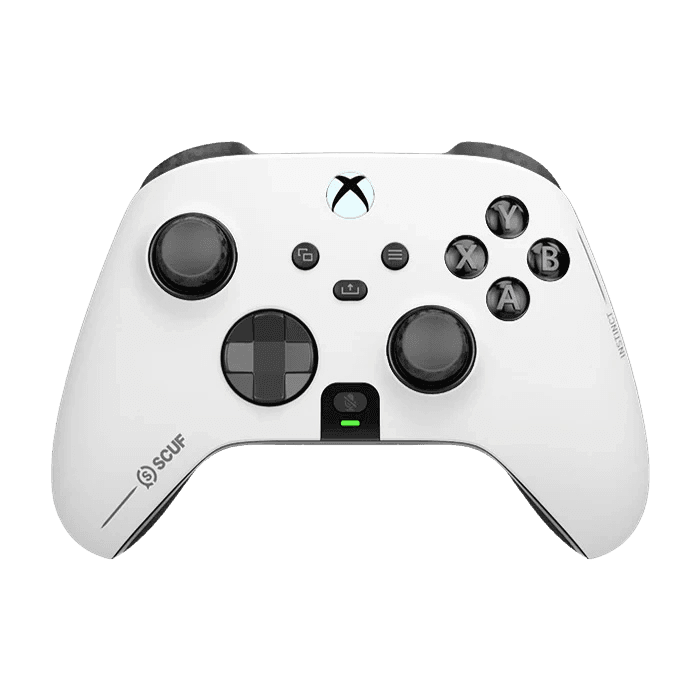
Full SCUF Instinct Pro diagnostic
The Controller Benchmark runs every relevant subsystem on your SCUF Instinct Pro — the four paddles, Instant Trigger range with stops engaged and disengaged, stick drift, button response, latency, and connection stability — then produces a composite Controller Health Score. Particularly useful for competitive players verifying configuration before a tournament.
SCUF Instinct Pro hardware specifications
| Specification | SCUF Instinct Pro |
|---|---|
| Connection | USB-C, Bluetooth, Proprietary Wireless |
| Button count | 21 |
| Analog stick type | Potentiometer (susceptible to drift) |
| Gyroscope | No |
| Rumble / haptics | ERM motors (standard rumble) |
| Impulse triggers | No |
| Adaptive triggers | No |
| Touchpad | No |
| Built-in microphone | No |
| Built-in speaker | No |
| Back paddles | Yes |
| Battery life | ~30 hours |
| Weight | 295 g |
| Release year | 2021 |
| MSRP | $199.99 USD |
Recommended tests for SCUF Instinct Pro
Each test runs in your browser via the Gamepad API — no install, no account, no upload. Run any individually, or use the full benchmark above.
Stick Drift Test
Detect unwanted analog input at rest
Trigger Pressure
Verify full analog range on triggers
Button Test
Check every button responds instantly
Deadzone Test
Measure your stick’s deadzone radius
Snapback Test
Measure how fast sticks return to center
Latency Test
Measure input lag in milliseconds
Polling Rate
Measure inputs reported per second
Connection Stability
Detect dropouts and signal interruptions
Known SCUF Instinct Pro issues
Recurring problems users report with this controller, ranked by frequency. Each links to a step-by-step fix guide.
- Common
Stick drift (inherited from Xbox chassis)
The Instinct Pro is built on the standard Xbox Series X|S chassis, which uses potentiometer sticks. Drift develops on the same 8–18 month timeline as the base Xbox controller. SCUF's newer Valor Pro uses TMR sticks if drift resistance is a priority.
View fix guide - Common
Paddle button inconsistent or stuck
The four embedded paddles use mechanical micro-switches that can develop play after heavy competitive use. Inconsistent activation typically means the switch needs replacing. SCUF offers warranty repair for paddle issues within the warranty window.
View fix guide - Occasional
Instant Trigger switch won't engage
The two small switches on the underside that toggle Instant Triggers can seize after long periods in one position. Toggle each switch back and forth a few times to free it. The trigger pressure test will show drastically reduced trigger travel when engaged.
View fix guide - Occasional
Paddle profile won't save
If the controller powers off before you press the profile button to save a remap, the new configuration is lost. Always finalize remaps by holding the profile button until the LED confirms the save before disconnecting.
View fix guide - Rare
Faceplate rattles or falls off
The magnetic faceplate can lose grip after frequent removal for customization. Reseating typically fixes it; persistent looseness may require replacing the magnetic strip inside the controller body.
View fix guide
How to pair the SCUF Instinct Pro
Get your controller connected before running diagnostics — wired or wireless, mobile or desktop.
Power on the controller
Press the Xbox button briefly. The Xbox button lights up solid white. The Instinct Pro has an internal Li-ion battery — no AAs to install.
Enter pairing mode
Hold the small Pair button on the top edge (next to the USB-C port) for about three seconds. The Xbox button flashes rapidly — pairing mode is active.
Open your device's Bluetooth menu
Windows: Settings → Bluetooth & devices → Add device → Bluetooth. macOS: System Settings → Bluetooth. The controller appears as "Xbox Wireless Controller" — to the host system, the Instinct Pro identifies as a standard Xbox controller.
Select the controller to pair
Tap or click the entry. The Xbox button stops flashing and stays solid once paired. For competitive tournaments, prefer the Xbox Wireless Adapter over Bluetooth — the proprietary protocol has lower latency.
Press any button to confirm in the browser
Browsers gate gamepad access behind a user gesture. Press any button (or any of the four rear paddles) to expose the controller to the Gamepad API.
SCUF Instinct Pro vs the competition
Head-to-head reviews against the other controllers most buyers cross-shop.
- vs
Xbox Elite Series 2
Elite Series 2 has hair triggers and adjustable stick tension; Instinct Pro has Instant Triggers (mechanical blockers) and on-controller profile switching with no app required.
- vs
SCUF Valor Pro
Valor Pro is SCUF's TMR-equipped upgrade — drift-resistant sticks at a higher price. Instinct Pro stays on potentiometer sticks but is the established competitive choice.
- vs
Razer Wolverine V3 Pro
Wolverine V3 Pro has microswitch face buttons and mecha-tactile triggers; Instinct Pro has on-controller profile switching and a more conservative design language.
SCUF Instinct Pro questions
No. The Instinct Pro is built on the standard Xbox Series X|S chassis, which uses potentiometer sticks. SCUF's newer Valor Pro is the Hall-effect-tier upgrade (technically TMR, which is even more advanced than Hall-effect). If drift resistance is a priority, the Valor Pro is the SCUF equivalent.
Two small physical switches on the underside of the controller engage trigger blockers. When engaged, the trigger only needs to travel a fraction of its normal distance to register — similar to a mouse click. The trigger pressure test shows this clearly: with stops engaged, max trigger value is reached at perhaps 30% of normal pull distance.
Yes — this is the Instinct Pro's standout feature vs the Xbox Elite Series 2. Hold the profile button on the back, then hold the paddle you want to map and the button you want to assign to it simultaneously. The LED confirms each remap. Three independent profiles are stored on-controller and switch via the profile button.
Yes. To Windows, the Instinct Pro identifies as a standard Xbox Wireless Controller — no special drivers needed. Bluetooth pairing works on Windows 10/11 (with the same Bluetooth instability the standard Xbox controller has). For competitive play, use the Xbox Wireless Adapter dongle instead of Bluetooth.
Because to the host system it IS one — the Instinct Pro inherits the Xbox Series controller's vendor and product IDs. This is intentional: SCUF preserves Xbox compatibility (including console certification) by not changing the device fingerprint. The paddles, Instant Triggers, and profile switching all happen at the controller level, invisible to the host.
Both have four paddles, but the layouts differ. Elite Series 2 paddles are removable magnetic attachments below the grips. Instinct Pro paddles are embedded into the controller body, positioned higher up where the natural grip falls. Reviewers generally find Instinct Pro paddles more comfortable for extended sessions; Elite Series 2 paddles are more customizable.
Yes. Each paddle maps to a Gamepad API button when no profile is overriding them. By default, paddles mirror the face buttons (A, B, X, Y). Re-mapped paddles register as their assigned button — for example, a paddle mapped to A will register as button 0 on the standard mapping.
SCUF builds Instinct Pros to order via their customization site — every controller is configured (faceplate color, paddle layout, thumbstick style) at the time of purchase rather than mass-produced. This means lead times of 2–4 weeks for custom builds versus same-day shipping for standard SKUs. Pre-built standard configurations are sold through retail partners.
Get a full health report for your SCUF Instinct Pro
Run the Controller Benchmark to score every subsystem and generate a shareable Controller Health Score graded S through F.
Run the Benchmark