8BitDo Ultimate 2C Controller Test
The 8BitDo Ultimate 2C is a $30 budget controller with Hall-effect sticks and triggers, 1000Hz polling, and two remappable back bumpers — drift-resistant hardware at a fraction of premium prices. Run a stick drift and polling-rate test to confirm its Hall-effect sticks read clean and its wireless connection hits full speed.
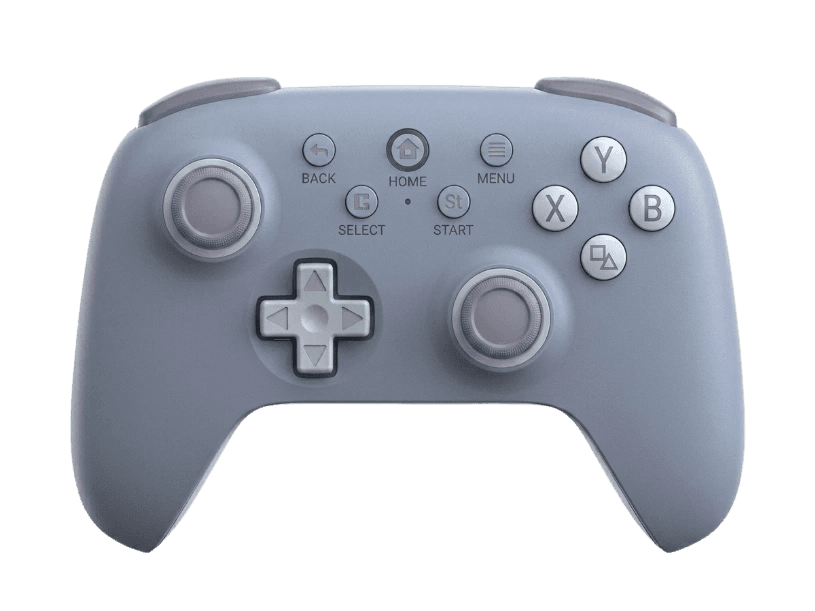
Run a full diagnostic on your Ultimate 2C
Hall-effect sticks should show near-zero drift even after heavy use. Run the full benchmark to confirm your 2C's sticks, triggers, and 1000Hz polling are performing to spec.
8BitDo Ultimate 2C hardware specifications
| Specification | 8BitDo Ultimate 2C |
|---|---|
| Connection | USB-C, 2.4GHz Wireless Dongle, Bluetooth |
| Button count | 13 |
| Analog stick type | Hall-effect (drift-resistant) |
| Gyroscope | No |
| Rumble / haptics | ERM motors (standard rumble) |
| Impulse triggers | No |
| Adaptive triggers | No |
| Touchpad | No |
| Built-in microphone | No |
| Built-in speaker | No |
| Back paddles | Yes |
| Battery life | ~20 hours |
| Weight | 200 g |
| Release year | 2024 |
| MSRP | $30.00 USD |
Recommended tests for 8BitDo Ultimate 2C
Each test runs in your browser via the Gamepad API — no install, no account, no upload. Run any individually, or use the full benchmark above.
Known 8BitDo Ultimate 2C issues
Recurring problems users report with this controller, ranked by frequency. Each links to a step-by-step fix guide.
- Common
Bluetooth limited to Android (not Windows)
On PC the 2C connects via the 2.4GHz dongle or USB-C, not Bluetooth — Bluetooth is Android-only. Trying to pair it to Windows over Bluetooth won't work; use the included dongle instead.
View fix guide - Occasional
Trigger dead zone larger than ideal
Reviewers note the Hall-effect triggers ship with a slightly large dead zone out of the box. A trigger pressure test shows the actual engagement point so you can judge whether calibration helps.
View fix guide - Occasional
D-pad central pivot feels loose to some
The single-pivot D-pad can feel mobile, occasionally producing an unintended diagonal. A button test confirms whether directions register cleanly and independently.
View fix guide
How to pair the 8BitDo Ultimate 2C
Get your controller connected before running diagnostics — wired or wireless, mobile or desktop.
Wired (PC)
Connect the controller to your PC with a USB-C cable. It's recognized as a standard XInput device on Windows automatically, with 1000Hz polling over the wired connection.
2.4GHz dongle (PC)
Plug the color-matched 2.4GHz receiver into a USB port. Power on the controller and it connects automatically at 1000Hz — the recommended mode for low-latency PC play.
Bluetooth (Android only)
On an Android device, hold the pair button until the LED flashes, then select the controller in your device's Bluetooth menu. Note that Bluetooth mode is not supported on Windows.
8BitDo Ultimate 2C vs the competition
Head-to-head reviews against the other controllers most buyers cross-shop.
- vs
8BitDo Ultimate 2
The Ultimate 2 adds a charging dock, swappable trigger feel, and 6-axis gyro in 2.4G mode; the 2C cuts those to hit a $30 price while keeping Hall-effect sticks and triggers.
- vs
GameSir Cyclone 2
Both are budget Hall/TMR pads with 1000Hz polling; the Cyclone 2 adds gyro and broader platform support, while the 2C undercuts it on price.
8BitDo Ultimate 2C definitions
Plain-language definitions for the terms used on this page. Each links to the full glossary entry with thresholds, mechanism, and FAQs.
8BitDo Ultimate 2C questions
Yes — and Hall-effect triggers too. The Ultimate 2C uses contactless magnetic Hall-effect sensors (GuliKit modules) in both its sticks and triggers, which resist the drift that wears down traditional potentiometer sticks. That's remarkable at its $30 price, where most controllers still use potentiometers. The Hall-effect sticks should show near-zero drift even after heavy use, which you can confirm with a stick drift test.
No — on PC, the 2C connects via its 2.4GHz dongle or a USB-C cable, not Bluetooth. Bluetooth mode is reserved for Android devices. This is a common point of confusion: if you try to pair it to Windows over Bluetooth, it won't connect. Use the included color-matched 2.4GHz receiver for wireless PC play, which also gives you the full 1000Hz polling rate.
No. The Ultimate 2C omits motion controls — there's no gyroscope for motion aiming. Reviewers consistently flag this as the main feature cut to hit the $30 price, and it's the clearest difference from the pricier Ultimate 2, which includes 6-axis motion in 2.4G mode. If gyro aiming matters to you, the 2C isn't the right pick; if you mainly play with sticks, it's a strong budget value.
1000Hz, on both its 2.4GHz dongle connection and wired over USB-C. That's far above the 125-250Hz many budget controllers run at, meaning inputs are reported up to 1000 times per second for responsive stick flicks and button presses. A polling-rate test confirms your connection is actually hitting 1000Hz, which requires using the dongle or cable rather than Android Bluetooth.
For $30, it's widely regarded as exceptional value. Reviewers note it packs Hall-effect sticks and triggers, 1000Hz polling, and remappable back bumpers — features usually found on controllers costing far more. The main compromises are no gyro, a slightly large trigger dead zone, and a compact shape some find less comfortable for long sessions. For PC and Android players who want drift-resistant sticks cheaply, it's a standout.
Yes — two remappable bumpers labeled L4 and R4, positioned for your fingers to reach without lifting your thumbs from the sticks. They're configurable through 8BitDo's Ultimate Software, where you can assign any button function or macro. Two back buttons is fewer than the four paddles on premium pro controllers, but it covers the most common use cases like jump or crouch remapping in shooters.
Windows PC and Android. On Windows it connects via the 2.4GHz dongle or USB-C and presents as a standard XInput controller, so it works in Steam, Game Pass, and most PC games automatically. On Android it can use Bluetooth or wired. Note it's not designed for Xbox or PlayStation consoles — it's a PC-and-mobile controller. If you need console support, 8BitDo offers other models in the Ultimate line.
Get a full health report for your 8BitDo Ultimate 2C
Run the Controller Benchmark to score every subsystem and generate a shareable Controller Health Score graded S through F.
Run the Benchmark