Xbox Elite Series 1 Controller Test
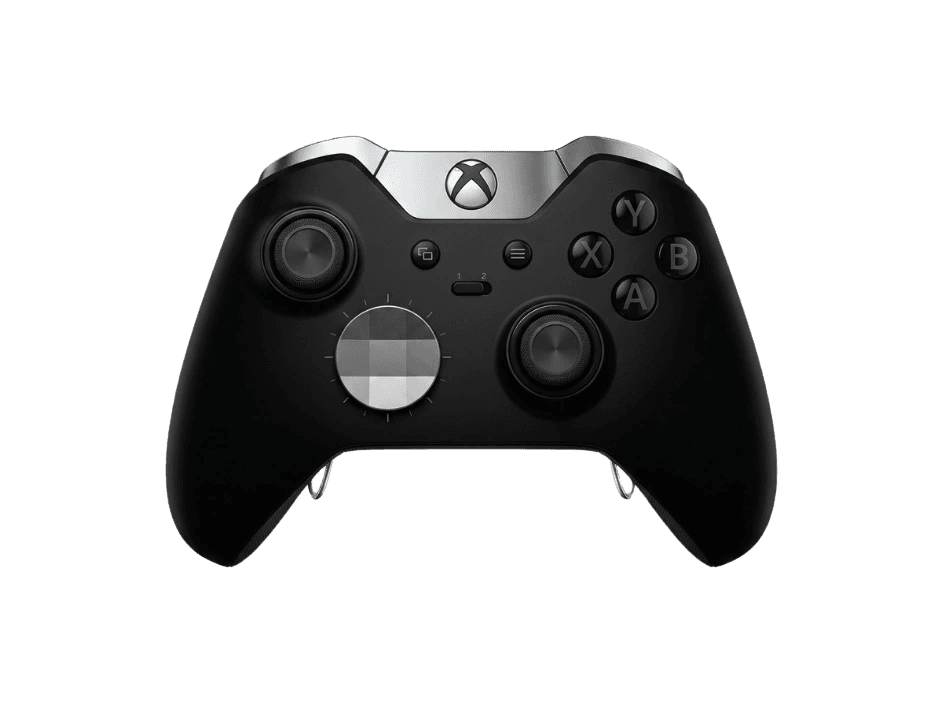
The Xbox Elite Series 1 (Model 1698, 2015) is Microsoft's original premium controller, with swappable thumbsticks, four paddles, and hair-trigger locks. Its potentiometer sticks make it notably drift-prone with age, so run a stick drift and dead-zone test to check a used unit before relying on it.
Run a full diagnostic on your Elite Series 1
The Series 1 is a frequent secondhand buy and a common drift-repair subject. Run the full benchmark to score its sticks, triggers, buttons, and paddles before you trust it in a match.
Xbox Elite Series 1 hardware specifications
| Specification | Xbox Elite Series 1 |
|---|---|
| Connection | Proprietary Wireless, USB-A |
| Button count | 15 |
| Analog stick type | Potentiometer (susceptible to drift) |
| Gyroscope | No |
| Rumble / haptics | ERM motors (standard rumble) |
| Impulse triggers | Yes |
| Adaptive triggers | No |
| Touchpad | No |
| Built-in microphone | No |
| Built-in speaker | No |
| Back paddles | Yes |
| Battery life | ~30 hours |
| Weight | 345 g |
| Release year | 2015 |
| MSRP | $149.99 USD |
Recommended tests for Xbox Elite Series 1
Each test runs in your browser via the Gamepad API — no install, no account, no upload. Run any individually, or use the full benchmark above.
Known Xbox Elite Series 1 issues
Recurring problems users report with this controller, ranked by frequency. Each links to a step-by-step fix guide.
- Common
Stick drift on aging potentiometer sticks
The Series 1 uses potentiometer sticks that wear with use, making drift one of the most common faults on older units. A stick drift test confirms whether the resting position has wandered off-center.
View fix guide - Occasional
Worn bumper (RB/LB) tactile response
Heavy use can degrade the RB/LB bumper switches over time, leading to inconsistent registration. A button test verifies each bumper still actuates cleanly.
View fix guide - Occasional
Paddle inputs intermittent or unregistered
The magnetic rear paddles can loosen or stop registering after extended use. Run a button test with paddles mapped to confirm all four respond.
View fix guide
How to pair the Xbox Elite Series 1
Get your controller connected before running diagnostics — wired or wireless, mobile or desktop.
Wired (PC or Xbox)
Connect the controller to your console or PC with a Micro-USB cable. On PC it registers as a standard XInput device automatically, with no driver install required.
Xbox Wireless (console)
Press the Xbox button to power on, then press and hold the pair button on the top edge until the Xbox button flashes. Press the console's pair button to bind.
Xbox Wireless (PC)
The Series 1 has no Bluetooth, so wireless on PC requires the Xbox Wireless Adapter. Plug in the adapter, hold the controller's pair button until it flashes, then press the adapter's pair button.
Xbox Elite Series 1 vs the competition
Head-to-head reviews against the other controllers most buyers cross-shop.
- vs
Xbox Elite Series 2
The Series 2 adds Bluetooth, adjustable-tension sticks, on-board profiles, and a rechargeable internal battery — but the Series 1 remains a cheaper entry into the paddle-and-swappable-stick experience.
- vs
Xbox Series X Controller
The standard Series X pad is lighter, cheaper, and has Bluetooth, but lacks the Elite's paddles, swappable sticks, and trigger locks.
Xbox Elite Series 1 definitions
Plain-language definitions for the terms used on this page. Each links to the full glossary entry with thresholds, mechanism, and FAQs.
Xbox Elite Series 1 questions
No. The Elite Series 1 (Model 1698) uses potentiometer thumbsticks, the traditional contact-based sensor that wears over time. This is why drift is a common complaint on older units. Hall-effect sticks didn't appear in mainstream controllers until well after the Series 1's 2015 release, and neither Elite generation from Microsoft uses them. If you're buying one secondhand, test the sticks for drift first.
Only with the Xbox Wireless Adapter. The Series 1 predates Bluetooth-capable Xbox controllers, so it can't pair directly with a PC's built-in Bluetooth. You either connect it with a Micro-USB cable or use Microsoft's Xbox Wireless Adapter dongle for a wireless connection. Over USB it's recognized instantly as a standard XInput controller.
The Series 1's potentiometer sticks wear with use, and the carbon tracks inside can degrade to the point where the stick reports movement at rest — that's drift. It's one of the most common faults on aging units. Recalibration can help temporarily, but worn potentiometers eventually need replacement. Run a stick drift test to see how far off-center the resting position has drifted.
It depends on price and condition. New stock is scarce, and used units risk drift from worn potentiometer sticks. If you find a clean one cheaply, it still delivers the core Elite experience — paddles, swappable sticks, trigger locks — but the Series 2 adds Bluetooth, adjustable tension, and on-board profiles. Always test a used Series 1 for drift and paddle response before committing.
Four magnetic rear paddles, attachable and removable, that can be mapped to any button input. They're the feature that defined the premium-controller category — letting you trigger actions without lifting your thumbs from the sticks. On a used unit, confirm all four still register with a button test, since the magnetic paddles can loosen or fail over time.
Yes. The Elite Series 1 is forward-compatible with Xbox Series X|S consoles, connecting via Xbox Wireless or a Micro-USB cable. All its features — paddles, swappable components, trigger locks — function normally. It also works on Xbox One and on PC as a standard XInput controller, making it a flexible (if aging) cross-generation pad.
The Series 2 is a substantial upgrade: it adds Bluetooth (the Series 1 has none), adjustable-tension thumbsticks, three on-board configurable profiles plus a default, a rechargeable internal battery with charging dock, and USB-C. The Series 1 uses Micro-USB and AA-or-internal battery, with no tension adjustment. Both share potentiometer sticks, so neither is immune to drift. The Series 1's appeal today is a lower secondhand price.
Get a full health report for your Xbox Elite Series 1
Run the Controller Benchmark to score every subsystem and generate a shareable Controller Health Score graded S through F.
Run the Benchmark