PowerA Advantage Controller Test
The PowerA Advantage controller test runs a full diagnostic on this budget Xbox-licensed wired controller in your browser — verifying the Hall-effect thumbsticks, 3-way trigger locks, two mappable advanced buttons, and dual rumble. Connect over USB-C, press any button, and get a Controller Health Score graded S through F. This page covers the Hall-effect Advantage; the original Advantage uses analog sticks.
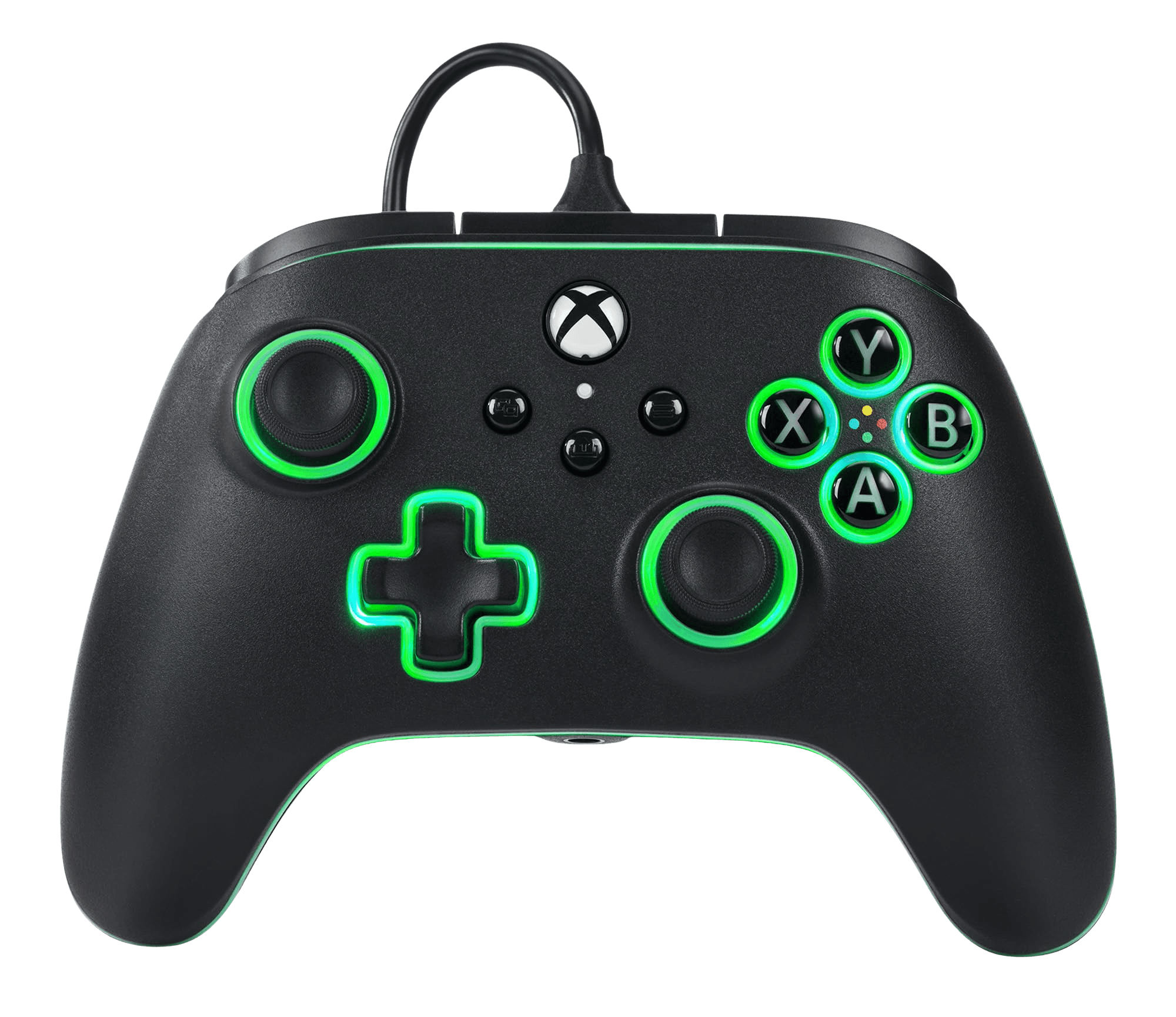
Full PowerA Advantage diagnostic
The Controller Benchmark runs every subsystem on your Advantage — Hall sticks, deadzone, button response, advanced buttons, trigger range across the 3-way locks, rumble, latency, and connection stability — then produces a composite Controller Health Score. On the Hall-effect model the sticks should test very clean for drift; the original analog Advantage may show more center-noise as it wears.
PowerA Advantage (Hall Effect) hardware specifications
| Specification | PowerA Advantage (Hall Effect) |
|---|---|
| Connection | USB-C |
| Button count | 17 |
| Analog stick type | Hall-effect (drift-resistant) |
| Gyroscope | No |
| Rumble / haptics | ERM motors (standard rumble) |
| Impulse triggers | Yes |
| Adaptive triggers | No |
| Touchpad | No |
| Built-in microphone | No |
| Built-in speaker | No |
| Back paddles | Yes |
| Battery life | ~0 hours |
| Weight | 250 g |
| Release year | 2024 |
| MSRP | $34.99 USD |
Recommended tests for PowerA Advantage (Hall Effect)
Each test runs in your browser via the Gamepad API — no install, no account, no upload. Run any individually, or use the full benchmark above.
Stick Drift Test
Detect unwanted analog input at rest
Deadzone Test
Measure your stick’s deadzone radius
Hall Effect Checker
Identify Hall Effect vs potentiometer sticks
Trigger Pressure
Verify full analog range on triggers
Button Test
Check every button responds instantly
Vibration Test
Test both rumble motors independently
Latency Test
Measure input lag in milliseconds
Known PowerA Advantage (Hall Effect) issues
Recurring problems users report with this controller, ranked by frequency. Each links to a step-by-step fix guide.
- Common
Original Advantage has analog sticks, not Hall
Only the 'Advantage Wired with Hall Effect' SKU has Hall-effect thumbsticks. The original Advantage Wired uses precision-tuned analog (potentiometer) sticks, which can develop drift over time. Check your packaging or the PowerA Gamer HQ app to confirm which model you have if drift appears.
View fix guide - Common
Wired-only — no wireless mode
The Advantage Wired connects only over its USB-C cable. If you want wireless, PowerA's separate Advantage Wireless adds a 3-mode switch (2.4G, Bluetooth, wired). The wired model is the budget tournament-friendly option.
View fix guide - Occasional
Advanced gaming buttons mapped unexpectedly
The two advanced gaming buttons are programmed on-the-fly with a button combo, not in system settings. If they're triggering the wrong action, clear and re-map them following the on-controller combo, then run the button test to confirm.
View fix guide
How to pair the PowerA Advantage (Hall Effect)
Get your controller connected before running diagnostics — wired or wireless, mobile or desktop.
Connect over USB-C
Plug the Advantage into your Xbox or PC with the included 10ft USB-C cable. It's wired-only — there's no wireless pairing step.
Xbox recognizes it automatically
On Xbox Series X|S or Xbox One, the Advantage is detected automatically as a licensed Xbox controller. No drivers needed.
Calibrate in the PowerA Gamer HQ app
Install the free PowerA Gamer HQ app on Xbox or Windows to test and calibrate the controller, adjust deadzones, and manage button mapping.
Press any button to confirm in the browser
Browsers gate gamepad access behind a user gesture. Press any button on the Advantage to expose it to the Gamepad API, then run the benchmark or any individual test.
PowerA Advantage (Hall Effect) vs the competition
Head-to-head reviews against the other controllers most buyers cross-shop.
- vs
GameSir G7 HE
Both are budget wired Xbox-licensed Hall-effect controllers; the G7 HE adds swappable faceplates and microswitch buttons, while the Advantage leans on impulse triggers and PowerA's wide Xbox licensing.
- vs
8BitDo Ultimate C (Xbox)
The 8BitDo Ultimate C is another sub-$40 wired Hall option; the Advantage counters with impulse-trigger rumble and 3-way trigger locks for FPS players.
- vs
Victrix Gambit Prime
The Gambit Prime is a premium wired Hall controller with Dual Core latency and swappable parts; the Advantage is the budget Hall pick at roughly a third of the price.
PowerA Advantage (Hall Effect) definitions
Plain-language definitions for the terms used on this page. Each links to the full glossary entry with thresholds, mechanism, and FAQs.
PowerA Advantage (Hall Effect) questions
The 'Advantage Wired with Hall Effect' model does — it uses contact-free magnetic Hall sensors in the thumbsticks to resist drift. The original Advantage Wired uses analog (potentiometer) sticks. Confirm which SKU you have, since they look similar.
This is the wired model, connecting over a 10ft USB-C cable. PowerA also sells an Advantage Wireless with a 3-mode switch (2.4G, Bluetooth, wired) if you want a cable-free option.
Physical switches that set each trigger to one of three travel distances, letting you shorten the pull for faster firing in shooters or leave full travel for racing throttle control.
Two extra mappable buttons you can program on the fly mid-game with a button combo — no system menus. They're handy for jump, reload, or any action you'd rather not move your thumb off the sticks for.
No. The Advantage is an Xbox-licensed controller and works on Xbox Series X|S, Xbox One, and Windows 10/11 PC only.
Impulse triggers contain small rumble motors inside each trigger, adding localized vibration feedback in supported games — like feeling individual gunshots or tire grip — on top of the standard dual handle-motor rumble.
At around $35, the Hall-effect Advantage is one of the cheapest ways to get drift-resistant sticks plus impulse triggers and trigger locks in an officially licensed Xbox controller. It trades premium build and wireless for a low price.
Get a full health report for your PowerA Advantage (Hall Effect)
Run the Controller Benchmark to score every subsystem and generate a shareable Controller Health Score graded S through F.
Run the Benchmark