Thrustmaster eSwap X Pro Controller Test
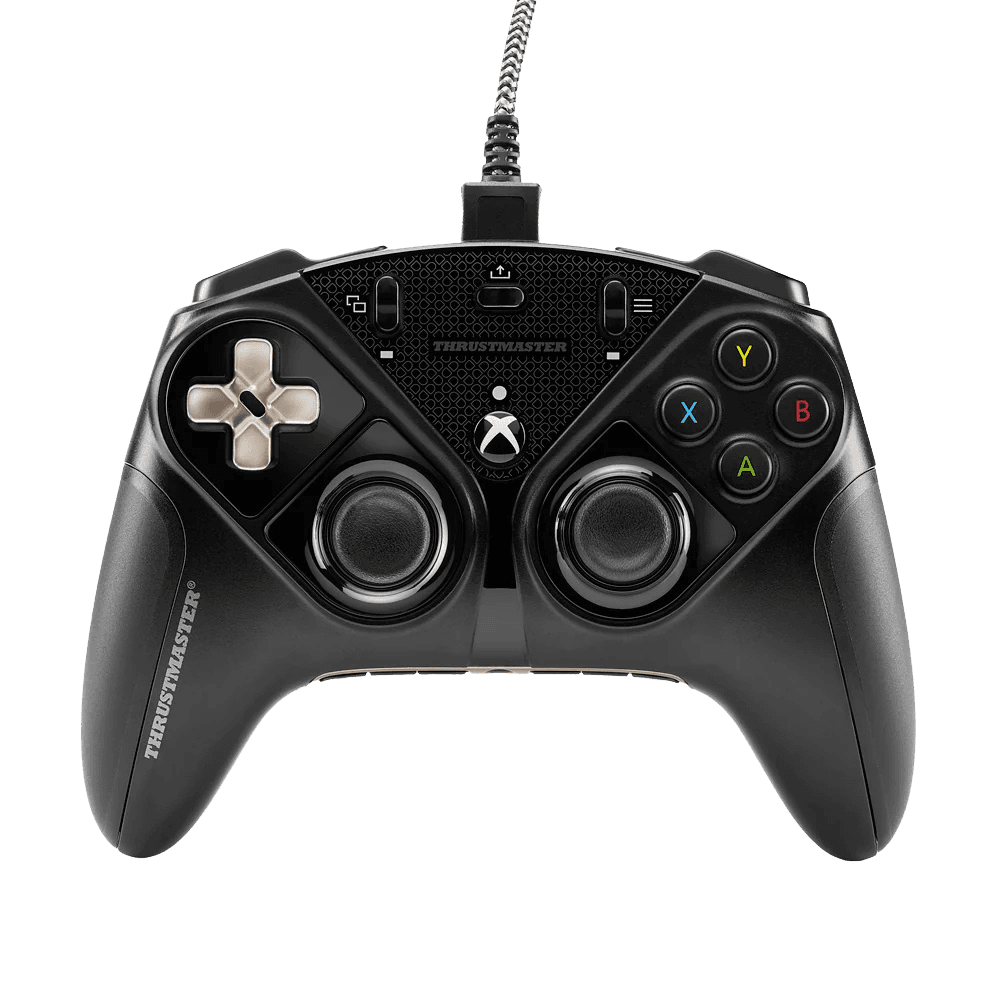
The Thrustmaster eSwap X Pro test runs a full diagnostic on this modular wired controller in your browser — verifying the NXG analog mini-sticks, mechanical face buttons, four remappable back buttons, and adjustable triggers. Note its sticks are NXG analog, not Hall-effect (the Hall version is the eSwap X2 H.E.). Connect over USB, press any button, and get a Controller Health Score graded S through F.
Full eSwap X Pro diagnostic
The Controller Benchmark runs every subsystem on your eSwap X Pro — analog sticks, deadzone, mechanical button response, back buttons, trigger range, rumble, latency, and connection stability — then produces a composite Controller Health Score. Because the NXG sticks are analog rather than Hall-effect, keep an eye on the drift result over the controller's life; swapping in a fresh stick module is the modular fix.
Thrustmaster eSwap X Pro hardware specifications
| Specification | Thrustmaster eSwap X Pro |
|---|---|
| Connection | USB-A |
| Button count | 19 |
| Analog stick type | Potentiometer (susceptible to drift) |
| Gyroscope | No |
| Rumble / haptics | ERM motors (standard rumble) |
| Impulse triggers | No |
| Adaptive triggers | No |
| Touchpad | No |
| Built-in microphone | No |
| Built-in speaker | No |
| Back paddles | Yes |
| Battery life | ~0 hours |
| Weight | 250 g |
| Release year | 2020 |
| MSRP | $159.99 USD |
Recommended tests for Thrustmaster eSwap X Pro
Each test runs in your browser via the Gamepad API — no install, no account, no upload. Run any individually, or use the full benchmark above.
Stick Drift Test
Detect unwanted analog input at rest
Deadzone Test
Measure your stick’s deadzone radius
Trigger Pressure
Verify full analog range on triggers
Button Test
Check every button responds instantly
Circularity Test
Visualize stick travel as a circle
Vibration Test
Test both rumble motors independently
Latency Test
Measure input lag in milliseconds
Known Thrustmaster eSwap X Pro issues
Recurring problems users report with this controller, ranked by frequency. Each links to a step-by-step fix guide.
- Common
NXG sticks are analog, not Hall-effect
The eSwap X Pro uses Thrustmaster's NXG analog mini-sticks, which are potentiometer-class and can develop drift over time like any analog stick — despite some listings incorrectly calling them 'magnetic.' The upside: the modular design lets you swap in a fresh stick module without replacing the controller. The Hall-effect option is the separate eSwap X2 H.E.
View fix guide - Occasional
ABXY face buttons can't be swapped
While the sticks, triggers, grips, and D-pad modules are swappable, the A/B/X/Y face buttons are not — a limitation Microsoft imposes on licensed Xbox controllers. This slightly limits the modularity Thrustmaster otherwise emphasizes.
View fix guide - Occasional
Wired-only and heavy
The eSwap X Pro connects only over its Micro-USB cable and is notably hefty. This suits stationary competitive play but isn't ideal for couch or travel use. There's no wireless mode.
View fix guide
How to pair the Thrustmaster eSwap X Pro
Get your controller connected before running diagnostics — wired or wireless, mobile or desktop.
Connect over USB
Plug the eSwap X Pro into your Xbox or PC with the braided Micro-USB cable. It's wired-only and recognized as a licensed Xbox controller.
Swap modules to taste
Use the included screwdriver to hot-swap the stick, D-pad, trigger, and grip modules — you can even put both sticks on one side. Thrustmaster sells additional NXG modules for further customization.
Map the back buttons on-device
Use the on-board mapping button to assign any standard function to the four rear buttons, and save up to two profiles you can switch between on the fly — no software required.
Press any button to confirm in the browser
Browsers gate gamepad access behind a user gesture. Press any button on the eSwap X Pro to expose it to the Gamepad API, then run the benchmark or any individual test.
Thrustmaster eSwap X Pro vs the competition
Head-to-head reviews against the other controllers most buyers cross-shop.
- vs
Thrustmaster eSwap X2 H.E.
The X2 H.E. is the Hall-effect evolution with drift-proof H.E.A.R.T. modules and faster mechanical buttons; the original X Pro uses NXG analog sticks but pioneered the same hot-swap modular system.
- vs
Xbox Elite Series 2
Both are premium modular Xbox controllers; the Elite Series 2 has integrated paddles and adjustable tension, while the eSwap X Pro's whole stick and D-pad assemblies physically swap and relocate.
- vs
Victrix Gambit Prime
The Gambit Prime is a wired Hall controller focused on low latency; the eSwap X Pro trades Hall sticks for unmatched physical modularity and reconfigurable layouts.
Thrustmaster eSwap X Pro definitions
Plain-language definitions for the terms used on this page. Each links to the full glossary entry with thresholds, mechanism, and FAQs.
Thrustmaster eSwap X Pro questions
No. The eSwap X Pro uses Thrustmaster's NXG analog mini-sticks, which are potentiometer-class. Some listings call them 'magnetic,' but Thrustmaster's own specs describe them as NXG analog, and they can drift over time like any analog stick. The Hall-effect version is the separate eSwap X2 H.E.
The stick modules, D-pad module, triggers, grips, and stick caps are all hot-swappable with the included screwdriver — you can even relocate both sticks to one side. The A/B/X/Y face buttons, however, can't be swapped due to a Microsoft licensing restriction.
Wired only, over a braided Micro-USB cable. There's no wireless mode, which suits stationary competitive play but not couch or travel use.
Xbox Series X|S, Xbox One, and Windows PC — it's an officially licensed Xbox controller. Thrustmaster also makes a separate PlayStation version of the eSwap line.
You can change each trigger's physical range of travel — a shorter throw for faster shooter response, a longer throw for progressive, precise input in racing or flight games.
Yes. The four rear buttons are remapped directly on the controller using an on-board mapping button, and you can save two profiles to switch between on the fly — no PC software needed.
They can, eventually, as all analog potentiometer sticks do. The advantage of the eSwap design is that a worn stick module can be swapped out in seconds for a fresh one, so drift doesn't mean replacing the whole controller.
Get a full health report for your Thrustmaster eSwap X Pro
Run the Controller Benchmark to score every subsystem and generate a shareable Controller Health Score graded S through F.
Run the Benchmark