Xbox 360 Controller Test
The Xbox 360 controller test runs a full diagnostic on Microsoft's reference XInput controller in your browser — verifying analog stick drift, button response, trigger range, and rumble. Connect the wired controller via USB or the wireless controller via the Xbox 360 Wireless Gaming Receiver, press any button, and get a Controller Health Score graded S through F.
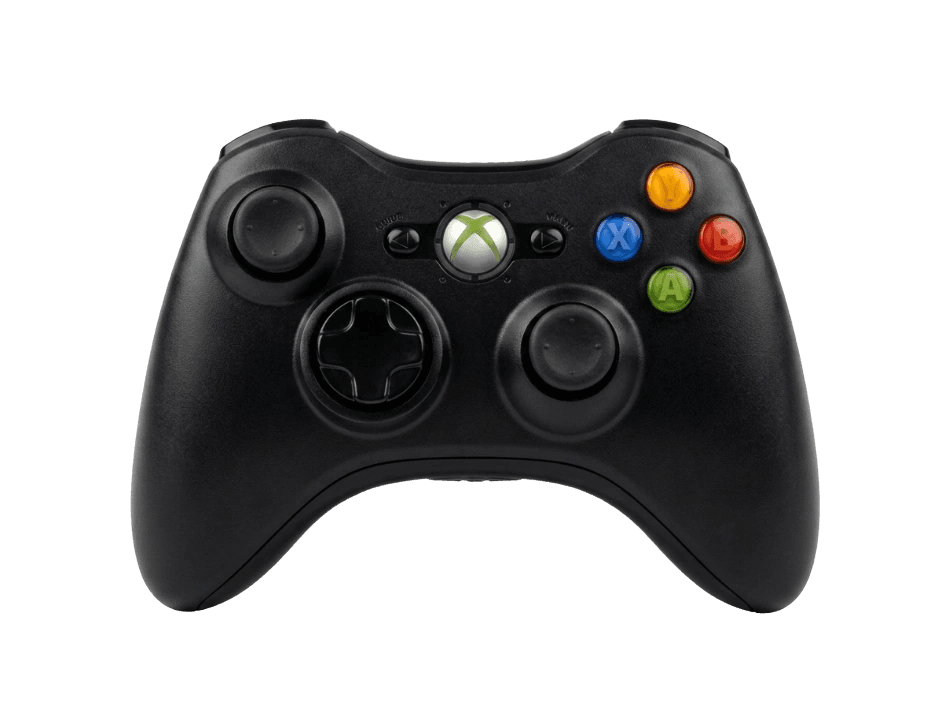
Full Xbox 360 controller diagnostic
The Controller Benchmark runs every relevant subsystem on your Xbox 360 controller — stick drift, deadzone, button response, trigger range, rumble, latency, and connection stability — then produces a composite Controller Health Score. Drift is the most-reported Xbox 360 controller issue after 15+ years in circulation; the stick drift test catches it whether it's mild or severe.
Xbox 360 Controller hardware specifications
| Specification | Xbox 360 Controller |
|---|---|
| Connection | USB-A, Proprietary Wireless |
| Button count | 14 |
| Analog stick type | Potentiometer (susceptible to drift) |
| Gyroscope | No |
| Rumble / haptics | ERM motors (standard rumble) |
| Impulse triggers | No |
| Adaptive triggers | No |
| Touchpad | No |
| Built-in microphone | No |
| Built-in speaker | No |
| Back paddles | No |
| Battery life | ~40 hours |
| Weight | 290 g |
| Release year | 2005 |
| MSRP | $39.99 USD |
Recommended tests for Xbox 360 Controller
Each test runs in your browser via the Gamepad API — no install, no account, no upload. Run any individually, or use the full benchmark above.
Stick Drift Test
Detect unwanted analog input at rest
Deadzone Test
Measure your stick’s deadzone radius
Button Test
Check every button responds instantly
Trigger Pressure
Verify full analog range on triggers
Vibration Test
Test both rumble motors independently
Circularity Test
Visualize stick travel as a circle
Latency Test
Measure input lag in milliseconds
Known Xbox 360 Controller drift
Recurring problems users report with this controller, ranked by frequency. Each links to a step-by-step fix guide.
- Common
Stick drift (the long-tail Xbox 360 failure)
After 15+ years in circulation, stick drift is the most-reported Xbox 360 controller issue. Potentiometer wear is universal across the model; the only question is how far it's progressed on your specific unit. The repair flow matches modern Xbox controllers — clean the stick housing, recalibrate via the driver utility, then replace the stick if drift persists above 0.15.
View fix guide - Common
Won't connect to PC over Bluetooth
The Xbox 360 controller has NO Bluetooth on any model. Wireless connection requires the proprietary Xbox 360 Wireless Gaming Receiver — a USB dongle Microsoft sold separately. Without the receiver, the wireless controller cannot connect to PC; only the wired controller works via its captive USB cable. This is the #1 source of pairing failure confusion.
View fix guide - Common
Right bumper button physical failure
The right bumper (RB) button on Xbox 360 controllers is mechanically prone to failure — the plastic shoulder under the rubber dome cracks or detaches with repeated firm presses. Replacement RB modules cost $3–8 and install with a Phillips screwdriver after removing the controller's back panel.
View fix guide - Common
Triggers register at partial press
The triggers use potentiometers that wear similarly to the analog sticks. Wear typically presents as the trigger registering full pull at only 75% physical depression, or registering some pull when fully released. The trigger pressure test will show the analog range; values that don't reach 0.00 at rest or 1.00 at full pull indicate worn potentiometers.
View fix guide - Occasional
Wireless Gaming Receiver driver issues on Windows 11
Microsoft stopped officially supporting the Xbox 360 Wireless Gaming Receiver on Windows 11 — the driver installs but can be flaky after major Windows updates. Community-maintained drivers from third parties resolve most issues. Steam Input also recognizes the receiver natively, sidestepping driver problems for Steam games.
View fix guide
How to pair the Xbox 360 Controller
Get your controller connected before running diagnostics — wired or wireless, mobile or desktop.
Identify your controller variant
Look at the controller for a captive (non-removable) USB cable. If present, you have the wired variant — skip to step 5. If the controller has no cable and uses AA batteries, you have the wireless variant and need the Xbox 360 Wireless Gaming Receiver USB dongle to connect to PC.
Plug in the Wireless Gaming Receiver
Insert the Wireless Gaming Receiver into any USB-A port on your PC. The green LED on the receiver lights solid when active. On Windows 10/11, drivers should install automatically; if not, install them manually from Microsoft's legacy Xbox 360 accessories page.
Power on the controller
Insert two AA batteries (or a Play & Charge battery pack) and press the central Xbox Guide button. The Xbox Guide LED ring blinks while searching for a receiver.
Press the sync button on both the receiver and the controller
Press the small round sync button on the Wireless Gaming Receiver — its green LED starts pulsing. Within 20 seconds, press and release the sync button on top of the controller (near the Micro-USB-shaped charge port). The Xbox Guide LED stops blinking and shows a steady quadrant indicating which player slot was assigned.
Press any button to confirm in the browser
Browsers gate gamepad access behind a user gesture. Press any button on the Xbox 360 controller to expose it to the Gamepad API. The browser sees the controller as standard XInput; A/B/X/Y matches the printed labels, and triggers are exposed as analog 0.0–1.0 values.
Xbox 360 Controller vs the competition
Head-to-head reviews against the other controllers most buyers cross-shop.
- vs
Xbox One Controller
Xbox One added impulse triggers and Bluetooth (on Model 1708+); Xbox 360 is older but has more grippy plastic, faster button response on many units, and the legendary D-pad-less single-disc layout.
- vs
Xbox Series X Controller
Series X uses USB-C, Bluetooth, a flat concave D-pad, and a Share button; Xbox 360 is the legacy XInput reference at one-tenth the price on the used market.
- vs
DualShock 3 (PS3)
DualShock 3 has SIXAXIS motion controls and pressure-sensitive face buttons; Xbox 360 has better trigger range, more reliable PC connection, and the more comfortable grip according to most multi-platform reviewers.
Xbox 360 Controller definitions
Plain-language definitions for the terms used on this page. Each links to the full glossary entry with thresholds, mechanism, and FAQs.
Xbox 360 Controller questions
No. No Xbox 360 controller of any variant has Bluetooth. The wireless model uses Microsoft's proprietary 2.4GHz radio protocol and requires the Xbox 360 Wireless Gaming Receiver — a separate USB dongle — to connect to PC. Without the receiver, only the wired model can connect to a computer.
It's the reference XInput controller — the device every PC controller protocol traces back to. Emulators like RetroArch, Dolphin, and PCSX2 default to Xbox 360 button mapping. Used Xbox 360 controllers sell for $10–20, making them the cheapest viable PC controller option. And 15+ years of game patches assume Xbox 360 compatibility as a baseline.
No. Microsoft does not support Xbox 360 controllers on Xbox One or Series X/S. The controllers use a different wireless protocol and incompatible firmware authentication. The Xbox 360 controller works on PC (via wired connection or Wireless Gaming Receiver) and on the Xbox 360 console only.
Two reasons. First, every Xbox 360 controller in circulation today is 15+ years old, and potentiometer wear accumulates over thousands of hours of gameplay. Second, the original stick modules used lower-grade carbon contacts than modern controllers, so the wear-to-drift threshold is reached faster. Aftermarket Hall-effect replacement modules eliminate the wear mechanism entirely.
A small USB-A dongle Microsoft sold separately ($20 at launch) that enables wireless Xbox 360 controllers to connect to Windows PCs. Without the receiver, wireless controllers can connect to the Xbox 360 console only. Genuine Microsoft receivers are increasingly hard to find; third-party clones are common but vary in reliability — Steam Input handles both reliably enough that the choice between genuine and clone matters less than it used to.
Microsoft rates AA alkaline batteries at about 40 hours of gameplay — the same rating as the Xbox One controller. The Play & Charge Kit's rechargeable Li-ion pack lasts approximately 25–30 hours per charge. High-capacity NiMH AAs (2500+ mAh) can extend runtime to 50+ hours but degrade faster than alkalines.
No. Every Xbox 360 controller variant uses potentiometer-based sticks, which is why drift dominates the long-tail complaint pattern on this controller. Aftermarket Hall-effect replacement modules exist (Gulikit and others sell them) and install with a Phillips screwdriver in about 25 minutes — the most reliable permanent drift fix for a controller this old.
Wired controllers work fine on Windows 11 — drivers install automatically. Wireless controllers work IF you have a Wireless Gaming Receiver, but Microsoft stopped official support for the receiver after Windows 10. The driver installs but can be flaky after major Windows updates. Steam Input is the most reliable path for the wireless controller on Windows 11; community-maintained drivers handle the rest.
Get a full health report for your Xbox 360 Controller
Run the Controller Benchmark to score every subsystem and generate a shareable Controller Health Score graded S through F.
Run the Benchmark