Keyboard Test - free online key tester
A keyboard test verifies every key on your keyboard registers correctly, measures how many keys can be pressed simultaneously (N-key rollover), detects ghosting on common gaming chords, and flags stuck keys that hold without release. Our free browser-based tester uses native key events with layout-independent physical key identification, supports ANSI 104, ISO 105, TKL 87, and 60% compact layouts, and shows a live visual keyboard so you can see at a glance which keys you have tested.
Work through keys and gaming chords
Pick your layout
Choose ANSI 104 (US full size), ISO 105 (UK/EU full size with extra row-5 key), TKL 87 (tenkeyless - no numpad), or 60% Compact (alphas plus modifiers only). The selected layout determines which keys count toward coverage scoring and which keys are rendered on the visual keyboard.
Click the keyboard area to focus
The tester captures key events on a focused container. Click the visual keyboard area to give it focus - a violet border appears when capture is active. Some browser shortcuts (Ctrl+R, F12) stay accessible. OS-level shortcuts (Cmd+Tab, Win+L) bypass the browser entirely and will not register.
Press every key
Press each key on your physical keyboard, including modifiers, function row, numpad, and arrows. The visual keyboard lights up violet when a key is held and emerald when released, so untested keys stand out as dim slate. The coverage counter shows how many of the expected keys have been pressed.
Test N-key rollover
Press and hold multiple keys simultaneously to test rollover. The Max Simultaneous tile updates with the peak held-key count. Cheap membrane keyboards cap at 2 or 3 simultaneous; gaming mechanicals support 6KRO or NKRO (10 to 26 simultaneous depending on connection type).
Run ghost-combo prompts
Click each of the three ghost-prone chord buttons (W+A+Space, Ctrl+Shift+E, Shift+Up+Right). Hold all three keys for three seconds when prompted. The tester checks that all three codes are present in the held-keys set - if any are missing, the chord ghosted on your keyboard.
Finish and read verdict
Click Finish Test when done. The verdict is worst-of-four signals: coverage percentage, max simultaneous, ghosting test count, and stuck keys detected. Coverage below 70% surfaces an Incomplete Test callout rather than failing the keyboard - coverage measures effort, not hardware.
Test the key combinations you use in a game
Start with individual keys
Focus the test area and press each key once. Choose the layout that best matches your keyboard. The diagram uses physical key codes, so a printed letter can differ on another language layout.
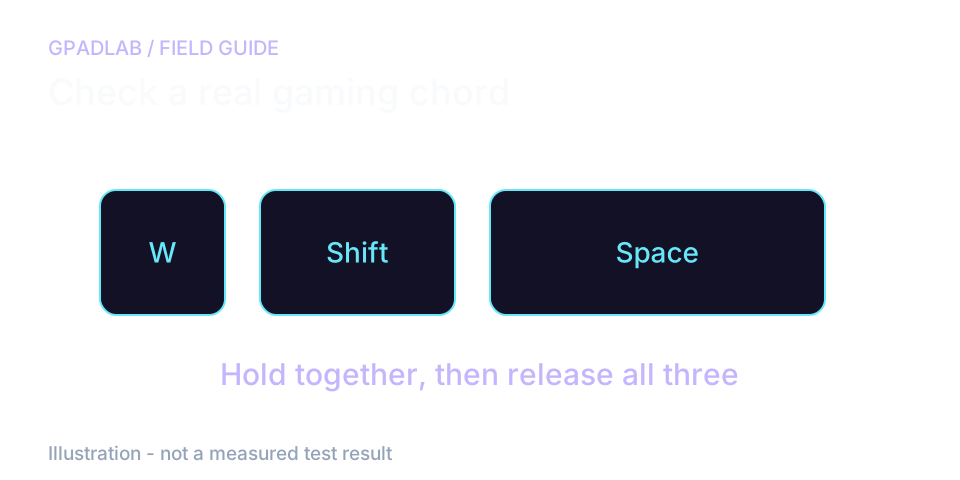
Then hold a real gaming chord
Hold your movement key, sprint key, and jump key together. Check that each stays lit, then release all three. Repeat with the combinations you actually use.
A maximum of four held keys only proves that four reached the page in that run. It does not establish the keyboard's full rollover limit. System shortcuts may be intercepted before the page sees them.
What the measurements mean
Four signals classified independently. The overall verdict is the worst of the four. Low coverage produces an Incomplete Test callout instead of a verdict, since coverage measures user effort rather than keyboard health.
| Signal | Verdict | Threshold |
|---|---|---|
| Coverage | Keys pressed ÷ layout total | Healthy ≥ 95% · Functional ≥ 85% · Partial ≥ 70% · Below 70% triggers Incomplete Test callout. Untested keys are listed so you can retest specific keys. |
| Max simultaneous | Peak held-key count | Healthy ≥ 6 (6KRO or NKRO) · Functional 4-5 · Partial 2-3 (membrane-grade) · Faulty 0-1 (untested). NKRO requires deliberate testing - most natural typing peaks at 3-4 simultaneous. |
| Ghost combos | Passed ÷ tested chord prompts | Healthy all passed · Partial one failed · Faulty two or more failed. Failed combos report exactly how many of the three codes registered. Untested combos do not penalize the verdict. |
| Stuck keys | Keys held > 5 seconds without release | Healthy 0 · Faulty any. Stuck-key detection runs every 500ms. False positives are possible if you genuinely hold a key for over 5 seconds - release between tests to avoid false flags. |
Compatible keyboards
The keyboard test works with any keyboard your operating system recognizes. Common categories include:
Related diagnostics
Keyboard questions
When the test container has focus, the browser fires KeyboardEvent on every keydown and keyup. Our tester listens for these events and tracks two sets: which keys are currently held (live state) and which keys have ever been pressed during the session (coverage). We read event.code rather than event.key - event.code identifies the physical key position regardless of OS layout, so a user with a German QWERTZ keyboard still gets accurate detection against the visual layout.
N-key rollover (NKRO) is the number of keys a keyboard can register pressed simultaneously. Cheap membrane keyboards cap at 2 or 3 keys before additional presses are ignored - that means in games requiring W + Shift + Space + E to sprint-jump-interact, one of those keys will be dropped. Gaming mechanicals advertise 6KRO (six keys plus modifiers always work) or full NKRO. USB-HID protocol caps at 6KRO unless the keyboard implements a custom NKRO descriptor; PS/2 keyboards historically supported true unlimited NKRO.
Ghosting means an extra key appears without being pressed. Blocking means an intended key fails to register in a combination. Test the chords you use and watch for either behavior. This page only sees events delivered to it; system shortcuts can be intercepted elsewhere.
Browsers fire keyboard events only on the focused element, for security and predictability. If you press keys while another window or input field has focus, our tester receives nothing. The visual keyboard area is a focusable container with a tabIndex attribute - clicking it gives it focus and starts capture. A violet border indicates focus is active; if the border disappears, the page lost focus and keys will not register.
Some keystrokes are intercepted by the operating system before reaching the browser. Cmd+Tab on macOS, Win+L on Windows, multimedia keys on some keyboards, and global hotkeys for accessibility features all route directly to the OS. Browsers receive nothing, so no test can detect them. This is not a keyboard fault. If you need to verify these keys work, test them through their OS function (Win+L should lock the screen; Cmd+Tab should switch windows).
NKRO requires deliberate testing. Most natural typing peaks at 3-4 simultaneous keys even on an NKRO board because we rarely hold many keys at once during normal use. To verify true NKRO, deliberately press 6 or more keys simultaneously - try pressing A, S, D, F, J, K, L all at once. If they all register on the visual keyboard, you have at least 7KRO. NKRO over USB also requires Windows or Mac to be in N-key mode (some keyboards have a 6KRO/NKRO switch on the back).
Chatter is when a single physical keypress registers as two or more keypresses, caused by mechanical switch contact bounce or oxidized contacts. It is the opposite of a stuck key - chatter produces extra characters, stuck keys produce repeated characters. Our v1 does not directly detect chatter (it would require keystroke-interval analysis on the same key, which we may add in v1.1). For now, if you suspect chatter, type a few sentences in any text field and look for unwanted duplicate characters from single keypresses.
No. The four layouts (ANSI 104, ISO 105, TKL 87, 60% Compact) define which keys count toward coverage scoring, but our tester captures every key code your keyboard sends. If you have a non-standard keyboard (split, ergonomic, ortholinear, or a custom QMK build), pick whichever layout most closely matches yours - coverage will be slightly off but all four signals still work. Choose 60% Compact if your keyboard has no F-row or arrows, TKL if no numpad, ISO if you have an extra row-5 key.
How we test keyboards
The focused test area tracks physical key codes, releases, and the highest number held at once. It also checks prompted gaming chords and long holds. A key intercepted by the system may never reach the page. A long hold is not proof of a stuck switch, and tested chords do not cover every possible combination.Dedicated methodology article not yet published; see the methodology hub for the methods currently available.