Monitor Refresh Rate Test - check your Hz online
Use this monitor refresh rate test to estimate the frame cadence your browser observes. Keep the page visible on the screen you want to check for ten seconds. Compare the result with your display settings. It is a browser timing estimate, not a direct measurement of the panel or proof of its advertised specification.
Keep the target display and tab active
Keep the tab focused
Browsers throttle frame timing to roughly 1 Hz when a tab is backgrounded or covered by another window, to save power. The test must run with the page front and center. If focus is lost mid-test, sampling pauses automatically and resumes from where it stopped when you return to the tab.
Capture 10 seconds of frame timing
On every screen redraw, the tester records a high-resolution timestamp. Over the 10-second window it collects hundreds of samples - enough to produce a stable measurement that is not skewed by a single stutter or background task.
Compute the median frame interval
Taking the median of the deltas between consecutive frames rejects outliers from momentary stutter. Dividing 1000 by the median interval in milliseconds converts the timing into a refresh rate in hertz.
Snap to the nearest standard rate
The measured rate is matched against common standards - 60, 75, 90, 100, 120, 144, 165, 180, 200, 240, 360, and 500 Hz - and reported with the percentage difference from the nearest one, so you can see exactly how close the panel runs to spec.
Browser-rate disclosure
This measures the rate your browser presents frames, which matches your monitor's native refresh when hardware acceleration is on and the tab stays focused. If your OS reports a higher rate than the measurement, the browser may not be rendering at full rate - common causes are GPU acceleration disabled, a power-saving mode, or a VSync mismatch.
What the measurements mean
Two signals are classified independently. The overall verdict is the worse of the two.
| Signal | Verdict | Threshold |
|---|---|---|
| Snap-to-standard delta | Percentage off the nearest standard rate | Healthy ≤ 1% (hitting its rated refresh almost exactly) · Functional ≤ 3% (effectively on-spec; minor timing variance is normal) · Partial ≤ 5% (noticeable shortfall - check GPU acceleration and power settings) · Faulty > 5% or no standard match (browser throttling, dropped frames, or a non-standard panel). |
| Consistency | IQR ÷ median frame interval, as a percentage | Healthy ≤ 3% (smooth, steady frame delivery) · Functional ≤ 7% · Partial ≤ 15% · Faulty > 15% (high spread points to dropped frames or throttling). Lower is steadier. |
| Focus integrity | Whether the tab stayed focused for the full window | Healthy 0 focus losses (tab focused throughout) · Functional resumed after one or more focus losses. Frame timing is only meaningful while the tab is in the foreground, so any focus loss pauses the test rather than corrupting the result. |
Check the browser before blaming the monitor
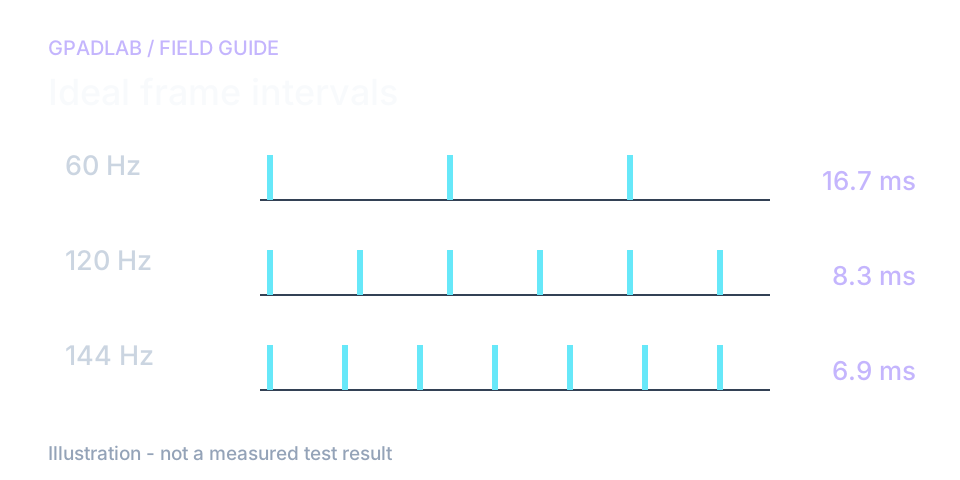
When a 144 Hz screen reads near 60
Keep the test window on the display you want to check. Confirm that display's refresh setting in the operating system. Then run the test with the tab visible.
Your browser may draw frames below the screen's set rate. Other apps and power settings can slow it down. The nearest-rate label is a best guess. It does not read the screen's listed specs.
Use the two numbers for different jobs
Your system settings show the screen mode you chose. This page shows how fast the browser drew frames in this test.
If they do not match, try a second browser on the same screen. Keep its tab in view. A low score alone does not prove that your screen is faulty.
Compatible displays
This test reads display timing rather than controller input, so it works on any device with a screen and a modern browser. Common categories:
Related diagnostics
Refresh Rate questions
When the tab is focused, the browser fires a callback on every screen redraw. Our tester records a high-resolution timestamp on each one for 10 seconds, computes the median interval between frames, and converts it to hertz with 1000 ÷ median_ms. It then snaps that figure to the nearest standard rate so you can confirm the panel is hitting spec. All processing happens in your browser tab - nothing is uploaded.
The most common cause is the browser rendering below your panel's native rate rather than a hardware fault. GPU hardware acceleration may be disabled, the browser may be in a power-saving mode, or another window may be covering the tab and triggering frame throttling. It is also worth checking your Windows or macOS display settings - if the OS itself is set to 60Hz, every app including the browser is capped there.
The test estimates browser frame cadence during the sample. That can be affected by the display mode, browser scheduling, and system load. It does not directly measure panel scanout or verify the hardware specification. Compare it with the operating system display setting.
Browsers deliberately throttle frame timing to about 1 Hz when a tab is backgrounded or hidden, to save power. If you click away mid-test the timing becomes meaningless, so the tester detects the focus loss, pauses sampling, and resumes when you return to the tab. A clean run with zero focus losses is the only one that produces a trustworthy reading.
Refresh rate (Hz) is how often the monitor redraws the screen and is a property of the display hardware. Frame rate (FPS) is how many frames your GPU produces and is a property of the software and hardware rendering the scene. They are independent but work best when matched - a 240Hz monitor only shows 240 distinct frames if the game is actually producing 240 FPS.
Your operating system reports the panel's configured hardware rate, while this test reports the rate the browser is actually presenting frames at. A gap between them means the browser is not rendering at full rate. The usual culprits are GPU hardware acceleration turned off, a browser or OS power-saving mode throttling the renderer, or a VSync mismatch. Re-enabling acceleration and disabling battery-saver typically closes the gap.
It can flag the symptom: a display advertised at a high rate that consistently measures and renders far below it, with a clean focused run, is a strong signal something is wrong. A definitive hardware verdict requires first ruling out browser and OS throttling - confirm your display settings show the rated Hz and that GPU acceleration is on, then re-run. If it still reads low under ideal conditions, the panel or cable is suspect.
No separate test app is needed. The page runs in your browser. The timing result depends on that browser, the operating system, and display setup, so behavior is not identical across all devices.
How we measure refresh rate
The page records animation-frame intervals for ten seconds and converts the median interval to Hz. It also shows a nearby standard-rate estimate and timing spread. Browser scheduling affects the result. A background tab may pause or throttle. This is not a direct measurement of panel scanout.Dedicated methodology article not yet published; see the methodology hub for the methods currently available.