DualSense Edge Controller Test
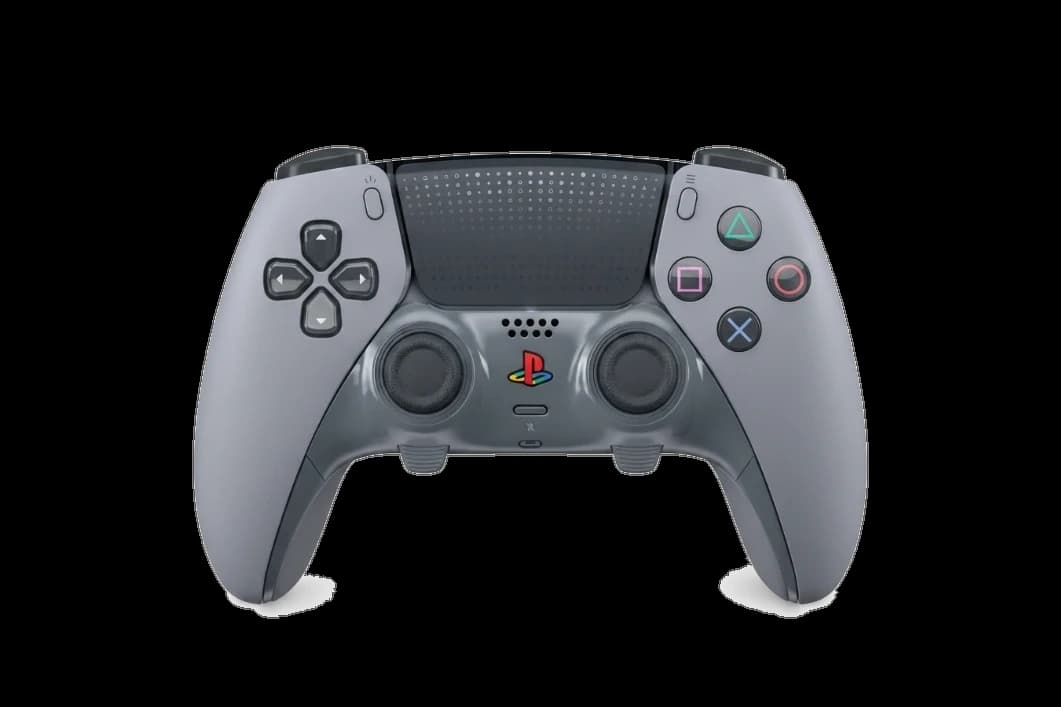
The DualSense Edge controller test runs a full diagnostic on Sony's premium PS5 pad in the browser — checking the swappable stick modules for drift, back paddle response, trigger stop positions, haptic motors, and gyro. Connect over USB-C or Bluetooth, press any button, and get a Controller Health Score graded S through F.
Full DualSense Edge diagnostic
The Controller Benchmark runs every subsystem on your DualSense Edge — stick modules, paddles, adjustable triggers, haptics, latency, and connection stability — then produces a composite Controller Health Score. Particularly useful for Edge owners verifying a fresh stick module after replacement.
DualSense Edge hardware specifications
| Specification | DualSense Edge |
|---|---|
| Connection | USB-C, Bluetooth |
| Button count | 19 |
| Analog stick type | Potentiometer (susceptible to drift) |
| Gyroscope | Yes |
| Rumble / haptics | Haptic (voice-coil / LRA) |
| Impulse triggers | No |
| Adaptive triggers | Yes |
| Touchpad | Yes |
| Built-in microphone | Yes |
| Built-in speaker | Yes |
| Back paddles | Yes |
| Battery life | ~10 hours |
| Weight | 325 g |
| Release year | 2023 |
| MSRP | $199.99 USD |
Recommended tests for DualSense Edge
Each test runs in your browser via the Gamepad API — no install, no account, no upload. Run any individually, or use the full benchmark above.
Stick Drift Test
Detect unwanted analog input at rest
Deadzone Test
Measure your stick’s deadzone radius
Adaptive Trigger
Test DualSense adaptive trigger resistance
Button Test
Check every button responds instantly
Touchpad Test
Test DualSense and DualShock touchpads
Gyro Test
Test 6-axis motion sensors
Vibration Test
Test both rumble motors independently
Latency Test
Measure input lag in milliseconds
Known DualSense Edge issues
Recurring problems users report with this controller, ranked by frequency. Each links to a step-by-step fix guide.
- Common
Stick drift on swappable modules
Even with swappable modules, the Edge still uses potentiometers — drift develops on the same 6–12 month timeline as standard DualSense. Replacement modules cost ~$20 vs replacing the whole controller.
View fix guide - Occasional
Back paddle button bounce
Back paddles can register double-inputs when pressed near the edges. Often improves by reseating the paddle attachment and verifying with the button responsiveness test.
View fix guide - Occasional
Trigger stop switch inconsistent
The 3-position trigger stop switch on the back can develop unreliable contact, causing trigger travel distance to vary between sessions even at the same setting.
View fix guide - Common
Battery life noticeably shorter than standard DualSense
The Edge ships with a smaller battery (1050 mAh vs 1560 mAh) to make room for the modular hardware. Expect 5–8 hours real-world vs 6–10 on a standard DualSense.
View fix guide - Occasional
Won't pair with PC over Bluetooth
Same pairing quirks as standard DualSense — fails when bound to a nearby PS5, and rejects handshake on older Bluetooth 4.x adapters.
View fix guide
How to pair the DualSense Edge
Get your controller connected before running diagnostics — wired or wireless, mobile or desktop.
Power off the DualSense Edge
Hold the PS button until the lightbar turns off. The controller must be fully off before entering pairing mode.
Hold PS + Create until the lightbar pulses
Press and hold the PS button and the Create button (left of the touchpad) together for about three seconds. The lightbar pulses blue when pairing mode is active.
Open Bluetooth settings on your device
Windows: Settings → Bluetooth & devices → Add device → Bluetooth. macOS: System Settings → Bluetooth. Android/iOS: open the Bluetooth menu.
Select "DualSense Edge Wireless Controller"
The Edge appears with its own name in the device list — separate from a standard DualSense. Tap or click to pair.
Press any button to confirm in the browser
Browsers gate gamepad access behind a user gesture. Press any button on the controller (including a back paddle) to expose it to the Gamepad API.
DualSense Edge vs the competition
Head-to-head reviews against the other controllers most buyers cross-shop.
- vs
Standard DualSense
Edge adds swappable sticks, back paddles, and adjustable triggers — at over twice the price.
- vs
Xbox Elite Series 2
Elite Series 2 has Hall-effect-resistant build quality and longer battery; Edge wins on haptics and swappable parts.
- vs
Scuf Reflex Pro
Scuf customizes a base DualSense with paddles and grips; Edge integrates that hardware natively.
DualSense Edge questions
Yes. The Edge works as a standard USB-C or Bluetooth gamepad on Windows, macOS, Linux, Android, and iOS. The Gamepad API exposes all buttons including the two back paddles. Some Edge-specific features like profile switching are PS5-exclusive but don't affect diagnostics.
No. The DualSense Edge uses the same potentiometer-based stick technology as the standard DualSense. Sony's solution to drift is not better sensors, but swappable stick modules — you replace the worn unit for around $20 instead of the whole controller.
Real-world reports suggest 6–12 months of heavy use before drift develops, similar to the standard DualSense. Use the stick drift test monthly to catch drift early — replacing a slightly worn module is cheaper than waiting for severe drift.
Yes. The Edge maps its two back paddles as additional buttons through the standard Gamepad API. The button test detects them as buttons 16 and 17 on the standard mapping. By default they mirror other buttons; remapping is done in the PS5 system menu.
The trigger stop switch physically limits trigger travel — moving the switch to its shortest setting reduces the maximum trigger value reported by the API. The trigger pressure test will read a lower max value (e.g. 0.65 instead of 1.0) when stops are engaged.
The Edge ships with a 1050 mAh battery, smaller than the standard DualSense's 1560 mAh, to fit the modular hardware. Real-world battery life is typically 5–8 hours versus 6–10 on the standard model. Running wired over USB-C eliminates the difference.
Yes — that's a defining Edge feature. Each module clicks out by sliding a release latch behind the controller's front face. Replacement modules are sold separately and take under a minute to swap. No tools required.
Yes. The Edge uses the same voice-coil haptic motors and adaptive trigger hardware as the standard DualSense. Browser-side, the vibration test triggers both motors identically. Adaptive trigger force-feedback still requires a native driver — browsers can read trigger pressure but cannot send resistance back.
Get a full health report for your DualSense Edge
Run the Controller Benchmark to score every subsystem and generate a shareable Controller Health Score graded S through F.
Run the Benchmark