Xbox Elite Series 2 Core Controller Test
The Xbox Elite Series 2 Core controller test runs a full diagnostic on Microsoft's stripped-down premium controller in your browser — verifying the adjustable-tension sticks, hair trigger locks, three custom profiles, and 40-hour battery. Connect over Bluetooth, Xbox Wireless, or USB-C, press any button, and get a Controller Health Score graded S through F.
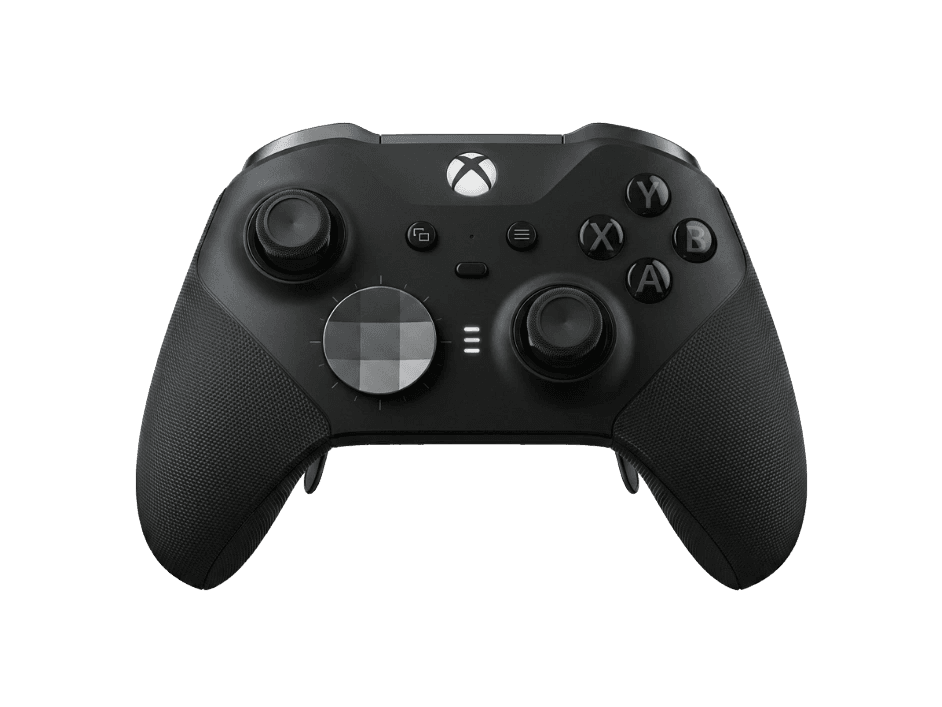
Full Elite Series 2 Core diagnostic
The Controller Benchmark runs every relevant subsystem on your Elite Series 2 Core — sticks, deadzone, button response, trigger range (with hair-lock states), rumble, latency, and connection stability — then produces a composite Controller Health Score. The controller is mechanically identical to the full Elite Series 2; only the bundled accessories differ.
Xbox Elite Series 2 Core hardware specifications
| Specification | Xbox Elite Series 2 Core |
|---|---|
| Connection | USB-C, Bluetooth, Proprietary Wireless |
| Button count | 16 |
| Analog stick type | Potentiometer (susceptible to drift) |
| Gyroscope | No |
| Rumble / haptics | ERM motors (standard rumble) |
| Impulse triggers | Yes |
| Adaptive triggers | No |
| Touchpad | No |
| Built-in microphone | No |
| Built-in speaker | No |
| Back paddles | Yes |
| Battery life | ~40 hours |
| Weight | 300 g |
| Release year | 2022 |
| MSRP | $129.99 USD |
Recommended tests for Xbox Elite Series 2 Core
Each test runs in your browser via the Gamepad API — no install, no account, no upload. Run any individually, or use the full benchmark above.
Stick Drift Test
Detect unwanted analog input at rest
Deadzone Test
Measure your stick’s deadzone radius
Button Test
Check every button responds instantly
Trigger Pressure
Verify full analog range on triggers
Vibration Test
Test both rumble motors independently
Circularity Test
Visualize stick travel as a circle
Latency Test
Measure input lag in milliseconds
Polling Rate
Measure inputs reported per second
Known Xbox Elite Series 2 Core drift
Recurring problems users report with this controller, ranked by frequency. Each links to a step-by-step fix guide.
- Common
Stick drift on the analog sticks
The Elite Series 2 Core uses potentiometer sticks — the same architecture as the standard Xbox controller — and develops drift on a similar timeline (18–30 months of regular use). Microsoft extended the Elite Series 2 warranty to 1 year specifically because of drift complaints, but units past warranty have no first-party repair path. Hall-effect aftermarket stick modules exist but require disassembly.
View fix guide - Common
Back paddles must be purchased separately
The Core ships without back paddles. The controller has four magnetic slots on the back where paddles attach, but the box contains no paddles. To enable the back-paddle feature, buy the Microsoft Complete Component Pack (~$60), which includes four paddles, additional thumbsticks, alternate D-pads, and a carrying case. With the pack added, the Core becomes functionally identical to the full Elite Series 2 for ~$20 less.
View fix guide - Common
Bumpers fail after extended use
The LB and RB bumpers on the Elite Series 2 (both Core and full variants) use a design that's reported to fail earlier than the standard Xbox controller's bumpers — particularly in fighting games and rhythm games. Microsoft's extended warranty covers replacement for the first year; after that, bumper module replacement requires partial disassembly via iFixit guides.
View fix guide - Occasional
Battery degrades over 2-3 years
The integrated rechargeable battery is rated for 40 hours new, but real-world battery life drops to 25–30 hours after 2–3 years of regular charging cycles. Unlike the standard Xbox controller, the Core uses an integrated battery — replacement requires opening the shell and is not officially supported by Microsoft.
View fix guide - Rare
Adjustable-tension thumbsticks require the included tool
The Core ships with a small adjustment tool for the three tension settings on each stick. Lose the tool and you can't change tension without it — Microsoft sells replacements but they're often out of stock. Third-party adjustment tools from Etsy and aftermarket controller parts shops work as substitutes.
View fix guide
How to pair the Xbox Elite Series 2 Core
Get your controller connected before running diagnostics — wired or wireless, mobile or desktop.
Choose your connection mode
The Elite Series 2 Core supports three connection modes: Xbox Wireless (for Xbox Series X|S and Xbox One consoles), Bluetooth (for PC, Mac, iOS, Android), and USB-C wired (for any platform). Most PC users pair via Bluetooth; competitive players prefer USB-C for the lower latency.
Hold the Pair button on top
On the top edge of the controller, near the USB-C port, there's a small Pair button. Press and hold it for about 3 seconds — the Xbox button on the front starts pulsing rapidly, indicating pairing mode is active.
Pair via Bluetooth on PC
On Windows: Settings → Bluetooth & devices → Add device → Bluetooth. The controller appears as "Xbox Elite Series 2" — tap or click to pair. Some Windows builds occasionally fail the initial pair attempt; if that happens, hold the controller's Pair button for a longer 5-second press to clear the pairing cache.
Update firmware before first use
The Elite Series 2 Core often ships with outdated firmware that affects stick calibration and Bluetooth stability. Connect via USB-C cable to a Windows or Xbox console and run the Xbox Accessories app — it will detect outdated firmware and update automatically. Reviewers consistently report the controller "won't work correctly out of the box" until this update is applied.
Press any button to confirm in the browser
Browsers gate gamepad access behind a user gesture. Press any button on the Elite Series 2 Core to expose it to the Gamepad API. The browser sees the controller as standard XInput; if back paddles are installed and assigned, they appear as additional button indices (typically 17–20).
Xbox Elite Series 2 Core vs the competition
Head-to-head reviews against the other controllers most buyers cross-shop.
- vs
Xbox Elite Series 2
Mechanically identical controller; full Elite Series 2 includes back paddles, carrying case, charging dock, and alternate sticks/D-pads. Core ships without accessories for $50 less; add the Complete Component Pack later for ~$60.
- vs
Xbox Series X Controller
Elite Series 2 Core adds adjustable-tension sticks, hair trigger locks, integrated rechargeable battery, and rubber grips for $65 more. Series X controller uses AA batteries (longer per-charge runtime) and is half the weight.
- vs
PS5 DualSense Edge
DualSense Edge has haptic feedback and adaptive triggers; Elite Series 2 Core has 4x battery life (40h vs 10h), hair trigger locks, and Xbox console support. Both use potentiometer sticks, so drift resistance is similar.
Xbox Elite Series 2 Core definitions
Plain-language definitions for the terms used on this page. Each links to the full glossary entry with thresholds, mechanism, and FAQs.
Xbox Elite Series 2 Core questions
The controller hardware is identical — same internals, same model number (1797), same USB hardware ID, same 40-hour battery, same adjustable-tension sticks, same hair trigger locks. The Core ships without the carrying case, back paddles, alternate sticks/D-pads, and charging dock that come with the full Elite Series 2. Price difference is $50 ($129.99 vs $179.99). Buy the Core if you want the controller and not the accessories.
Yes. Microsoft sells the Complete Component Pack (~$60) which includes four back paddles, additional thumbsticks, alternate D-pads, and the carrying case. The Core controller's back has four magnetic slots where the paddles attach. Adding the pack costs ~$20 more than the original Elite Series 2 — so if you know you want paddles, the original Series 2 is the better buy. If you're uncertain, start with the Core and upgrade later.
No. The Elite Series 2 Core uses potentiometer-based sticks — the same architecture as every Microsoft-made Xbox controller. This is the most-cited complaint vs Hall-effect third-party premium controllers like the GuliKit KK3 Max or Nacon Revolution 5 Pro. Aftermarket Hall-effect replacement modules from Gulikit and others can be installed, but doing so voids the warranty.
Microsoft extended the Elite Series 2 warranty to 1 year (up from the standard 90 days) specifically because of drift complaints. This applies to both the Core and full variants. Drift, bumper failures, and battery degradation are all covered. After the 1-year warranty expires, Microsoft offers paid repair through their support channel, but most users find replacement is more cost-effective than out-of-warranty repair.
Yes via Bluetooth. macOS Ventura (13) and later natively recognize the Elite Series 2 Core. iOS 16 and later recognize it as a generic Bluetooth gamepad. Functionality on these platforms is limited to standard buttons and triggers — hair trigger locks work, but profile switching and back-paddle remapping require the Xbox Accessories app on Windows or Xbox console.
Physical switches behind each trigger that shorten the trigger's pull range from full analog to a shorter binary click. Useful in FPS games where you want hair-trigger response and don't need the analog range. The trigger pressure test in this browser shows the difference clearly — with hair locks engaged, the trigger registers full press at a fraction of the physical pull distance.
Microsoft's firmware update process requires the Xbox Accessories app to communicate with the controller in a way Bluetooth doesn't reliably support. You must connect the controller via USB-C cable to a Windows PC or Xbox console for firmware updates. Bluetooth is sufficient for gameplay, but firmware updates require wired connection.
No. The original Elite Series 1 (model 1698, released 2015) uses different paddle attachments, different sticks, and a different overall design. Elite Series 2 accessories — paddles, sticks, D-pads — do not fit Series 1 controllers and vice versa. The Series 2 ecosystem (Core + full + Complete Component Pack) is internally compatible but isolated from Series 1.
Get a full health report for your Xbox Elite Series 2 Core
Run the Controller Benchmark to score every subsystem and generate a shareable Controller Health Score graded S through F.
Run the Benchmark