Xbox Series X|S Controller Test
The Xbox Series X|S controller test runs a full diagnostic on Microsoft's current-generation pad in the browser — checking analog sticks for drift, button response, trigger range, share button, and impulse trigger feedback. Connect over USB-C, Bluetooth, or the Xbox Wireless dongle, press any button, and get a Controller Health Score graded S through F.
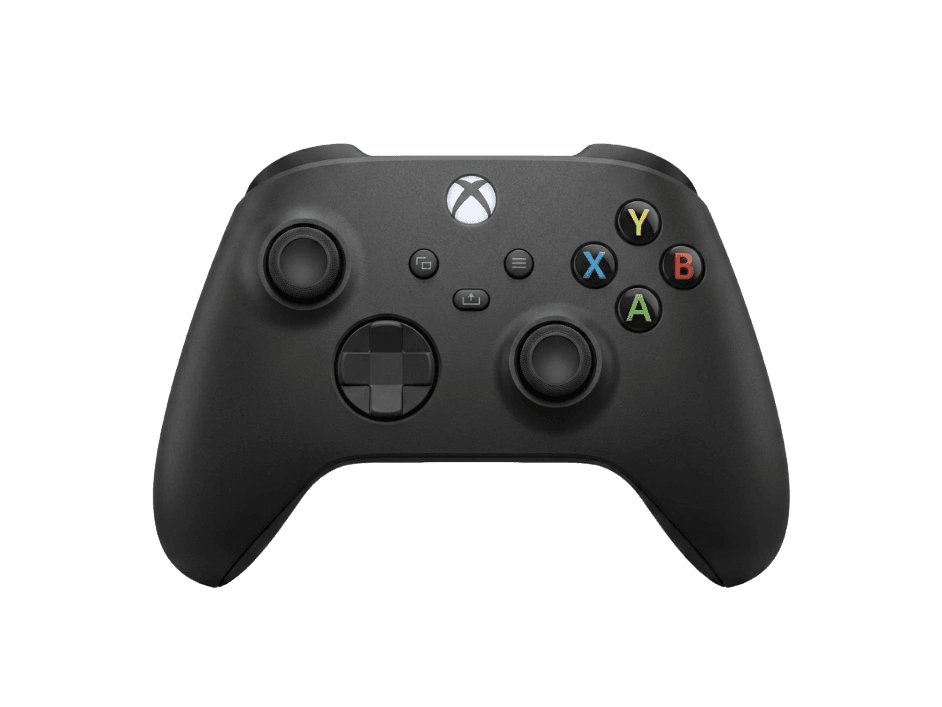
Full Xbox controller diagnostic
The Controller Benchmark runs every relevant subsystem on your Xbox controller — drift, deadzone, button response, trigger range, latency, and connection stability — then produces a composite Controller Health Score. The Series X and Series S ship with the same controller, so this test applies to both consoles.
Xbox Series X|S Controller hardware specifications
| Specification | Xbox Series X|S Controller |
|---|---|
| Connection | USB-C, Bluetooth, Proprietary Wireless |
| Button count | 17 |
| Analog stick type | Potentiometer (susceptible to drift) |
| Gyroscope | No |
| Rumble / haptics | ERM motors (standard rumble) |
| Impulse triggers | Yes |
| Adaptive triggers | No |
| Touchpad | No |
| Built-in microphone | No |
| Built-in speaker | No |
| Back paddles | No |
| Battery life | ~40 hours |
| Weight | 287 g |
| Release year | 2020 |
| MSRP | $64.99 USD |
Recommended tests for Xbox Series X|S Controller
Each test runs in your browser via the Gamepad API — no install, no account, no upload. Run any individually, or use the full benchmark above.
Stick Drift Test
Detect unwanted analog input at rest
Deadzone Test
Measure your stick’s deadzone radius
Trigger Pressure
Verify full analog range on triggers
Button Test
Check every button responds instantly
Vibration Test
Test both rumble motors independently
Latency Test
Measure input lag in milliseconds
Polling Rate
Measure inputs reported per second
Connection Stability
Detect dropouts and signal interruptions
Known Xbox Series X|S Controller issues
Recurring problems users report with this controller, ranked by frequency. Each links to a step-by-step fix guide.
- Common
Stick drift on left analog
The Series controller uses the same Alps potentiometer module that Microsoft has shipped since the Xbox 360. Drift typically develops 8–18 months into regular use, slightly later than DualSense but on the same failure curve.
View fix guide - Common
Bluetooth disconnects on Windows
Xbox controllers over Bluetooth drop connection every few minutes on Windows when paired with the OS Bluetooth stack. Either use the Xbox Wireless dongle, run wired, or disable Windows Bluetooth power management.
View fix guide - Occasional
Won't pair with PC
Bluetooth LE variants (model 1914) require Windows 10 1903 or newer for native pairing. Older systems need the Xbox Wireless Adapter dongle.
View fix guide - Occasional
Battery contacts corrode
Using rechargeable AAs that leak — or leaving alkaline batteries in for years — can corrode the AA contacts in the battery compartment. Often cleanable with isopropyl alcohol and a fiberglass pen.
View fix guide - Occasional
Bumper buttons feel mushy or fail
LB and RB buttons use dome switches that degrade after high cycle counts in competitive shooters. The button test should show clean on/off transitions — soft or partial registers indicate switch wear.
View fix guide
How to pair the Xbox Series X|S Controller
Get your controller connected before running diagnostics — wired or wireless, mobile or desktop.
Power on the controller
Press the Xbox button briefly. The Xbox button lights up solid white. If it pulses instead of going solid, it's already searching for a host.
Enter pairing mode
Hold the small Pair button on the top edge (near the USB-C port) for about three seconds. The Xbox button starts flashing rapidly — that's pairing mode.
Open your device's Bluetooth menu
Windows: Settings → Bluetooth & devices → Add device → Bluetooth. macOS: System Settings → Bluetooth. Android/iOS: open the Bluetooth menu. The controller appears as “Xbox Wireless Controller”.
Select the controller to pair
Tap or click the entry. The Xbox button stops flashing and stays solid once paired. On Windows, Device Manager should show it under Bluetooth devices.
Press any button to confirm in the browser
Browsers gate gamepad access behind a user gesture. Press any button on the controller to expose it to the Gamepad API and begin testing.
Xbox Series X|S Controller vs the competition
Head-to-head reviews against the other controllers most buyers cross-shop.
- vs
Xbox Elite Series 2
Elite Series 2 adds back paddles, swappable sticks, and adjustable triggers. Standard Series controller is half the price with same core feel.
- vs
PS5 DualSense
Xbox wins on stick precision, battery life (AA), and Windows compatibility; DualSense wins on haptics and adaptive triggers.
- vs
8BitDo Ultimate
8BitDo Ultimate has Hall-effect sticks (no drift) at a third the price, with a slightly less premium grip texture.
Xbox Series X|S Controller questions
Yes — Microsoft ships identical controllers with both consoles. The model number is 1914, the connection protocols and button mapping are identical, and any test for one applies to the other. The only difference between consoles is the disc tray and storage configuration.
Yes. Each trigger contains an impulse rumble motor that provides directional haptic feedback — distinct from DualSense's adaptive triggers. The Xbox triggers send vibration TO your fingers; the DualSense triggers send resistance AGAINST your pull. The browser cannot trigger impulse motors directly; that requires the Xbox WGI driver.
Microsoft kept the AA battery format from the Xbox 360 era — the trade-off is no internal rechargeable but you can swap in fresh batteries instantly and get up to 40 hours of use. Rechargeable AA packs and the official Play & Charge Kit are both supported.
Yes. The Share button (lower center, below the Xbox button) maps to a standard Gamepad API button. The button test detects it as button 13 on the standard mapping. The OS-level screenshot capture function only works on console, but the button input itself reads correctly anywhere.
No. Microsoft continues to use potentiometer-based sticks in the first-party Series X|S controller as of 2026, despite community demand for Hall-effect upgrades. Drift remains the controller's most common long-term failure mode. Some aftermarket modders sell Hall-effect replacement modules.
Bluetooth pairing on Windows is the usual culprit — the Microsoft Bluetooth stack drops Xbox controllers frequently. Three fixes: switch to the Xbox Wireless USB Adapter (proprietary 2.4GHz, much more stable), connect via USB-C, or disable Bluetooth radio power management in Device Manager.
Most Xbox One controllers work identically — they're forward-compatible with Series consoles and use the same Gamepad API mapping. Early Xbox One models without Bluetooth (only proprietary 2.4GHz) need the Xbox Wireless Adapter to work with browsers. The newer Xbox One controllers (post-2016) have Bluetooth built in.
Microsoft specifies up to 40 hours on a pair of fresh alkaline AAs — much longer than rechargeable controllers because AAs have higher energy density. Real-world battery life with rumble and a wireless connection typically runs 25–35 hours. Cold environments reduce life noticeably.
Get a full health report for your Xbox Series X|S Controller
Run the Controller Benchmark to score every subsystem and generate a shareable Controller Health Score graded S through F.
Run the Benchmark