8BitDo Ultimate 2C Wireless Controller Test
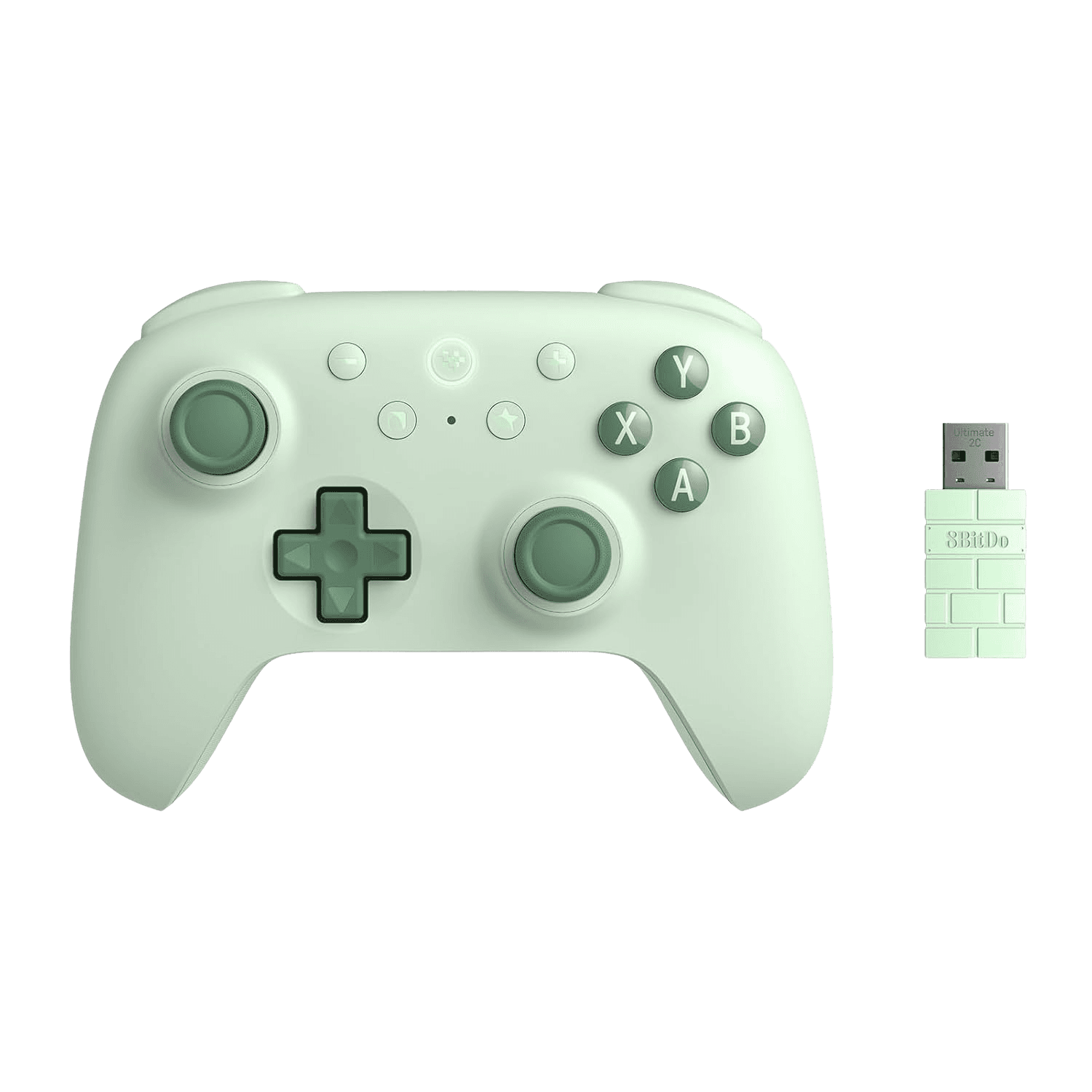
The 8BitDo Ultimate 2C Wireless controller test runs a full diagnostic on this budget Hall-effect star in your browser — verifying its Hall sticks, Hall triggers, refined D-pad, L4/R4 bumpers, and 1000Hz polling. Connect over the 2.4G dongle on PC, Bluetooth on Android, or USB-C, press any button, and get a Controller Health Score graded S through F.
Full 8BitDo Ultimate 2C Wireless diagnostic
The Controller Benchmark runs every applicable subsystem on your Ultimate 2C Wireless — Hall sticks, deadzone, circularity, button response, Hall trigger range, L4/R4 bumpers, rumble, latency, and connection stability — then produces a composite Controller Health Score. Reviewers measured zero deadzone after calibration on the Hall sticks, so deadzone and circularity should score very clean. (No gyro on this model, so that test is skipped.)
8BitDo Ultimate 2C Wireless hardware specifications
| Specification | 8BitDo Ultimate 2C Wireless |
|---|---|
| Connection | 2.4GHz Wireless Dongle, Bluetooth, USB-C |
| Button count | 18 |
| Analog stick type | Hall-effect (drift-resistant) |
| Gyroscope | No |
| Rumble / haptics | ERM motors (standard rumble) |
| Impulse triggers | No |
| Adaptive triggers | No |
| Touchpad | No |
| Built-in microphone | No |
| Built-in speaker | No |
| Back paddles | Yes |
| Battery life | ~19 hours |
| Weight | 200 g |
| Release year | 2024 |
| MSRP | $29.99 USD |
Recommended tests for 8BitDo Ultimate 2C Wireless
Each test runs in your browser via the Gamepad API — no install, no account, no upload. Run any individually, or use the full benchmark above.
Stick Drift Test
Detect unwanted analog input at rest
Deadzone Test
Measure your stick’s deadzone radius
Hall Effect Checker
Identify Hall Effect vs potentiometer sticks
Circularity Test
Visualize stick travel as a circle
Trigger Pressure
Verify full analog range on triggers
Button Test
Check every button responds instantly
Vibration Test
Test both rumble motors independently
Polling Rate
Measure inputs reported per second
Known 8BitDo Ultimate 2C Wireless issues
Recurring problems users report with this controller, ranked by frequency. Each links to a step-by-step fix guide.
- Common
Windows and Android only — no Switch, Xbox, or PlayStation
The Ultimate 2C Wireless targets Windows PC (2.4G or wired) and Android (Bluetooth). It is not made for Switch, Xbox, or PlayStation. If a console doesn't see it, that's the design — it's a PC/Android controller.
View fix guide - Occasional
No gyro on this model
Unlike the pricier Ultimate 2 Wireless, the 2C has no 6-axis gyro. Motion-aiming tests won't register because the hardware isn't present — this is one of the trade-offs for the $30 price.
View fix guide - Occasional
Basic membrane D-pad
Reviewers note the D-pad is a standard membrane affair — fine, but not a highlight. If you see imprecise diagonal inputs in the button test, that's the D-pad design rather than a fault.
View fix guide
How to pair the 8BitDo Ultimate 2C Wireless
Get your controller connected before running diagnostics — wired or wireless, mobile or desktop.
Pick a mode with the mode switch
Use the mode switch button to select 2.4G or Bluetooth. 2.4G (and wired) is for Windows with full 1000Hz polling; Bluetooth is for Android.
2.4G dongle on PC
Plug the included 2.4G adapter into a USB port for automatic low-latency connection at 1000Hz on Windows.
Map L4/R4 without software
Assign the L4 and R4 bumpers using the on-controller mapping — no app required — so you have two extra inputs ready before testing.
Press any button to confirm in the browser
Browsers gate gamepad access behind a user gesture. Press any button on the Ultimate 2C Wireless to expose it to the Gamepad API, then run the benchmark or any individual test.
8BitDo Ultimate 2C Wireless vs the competition
Head-to-head reviews against the other controllers most buyers cross-shop.
- vs
8BitDo Ultimate 2 Wireless
The Ultimate 2 Wireless steps up to TMR sticks, switchable Hall/tactile triggers, gyro, and an RGB ring; the 2C Wireless keeps Hall sticks and triggers without gyro at roughly half the price.
- vs
8BitDo Ultimate 2C Wired
The wired 2C is cheaper still but tethered; the 2C Wireless adds the 2.4G dongle and Bluetooth (plus a battery) while keeping the same Hall sticks, Hall triggers, and L4/R4 bumpers.
- vs
GameSir Nova 2 Lite
Both are sub-$35 Hall controllers without gyro; the 2C Wireless leans on 8BitDo's build polish and 1000Hz polling, while the Nova 2 Lite offers a more console-style shape.
8BitDo Ultimate 2C Wireless definitions
Plain-language definitions for the terms used on this page. Each links to the full glossary entry with thresholds, mechanism, and FAQs.
8BitDo Ultimate 2C Wireless questions
Yes — Hall-effect sticks and Hall-effect triggers, both drift-immune, which is rare at the $30 price. It uses GuliKit's Hall module with wear-resistant metal anti-friction rings, and reviewers measured zero deadzone after calibration.
Windows PC over 2.4G or wired (1000Hz polling) and Android over Bluetooth. It's not designed for Switch, Xbox, or PlayStation.
No. The 2C Wireless skips the 6-axis gyro found on the pricier Ultimate 2 Wireless — one of the trade-offs that keeps it at $30.
The wireless model adds the 2.4G dongle, Bluetooth, and a 480mAh battery; the wired 2C is cheaper but tethered. Both share the same Hall sticks, Hall triggers, turbo, and L4/R4 bumpers.
Yes — L4 and R4 bumpers that you can map directly on the controller without any software, plus a turbo function.
Yes, on the 2.4G and wired connections on Windows. That's far above the ~125Hz of a standard console pad and unusual for a budget controller — run the polling-rate test to confirm it on your setup.
Well regarded. The metal joystick rings resist wear, the buttons feel premium, and many reviewers favor it over far pricier controllers — the main compromise is the basic D-pad and the slim shape for big hands.
Get a full health report for your 8BitDo Ultimate 2C Wireless
Run the Controller Benchmark to score every subsystem and generate a shareable Controller Health Score graded S through F.
Run the Benchmark