Flydigi Vader 4 Pro Controller Test
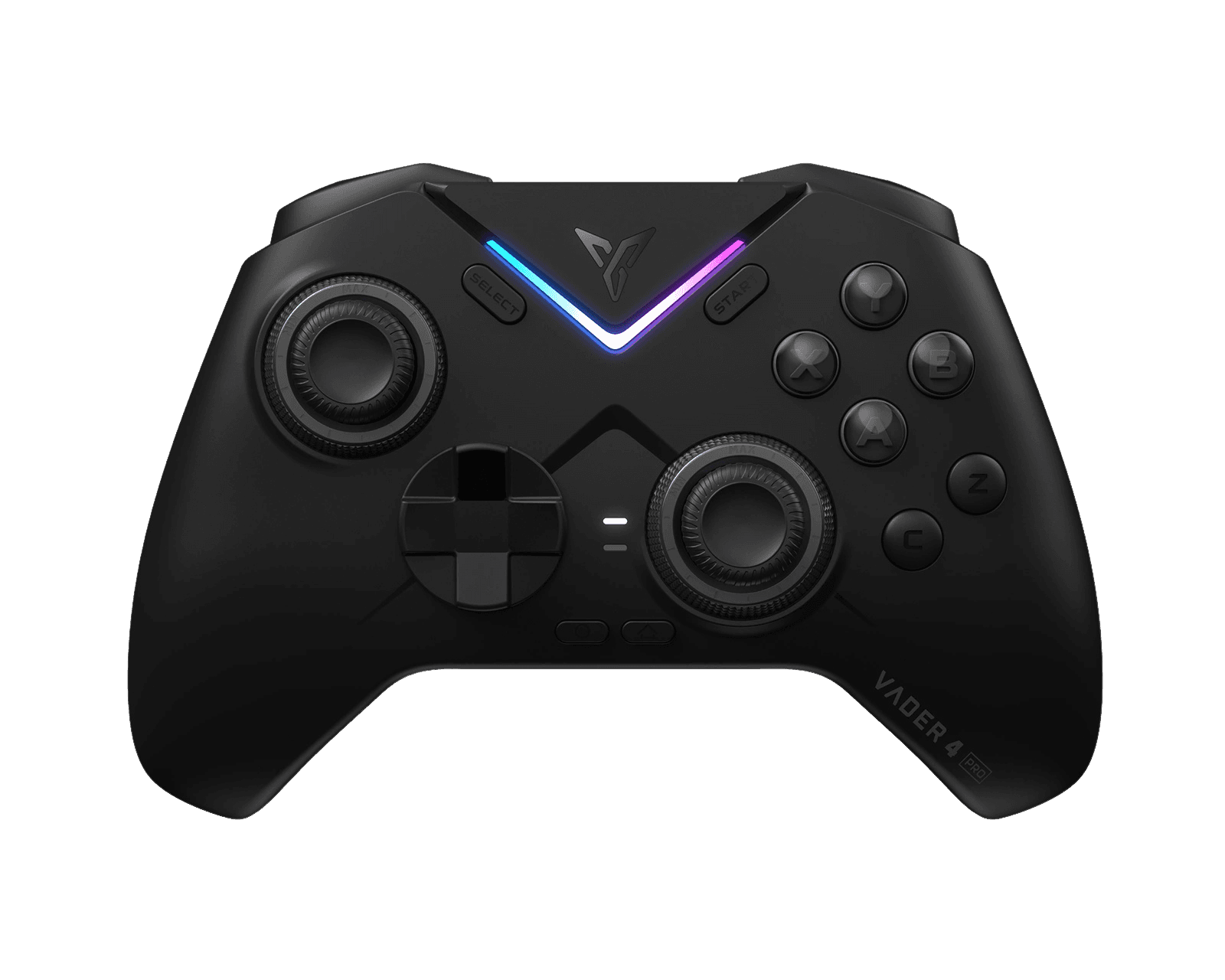
The Flydigi Vader 4 Pro controller test runs a full diagnostic on Flydigi's competitive flagship in your browser — verifying the force-adjustable Hall sticks, switchable macro/Hall triggers, Mecha-Tactile ABXY, gyro, and 1000Hz polling. Connect over the 2.4G dongle, Bluetooth, or USB-C, press any button, and get a Controller Health Score graded S through F.
Full Flydigi Vader 4 Pro diagnostic
The Controller Benchmark runs every subsystem on your Vader 4 Pro — force-adjustable Hall sticks, deadzone, circularity, button response, switchable trigger range, macros, 4-motor rumble, gyro, latency, and connection stability — then produces a composite Controller Health Score. The alloy Hall sticks claim under 1% drift at 12-bit resolution, so deadzone and circularity should score exceptionally clean.
Flydigi Vader 4 Pro hardware specifications
| Specification | Flydigi Vader 4 Pro |
|---|---|
| Connection | 2.4GHz Wireless Dongle, Bluetooth, USB-C |
| Button count | 22 |
| Analog stick type | Hall-effect (drift-resistant) |
| Gyroscope | Yes |
| Rumble / haptics | ERM motors (standard rumble) |
| Impulse triggers | Yes |
| Adaptive triggers | No |
| Touchpad | No |
| Built-in microphone | No |
| Built-in speaker | No |
| Back paddles | Yes |
| Battery life | ~15 hours |
| Weight | 235 g |
| Release year | 2025 |
| MSRP | $79.99 USD |
Recommended tests for Flydigi Vader 4 Pro
Each test runs in your browser via the Gamepad API — no install, no account, no upload. Run any individually, or use the full benchmark above.
Stick Drift Test
Detect unwanted analog input at rest
Deadzone Test
Measure your stick’s deadzone radius
Hall Effect Checker
Identify Hall Effect vs potentiometer sticks
Circularity Test
Visualize stick travel as a circle
Trigger Pressure
Verify full analog range on triggers
Button Test
Check every button responds instantly
Vibration Test
Test both rumble motors independently
Gyro Test
Test 6-axis motion sensors
Polling Rate
Measure inputs reported per second
Known Flydigi Vader 4 Pro issues
Recurring problems users report with this controller, ranked by frequency. Each links to a step-by-step fix guide.
- Common
Does not work on Xbox or PlayStation consoles
The Vader 4 Pro supports PC, Switch, Android, iOS, and TV over Bluetooth, 2.4G, or wired — but it is not licensed for Xbox or PlayStation consoles and won't be recognized by either.
View fix guide - Occasional
Trigger mode set by physical switch
Each trigger toggles between macro micro-switch mode (0.3mm click) and Hall linear mode (256-level analog) via a one-key switch. If a trigger reads as on/off instead of analog in the trigger test, it's in micro-switch mode — switch it to linear for full analog range.
View fix guide - Occasional
Grips run small for large hands
Reviewers with larger hands note the grips are a touch small compared to Flydigi's Apex line. This is ergonomic preference, not a fault — grip tape or a skin kit can help with hold and comfort.
View fix guide
How to pair the Flydigi Vader 4 Pro
Get your controller connected before running diagnostics — wired or wireless, mobile or desktop.
Pick a mode
The Vader 4 Pro connects wired over USB-C, via Bluetooth, or through the included 2.4G dongle. The dongle delivers the full 1000Hz polling and 1ms latency.
2.4G dongle or Bluetooth
Plug the 2.4G dongle into a USB port for automatic connection on PC, or use Bluetooth for Switch, Android, iOS, and TV. Follow the on-controller pairing combo for Bluetooth.
Set stick tension and trigger modes
Before testing, rotate the force-adjustment rings to set stick resistance (40-100gf) to your preference, and pick each trigger's mode — macro micro-switch or Hall linear.
Press any button to confirm in the browser
Browsers gate gamepad access behind a user gesture. Press any button on the Vader 4 Pro to expose it to the Gamepad API, then run the benchmark or any individual test.
Flydigi Vader 4 Pro vs the competition
Head-to-head reviews against the other controllers most buyers cross-shop.
- vs
Flydigi Vader 3 Pro
The Vader 4 Pro adds force-adjustable alloy stick tension (rotate-to-tune even mid-game), a guaranteed 1000Hz polling rate, and a notably more solid build over the 3 Pro, which keeps fixed-tension Hall sticks at a lower price.
- vs
GameSir Cyclone 2
The Cyclone 2 uses TMR sticks and costs less; the Vader 4 Pro counters with force-adjustable Hall sticks, switchable vibration triggers, 6 macros, and deeper competitive software.
- vs
Flydigi Apex 5
The Apex 5 adds an LCD display and larger battery in a heavier body; the Vader 4 Pro is lighter and more competition-focused with its alloy force-adjustable sticks and 1000Hz tuning.
Flydigi Vader 4 Pro definitions
Plain-language definitions for the terms used on this page. Each links to the full glossary entry with thresholds, mechanism, and FAQs.
Flydigi Vader 4 Pro questions
Yes — force-adjustable alloy Hall-effect sticks that never develop drift. Flydigi rates them under 1% drift at 12-bit resolution, and the tension ring lets you tune resistance from 40gf to 100gf.
No. The Vader 4 Pro works on PC, Switch, Android, iOS, and TV, but it is not licensed for Xbox or PlayStation consoles.
A patented alloy stick with a rotating tension ring you can turn — even mid-game — to set how stiff the stick feels, from a light 40gf to a firm 100gf, stepless. It's the headline feature over the Vader 3 Pro.
Each trigger toggles between a macro micro-switch mode (0.3mm crisp click for rapid fire) and a 256-level Hall linear mode (full analog travel) with a one-key switch.
Yes, a 6-axis gyro. It works well in Switch mode and on PC through Flydigi Space Station for motion aiming and mouse mapping.
Six — four remappable buttons plus the CZ buttons — all configurable in the Flydigi Space Station software, with a 2-level micro-switchable mode.
The 4 Pro adds force-adjustable alloy sticks, a guaranteed 1000Hz polling rate, and a more solid build. The 3 Pro keeps fixed-tension Hall sticks and the same switchable-trigger concept at a lower price.
Get a full health report for your Flydigi Vader 4 Pro
Run the Controller Benchmark to score every subsystem and generate a shareable Controller Health Score graded S through F.
Run the Benchmark