GuliKit KingKong 3 Controller Test
The GuliKit KingKong 3 (KK3) controller test runs a full diagnostic on Gulikit's $59.99 base model in your browser — verifying the TMR drift-resistant sticks, Smartrigger Hall-effect triggers, six-axis gyroscope, and rotor vibration motors. Counterintuitively, the base KK3 ships with newer TMR joysticks while the higher-priced KK3 Max retains Hall-effect — if stick sensor technology is your priority, the base KK3 is the more current choice.
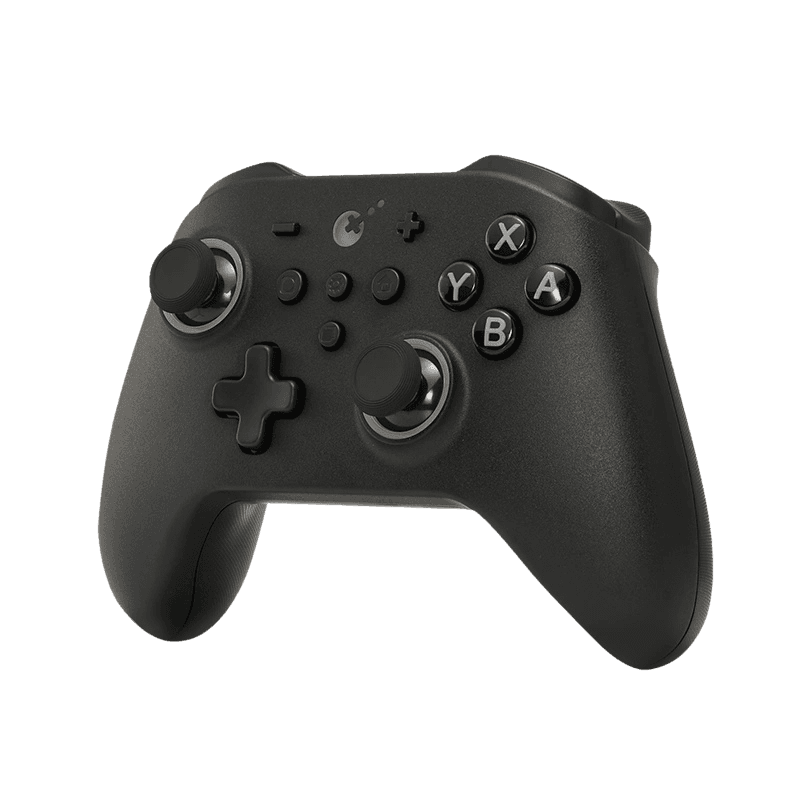
Full GuliKit KK3 diagnostic
The Controller Benchmark runs every relevant subsystem on your KK3 — TMR sticks, deadzone, button response, analog trigger range, asymmetric rotor rumble, gyroscope, latency, and connection stability — then produces a composite Controller Health Score. The KK3 ships with a toggleable deadzone mode; test both states to find your preference.
GuliKit KingKong 3 hardware specifications
| Specification | GuliKit KingKong 3 |
|---|---|
| Connection | USB-C, Bluetooth, 2.4GHz Wireless Dongle |
| Button count | 17 |
| Analog stick type | TMR (drift-resistant, low-power) |
| Gyroscope | Yes |
| Rumble / haptics | ERM motors (standard rumble) |
| Impulse triggers | No |
| Adaptive triggers | No |
| Touchpad | No |
| Built-in microphone | No |
| Built-in speaker | No |
| Back paddles | No |
| Battery life | ~23 hours |
| Weight | 280 g |
| Release year | 2024 |
| MSRP | $59.99 USD |
Recommended tests for GuliKit KingKong 3
Each test runs in your browser via the Gamepad API — no install, no account, no upload. Run any individually, or use the full benchmark above.
Stick Drift Test
Detect unwanted analog input at rest
Deadzone Test
Measure your stick’s deadzone radius
Trigger Pressure
Verify full analog range on triggers
Button Test
Check every button responds instantly
Circularity Test
Visualize stick travel as a circle
Vibration Test
Test both rumble motors independently
Gyro Test
Test 6-axis motion sensors
Polling Rate
Measure inputs reported per second
Connection Stability
Detect dropouts and signal interruptions
Known GuliKit KingKong 3 issues
Recurring problems users report with this controller, ranked by frequency. Each links to a step-by-step fix guide.
- Common
Base KK3 has TMR sticks, KK3 Max has Hall — naming is counterintuitive
Buyers reasonably expect the 'Max' variant to have the newer sensor technology. The opposite is true: the base KK3 (NS37) ships with TMR joysticks at 1000-level precision, while the KK3 Max retains Hall-effect joysticks at Level 2200. Both sensor types eliminate stick drift; TMR offers slightly lower power draw and better temperature stability, while Hall-effect at Level 2200 offers finer analog resolution. If TMR precision is the deciding factor, the base KK3 is the correct choice — the Max upgrade is about accessories (paddles, Maglev haptics, Hyperlink dongle), not sticks.
View fix guide - Common
Not compatible with Xbox or PlayStation consoles
The KK3 works on PC, Switch (1 and 2), Steam Deck, Mac, iOS, and Android — but does not work natively on Xbox Series X/S, Xbox One, PS5, or PS4. Xbox and PlayStation consoles enforce controller authentication at the system level. GuliKit sells a separate 'Goku' adapter as an add-on for Xbox compatibility, sold separately.
View fix guide - Occasional
Two-sensor history across NS37 SKU revisions
The NS37 model number has shipped in two sensor configurations across its lifecycle. The original 2023 NS37 used Hall-effect joysticks (marketed as 'KK3 No Drift Hall Joysticks'); current 2024+ retail units ship with TMR joysticks. Both versions share the same NS37 model number and box art. If buying secondhand or from older inventory, check the product description for 'TMR' vs 'Hall' to confirm which generation you're receiving.
View fix guide - Occasional
Bluetooth polling rate drops to 170Hz
The 1000Hz polling rate advertised only applies to wired (USB-C) and 2.4GHz dongle connections. Bluetooth connections cap at 170Hz, which is still adequate for most gaming but noticeably slower for competitive FPS or rhythm games. Use the 2.4GHz dongle for best wireless responsiveness on PC. The polling rate test will demonstrate this difference clearly.
View fix guide - Occasional
Switch 2 wake-up requires firmware update
Switch 2 wake-up support (powering on the console from the controller) requires updated Bluetooth firmware. Older firmware revisions can pair to Switch 2 but cannot wake it. Update via the GuliKit firmware utility on PC before first use on Switch 2.
View fix guide
How to pair the GuliKit KingKong 3
Get your controller connected before running diagnostics — wired or wireless, mobile or desktop.
Set the mode for your target device
Hold the appropriate combo to set the input mode. Press Home + B for 3 seconds for Bluetooth mode, Home + X for XInput (Windows/PC), or Home + Y for DirectInput. The LED indicator confirms which mode is active. The mode affects which button mapping the controller advertises — pick the right one before pairing.
Nintendo Switch / Switch 2 pairing
Power on the Switch and navigate to System Settings → Controllers and Sensors → Change Grip/Order. On the KK3, hold Y + Home to enter Switch mode (LED indicator confirms). Press L + R simultaneously to put the controller in pairing mode. Select the controller on the Switch screen to complete pairing. For Switch 2 wake-up, update firmware first via GuliKit Console Tool.
Windows PC via 2.4GHz dongle (1000Hz polling)
Plug the included USB-A 2.4GHz dongle into a Windows PC port. The KK3 auto-pairs on power-on at 1000Hz polling. The dongle is paired with this specific controller out of the box; no manual pairing step needed. Press Home + X first to ensure XInput mode is active for best PC compatibility.
Bluetooth pairing (Mac, iOS, Android, Steam Deck)
Hold Home + B for 3 seconds to put the KK3 in Bluetooth pairing mode (LEDs pulse rapidly). On the host device, open Bluetooth settings and select "GuliKit KK3". The KK3 polls at 170Hz over Bluetooth (lower than the 1000Hz available on wired/dongle modes).
Press any button to confirm in the browser
Browsers gate gamepad access behind a user gesture. Press any button on the KK3 to expose it to the Gamepad API. The button mapping reflects whichever mode you set in step 1 — Switch mode uses B/A/Y/X labels, Windows/XInput mode uses A/B/X/Y. Test in the mode that matches your intended gameplay.
GuliKit KingKong 3 vs the competition
Head-to-head reviews against the other controllers most buyers cross-shop.
- vs
GuliKit KingKong 3 Max
Base KK3 ($59.99) has TMR sticks; KK3 Max ($79.99) retains Hall-effect at Level 2200. KK3 Max adds 6 back paddles, Maglev haptics, RGB ring, and the Hyperlink dongle. Same SoC, same Smartrigger triggers, same gyro.
- vs
8BitDo Ultimate 2
Both TMR controllers in the same price band. KK3 ($59.99) is Switch-focused with amiibo NFC and Switch 2 wake-up. Ultimate 2 ($69.99) is PC-focused with 1000Hz Bluetooth polling (vs KK3's 170Hz) and an RGB fire ring.
- vs
GameSir Cyclone 2
Both sub-$60 tri-mode TMR controllers. Cyclone 2 ($49.99) is slightly cheaper and adds Hall/microswitch trigger toggle. KK3 ($59.99) adds amiibo NFC, Switch 2 wake-up, and auto-pilot macro recording.
GuliKit KingKong 3 definitions
Plain-language definitions for the terms used on this page. Each links to the full glossary entry with thresholds, mechanism, and FAQs.
GuliKit KingKong 3 questions
The current 2024-2026 shipping configuration of the base KK3 (model NS37) has TMR joysticks at 1000-level precision, paired with Hall-effect Smartrigger analog triggers. Counterintuitively, the higher-priced KK3 Max retains Hall-effect joysticks instead of upgrading to TMR. If stick sensor technology is your priority, the base KK3 is the more current choice. The original 2023 NS37 SKU was Hall-only; the 2024 refresh introduced TMR while keeping the same model number.
GuliKit positions the 'Max' variant as an accessory upgrade (6 detachable paddles, Maglev haptics, Hyperlink dongle, RGB ring) rather than a sensor upgrade. The base KK3 received TMR sensors in its 2024 refresh while the KK3 Max kept its proven Hall-effect implementation at Level 2200 precision. Both sensor types eliminate stick drift; the practical difference is small.
Not natively. The KK3 supports Switch, Switch 2, Steam Deck, Windows PC, macOS, iOS, and Android, but does not work on Xbox Series X/S or Xbox One out of the box. Xbox consoles enforce controller authentication at the system level. GuliKit sells a separate Goku adapter that enables Xbox compatibility for the KK3 and other GuliKit controllers, sold separately for around $20.
Yes — the KK3 is compatible with Switch 2 and supports the Switch 2 wake-up feature (power on the console from the controller) provided the firmware is updated via GuliKit Console Tool. Older firmware revisions may not include Switch 2 wake-up support. The KK3 also includes NFC for amiibo on both Switch generations.
Smartrigger is GuliKit's patented trigger system that lets users switch between linear analog mode (pressure-sensitive, ideal for racing) and tactile digital mode (instant click, ideal for FPS shooting) using a physical lock on the back of the controller. The triggers themselves are Hall-effect sensors; Smartrigger adds the physical short-throw lock. The same system is on the KK3 Max.
The KK3 has a 950mAh polymer battery rated for up to 23 hours of gameplay on a single charge per GuliKit's official user manual. Real-world battery life depends on vibration intensity, wireless mode (Bluetooth uses less power than the 2.4GHz dongle), and connection state. Recharge takes approximately 2.5 hours via USB-C.
The KK3 polls at 1000Hz when connected via the included 2.4GHz USB dongle or via USB-C wired connection. Bluetooth connections cap at 170Hz, which is the practical Bluetooth controller limitation on this model. For competitive gaming on PC, use the dongle or wired mode. The polling rate test will demonstrate the difference between modes.
No, the base KK3 does not include rear paddle buttons. If you need back paddles, the KK3 Max variant ships with 4 detachable metal paddles (6 paddles total across 3 size pairs) for approximately $20 more. The base KK3 has 4 small function buttons on the front (Gear, Screenshot, Home, Capture) but no rear paddles.
Get a full health report for your GuliKit KingKong 3
Run the Controller Benchmark to score every subsystem and generate a shareable Controller Health Score graded S through F.
Run the Benchmark