Nacon Revolution 5 Pro Controller Test
The Nacon Revolution 5 Pro controller test runs a full diagnostic on Nacon's officially-licensed PlayStation Hall-effect flagship in the browser — verifying the drift-resistant sticks, Hall-effect triggers, four back paddles, touchpad, and gyroscope. Connect via the included 2.4GHz dongle or USB-C, press any button, and get a Controller Health Score graded S through F.
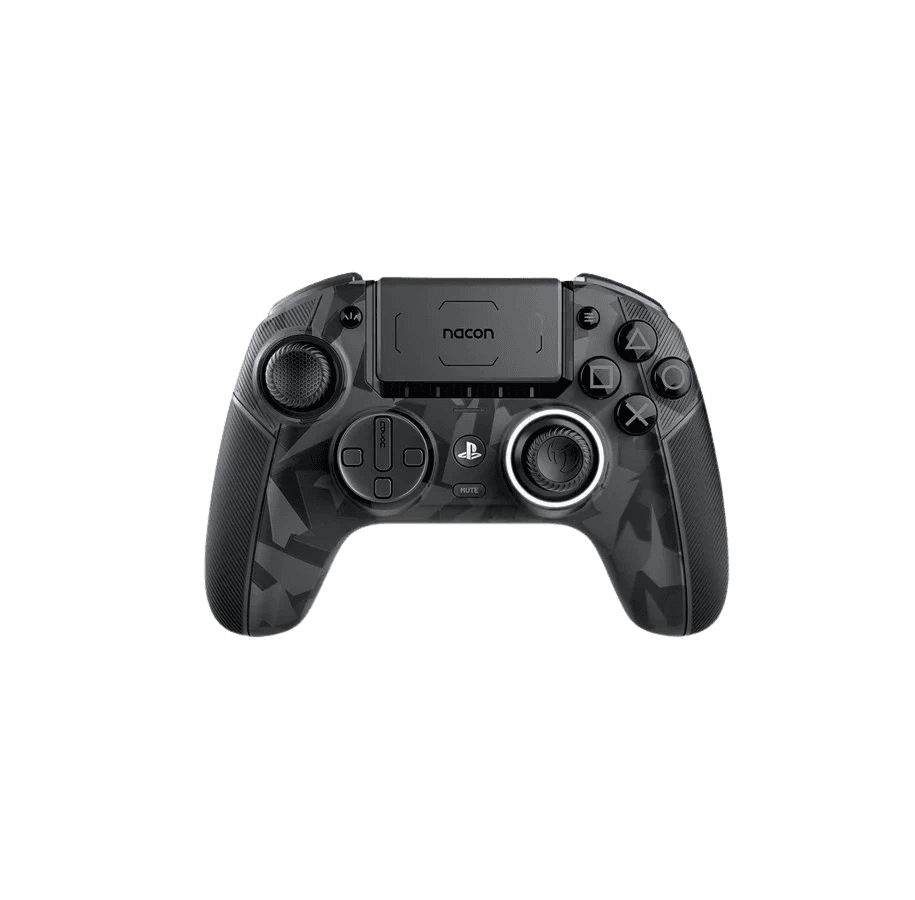
Full Revolution 5 Pro diagnostic
The Controller Benchmark runs every relevant subsystem on your Revolution 5 Pro — Hall-effect sticks AND triggers, deadzone, button response, four back paddles, touchpad, gyroscope, latency, and connection stability — then produces a composite Controller Health Score. Both sticks and triggers are Hall-effect, so drift on either should be effectively zero; if the test shows otherwise, magnet alignment may need attention.
Nacon Revolution 5 Pro hardware specifications
| Specification | Nacon Revolution 5 Pro |
|---|---|
| Connection | USB-C, 2.4GHz Wireless Dongle |
| Button count | 22 |
| Analog stick type | Hall-effect (drift-resistant) |
| Gyroscope | Yes |
| Rumble / haptics | ERM motors (standard rumble) |
| Impulse triggers | No |
| Adaptive triggers | No |
| Touchpad | Yes |
| Built-in microphone | No |
| Built-in speaker | No |
| Back paddles | Yes |
| Battery life | ~10 hours |
| Weight | 315 g |
| Release year | 2023 |
| MSRP | $199.99 USD |
Recommended tests for Nacon Revolution 5 Pro
Each test runs in your browser via the Gamepad API — no install, no account, no upload. Run any individually, or use the full benchmark above.
Stick Drift Test
Detect unwanted analog input at rest
Deadzone Test
Measure your stick’s deadzone radius
Hall Effect Checker
Identify Hall Effect vs potentiometer sticks
Trigger Pressure
Verify full analog range on triggers
Button Test
Check every button responds instantly
Touchpad Test
Test DualSense and DualShock touchpads
Circularity Test
Visualize stick travel as a circle
Vibration Test
Test both rumble motors independently
Gyro Test
Test 6-axis motion sensors
Known Nacon Revolution 5 Pro issues
Recurring problems users report with this controller, ranked by frequency. Each links to a step-by-step fix guide.
- Common
No haptic feedback or adaptive triggers on PS5
Sony does not license DualSense haptics or adaptive triggers to third-party manufacturers — only Sony's first-party DualSense and DualSense Edge have those features. The Revolution 5 Pro uses standard rumble only, and its triggers are Hall-effect analog but cannot receive variable-resistance commands. This is the #1 limitation reviewers cite vs the DualSense Edge.
View fix guide - Common
Won't pair to PC or PS5 over Bluetooth
The Revolution 5 Pro has Bluetooth 5.2, but it's used exclusively for connecting a wireless headset to the controller — NOT for host pairing. Connection to PS5, PS4, or PC requires either the included 2.4GHz USB-A dongle or the USB-C cable. This catches many users off-guard; the controller has a Bluetooth chip but doesn't expose host pairing.
View fix guide - Occasional
Back paddles activate by accident with default weights
The four back paddles sit where many users' ring and little fingers naturally rest. With heavier weights installed (or no weights at all if you grip firmly), accidental activations are common. Solutions: install lighter weights, adjust grip, or disable specific paddles via the Nacon companion app on PC. Most users settle on disabling at least two of the four paddles.
View fix guide - Common
Battery life shorter than competing premium controllers
10 hours rated runtime is significantly less than Xbox Elite Series 2 (40+ hours on AA) or even the Switch Pro Controller (40+ hours). With a Bluetooth headset connected for audio passthrough, real-world runtime drops to 7–8 hours. Plan to charge nightly if you game daily; the controller stands up via USB-C cable.
View fix guide - Occasional
Deeply-recessed USB-C port rejects some cables
The USB-C port is set deeper into the housing than most controllers, so USB-C cables with thicker overmolded connectors won't physically reach the port. Use the included Nacon cable, or replace lost cables with a thin-connector aftermarket USB-C cable rated for PD charging — generic cables often fit poorly.
View fix guide
How to pair the Nacon Revolution 5 Pro
Get your controller connected before running diagnostics — wired or wireless, mobile or desktop.
Plug the 2.4GHz USB-A dongle into your host
Insert the included USB-A dongle into the front of your PS5, PS4, or any USB-A port on a PC. The dongle is paired to this specific controller out of the box — no manual pairing step needed. The dongle is the ONLY supported wireless connection method; Bluetooth on this controller is for headset audio passthrough, not host pairing.
Power on the controller
Press the central PS button to power on. The four player-indicator LEDs near the PS button light up briefly, then settle to indicate connection status. If you see flashing without solid connection, the dongle may not be in pairing range — the dongle's effective range is about 8 meters.
Switch profiles via the front-of-controller button
The Revolution 5 Pro stores 4 profiles per platform (PS5, PS4, PC) — 12 total. The small profile button on the front of the controller cycles between active profiles, with the LED ring around the right stick changing color to indicate the active profile. Profiles are configured via the Nacon companion app on PC.
Use USB-C cable for wired play
The included 3-meter USB-C to USB-A cable enables wired play. Wired bypasses the 2.4GHz radio, eliminating any wireless latency. The deeply-recessed USB-C port on the controller is fussy about cable thickness — if your replacement cable doesn't seat fully, the overmold is too thick.
Press any button to confirm in the browser
Browsers gate gamepad access behind a user gesture. Press any button on the Revolution 5 Pro to expose it to the Gamepad API. The browser sees the controller with standard PlayStation button mapping (Cross, Circle, Square, Triangle). The touchpad-click is exposed as a button; touchpad X/Y coordinates are not.
Nacon Revolution 5 Pro vs the competition
Head-to-head reviews against the other controllers most buyers cross-shop.
- vs
PS5 DualSense Edge
DualSense Edge has haptics and adaptive triggers but uses potentiometer sticks (drift-prone); Revolution 5 Pro has Hall-effect sticks AND triggers (drift-proof) but loses haptics and adaptive triggers due to Sony licensing.
- vs
PS5 DualSense
DualSense is half the price with full PS5 features (haptics, adaptive triggers, mic, speaker); Revolution 5 Pro adds Hall-effect sticks and triggers, four back paddles, swappable parts, but lacks the DualSense's PS5-exclusive features.
- vs
Xbox Elite Series 2
Elite Series 2 has 4x the battery life (40+ hours vs 10), trigger hair-locks, and Xbox console support; Revolution 5 Pro has Hall-effect sticks AND triggers (Elite Series 2 uses potentiometers) and official PlayStation licensing.
Nacon Revolution 5 Pro definitions
Plain-language definitions for the terms used on this page. Each links to the full glossary entry with thresholds, mechanism, and FAQs.
Nacon Revolution 5 Pro questions
Sony does not license DualSense haptic feedback or adaptive triggers to third-party controller manufacturers — those features are exclusive to first-party DualSense and DualSense Edge controllers. Nacon's Revolution 5 Pro is officially PlayStation-licensed (rare for third parties) but Sony's licensing terms stop short of the premium haptic feature set. The controller uses standard ERM rumble only.
Not to your host system. The Revolution 5 Pro has Bluetooth 5.2, but it's used exclusively for connecting a wireless headset directly to the controller for audio passthrough. Host connection to PS5, PS4, or PC must use either the included 2.4GHz USB-A dongle or the USB-C cable. This is the most common confusion point for new users.
Three key differences: (1) Sticks and triggers — Revolution 5 Pro uses Hall-effect (drift-proof), DualSense Edge uses potentiometers; (2) Haptic feedback and adaptive triggers — DualSense Edge has them, Revolution 5 Pro doesn't due to Sony licensing; (3) Back paddles — Revolution 5 Pro has four Omron microswitch paddles, DualSense Edge has two function buttons that displace the analog sticks. Both cost about $200.
Yes, officially licensed by Sony for PS5 use. The controller works on PS5, PS4, and PC. However, PS5-specific features like DualSense haptics and adaptive triggers are NOT available because Sony restricts those features to first-party controllers. All other PS5 features (touchpad, gyroscope, motion controls) work normally.
Nacon rates the Revolution 5 Pro at 10 hours of wireless gameplay on a full charge. Real-world testing varies: 7–8 hours with a Bluetooth headset connected for audio passthrough, closer to 10 hours without. Charge time via USB-C is approximately 2–3 hours from empty. The 10-hour rating is notably shorter than Xbox Elite Series 2's 40+ hour AA battery runtime.
The Revolution 5 Pro has four physically-distinct Omron microswitch paddles on the back of the controller, mappable to any input. DualSense Edge has two function buttons that sit where the analog sticks would otherwise be — they replace stick functions when configured. The Nacon design is more flexible (four paddles vs two), but more prone to accidental activation if your fingers naturally rest near the back of the controller.
Yes. The Gamepad API exposes the back paddles as additional buttons (typically indices 17–20 depending on the platform). The button test in this browser highlights each paddle as you press it. You'll need to assign each paddle to a button via the Nacon companion app first; out-of-box paddles can be unmapped and produce no input until configured.
Mechanically yes — both use the same magnetic-sensor technology. The triggers add two trigger blockers per side that physically shorten the trigger pull (useful for FPS games where you want hair-trigger response). Combined with the Hall sensors, this gives the Revolution 5 Pro the most drift-resistant trigger system on any officially-licensed PlayStation controller, beating even the DualSense Edge in long-term durability.
Get a full health report for your Nacon Revolution 5 Pro
Run the Controller Benchmark to score every subsystem and generate a shareable Controller Health Score graded S through F.
Run the Benchmark