Flydigi Apex 5 Controller Test
The Flydigi Apex 5 controller test runs a full diagnostic on Flydigi's 2025 flagship in your browser — verifying the ForceFlex Hall-effect alloy sticks, magnetic back paddles, Hall-effect force feedback triggers, gyroscope, and four-motor stereo vibration. Connect over Bluetooth, USB-C, or the 2.4GHz dongle, press any button, and get a Controller Health Score graded S through F.
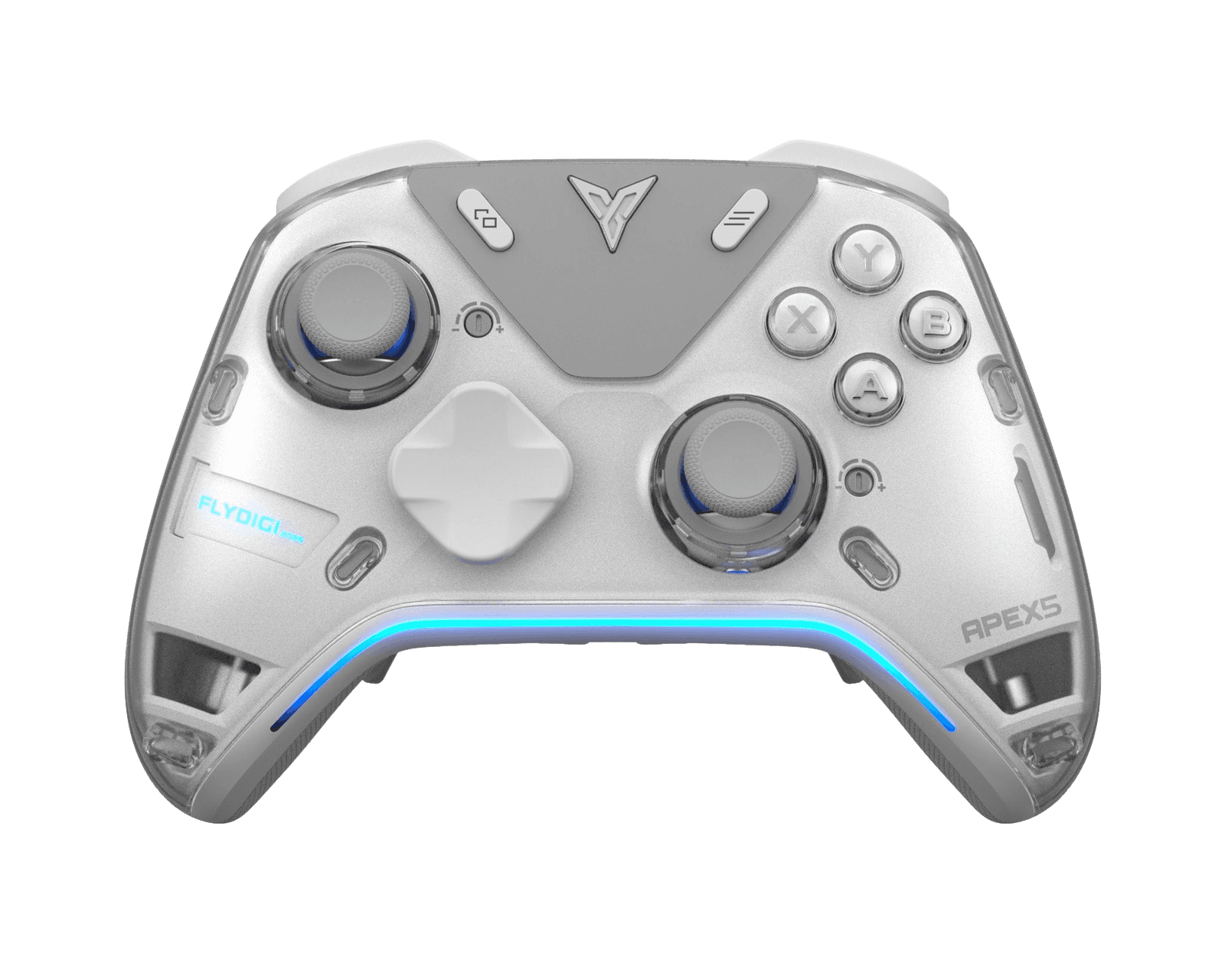
Full Flydigi Apex 5 diagnostic
The Controller Benchmark runs every relevant subsystem on your Apex 5 — Hall-effect sticks, deadzone, button response, magnetic back paddles, Hall-effect trigger range, four-motor rumble, gyroscope, latency, and connection stability — then produces a composite Controller Health Score. Hall-effect sticks should test exceptionally clean for drift; if they don't, the magnet alignment may need attention.
Flydigi Apex 5 hardware specifications
| Specification | Flydigi Apex 5 |
|---|---|
| Connection | USB-C, Bluetooth, 2.4GHz Wireless Dongle |
| Button count | 21 |
| Analog stick type | Hall-effect (drift-resistant) |
| Gyroscope | Yes |
| Rumble / haptics | ERM motors (standard rumble) |
| Impulse triggers | Yes |
| Adaptive triggers | Yes |
| Touchpad | No |
| Built-in microphone | No |
| Built-in speaker | No |
| Back paddles | Yes |
| Battery life | ~18 hours |
| Weight | 255 g |
| Release year | 2025 |
| MSRP | $79.99 USD |
Recommended tests for Flydigi Apex 5
Each test runs in your browser via the Gamepad API — no install, no account, no upload. Run any individually, or use the full benchmark above.
Stick Drift Test
Detect unwanted analog input at rest
Deadzone Test
Measure your stick’s deadzone radius
Hall Effect Checker
Identify Hall Effect vs potentiometer sticks
Trigger Pressure
Verify full analog range on triggers
Adaptive Trigger
Test DualSense adaptive trigger resistance
Button Test
Check every button responds instantly
Circularity Test
Visualize stick travel as a circle
Vibration Test
Test both rumble motors independently
Gyro Test
Test 6-axis motion sensors
Polling Rate
Measure inputs reported per second
Known Flydigi Apex 5 issues
Recurring problems users report with this controller, ranked by frequency. Each links to a step-by-step fix guide.
- Common
Does not work on Xbox or PlayStation consoles
Xbox and PlayStation enforce controller authentication and reject non-licensed controllers. The Apex 5 works on PC (Windows), Switch, TV/Android boxes, iOS, and laptops — but cannot be used on Xbox One, Series X|S, PS4, or PS5. This applies to all Flydigi controllers.
View fix guide - Occasional
Stick tension dial drifts from preferred setting
The ForceFlex tuning ring can loosen during transport or long sessions, leaving the stick feeling lighter than the set point. Rotate the dial to its max, then back to your preferred tension, to re-engage the mechanism. Persistent looseness means the internal tension spring needs reseating.
View fix guide - Common
Force feedback triggers feel firmer than DualSense
Flydigi's ForceAdapt triggers simulate adaptive resistance but use a different actuator than Sony's voice-coil DualSense triggers — the feedback feels firmer and less nuanced. They work best configured per-game via Flydigi Space Station software.
View fix guide - Occasional
Bluetooth pairing fails on first connect after a host switch
The Apex 5 boots into the last-used mode (PC / Switch / Android / iOS). After switching hosts, set the correct mode before pairing — hold the function button + a face button for 3 seconds. Flydigi Space Station documents the combos.
View fix guide
How to pair the Flydigi Apex 5
Get your controller connected before running diagnostics — wired or wireless, mobile or desktop.
Set the correct mode
The Apex 5 powers on into its last-used mode (PC / Switch / Android / iOS). If it's wrong, hold the Function button + the corresponding face button for 3 seconds to switch — Flydigi Space Station software documents the exact combos.
Enter pairing mode
Hold the Home button for about 5 seconds. The indicator light pulses rapidly, signaling the controller is discoverable over Bluetooth.
Open your device's Bluetooth menu
On Windows: Settings → Bluetooth & devices → Add device. On Switch: Controllers → Change Grip/Order. On Android: Settings → Connected devices → Bluetooth. The controller appears as "Flydigi APEX 5" — select it to pair.
2.4GHz dongle for lowest latency
Plug the included 2.4GHz dongle into a USB port. The Apex 5 connects automatically — no manual pairing. The dongle delivers the lowest latency and highest polling rate, which the polling rate test will confirm versus Bluetooth's lower cap.
Press any button to confirm in the browser
Browsers gate gamepad access behind a user gesture. Press any button on the Apex 5 to expose it to the Gamepad API. Button mapping reflects the mode you set in step 1 — PC mode uses Xbox-style A/B/X/Y, Switch mode uses B/A/Y/X.
Flydigi Apex 5 vs the competition
Head-to-head reviews against the other controllers most buyers cross-shop.
- vs
Flydigi Apex 4
The Apex 5 adds Hall-effect force feedback triggers, Mecha-Tactile ABXY 2.0 buttons, and a refreshed display over the Apex 4, while keeping the force-adjustable Hall sticks and tri-mode wireless.
- vs
GameSir Tarantula Pro
Tarantula Pro uses TMR sticks and microswitch buttons across a wider platform SKU; Apex 5 counters with adjustable Hall stick tension, force feedback triggers, and a configurable display.
- vs
PS5 DualSense
DualSense has true voice-coil haptics and adaptive triggers with native PS5 support; Apex 5 has drift-resistant Hall sticks, four back paddles, and tri-mode wireless, but doesn't work on PlayStation consoles.
Flydigi Apex 5 definitions
Plain-language definitions for the terms used on this page. Each links to the full glossary entry with thresholds, mechanism, and FAQs.
Flydigi Apex 5 questions
No. Xbox and PlayStation consoles enforce controller authentication and reject non-licensed controllers. The Apex 5 works on PC, Nintendo Switch, Android, iOS, and TV — but cannot be used on Xbox One, Series X|S, PS4, or PS5. This applies to all Flydigi controllers.
Yes. The Apex 5 uses Flydigi's ForceFlex Hall-effect joysticks 2.0, which read stick position via magnetic field rather than physical carbon contact. Without that wear mechanism, the sticks should not develop drift over normal use. Tension is adjustable from roughly 30gf to 100gf via a tuning ring.
A tuning ring under each stick lets you physically change how much force is needed to move it, from a light 30 grams-force to a stiff 100 grams-force. Tight is better for precision aiming; loose is better for fast spins. No other major controller offers this physical adjustment.
Both simulate variable trigger resistance, but they use different mechanisms. DualSense uses voice-coil actuators for smooth, infinitely variable resistance. The Apex 5's Hall-effect ForceAdapt triggers use a stepped actuator design — the feel is firmer and less nuanced — and add terrain and recoil simulation in supported racing and shooting games.
Yes. It includes a 6-axis motion sensor for gyro aiming, which is especially useful in Switch titles and PC games that support motion controls.
Three: wired USB-C, Bluetooth, and a low-latency 2.4GHz NearLink dongle. The 2.4GHz mode offers the lowest latency and highest polling rate for competitive play; Bluetooth is the most convenient for casual use.
Yes. Core functions work plug-and-play, but the Flydigi Space Station app unlocks button remapping, macros, custom display animations, and per-profile stick and trigger tuning.
Get a full health report for your Flydigi Apex 5
Run the Controller Benchmark to score every subsystem and generate a shareable Controller Health Score graded S through F.
Run the Benchmark