GameSir G7 SE Controller Test
The GameSir G7 SE controller test runs a full diagnostic on GameSir's $44.99 Xbox-licensed wired controller — verifying the Hall-effect analog sticks, Hall-effect analog triggers, four-motor rumble (two grips, two triggers), two quick-latch back paddles, and 1000Hz polling. Connect via the included 3m USB-C cable, press any button, and get a Controller Health Score graded S through F. The G7 SE is currently the cheapest Xbox-licensed controller with Hall sticks AND Hall triggers.
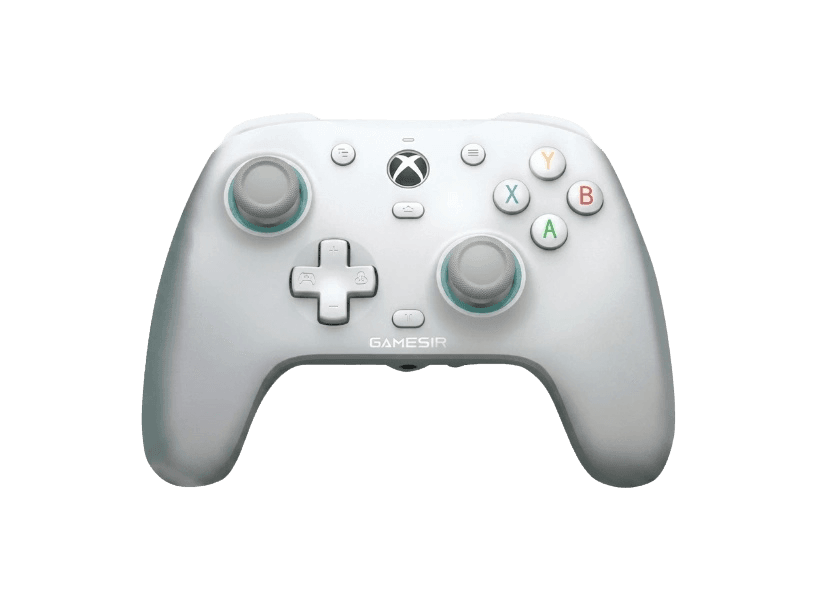
Full GameSir G7 SE diagnostic
The Controller Benchmark runs every relevant subsystem on your G7 SE — Hall-effect sticks, deadzone (toggleable to zero via GameSir Nexus), membrane face buttons, Hall-effect triggers in both standard and hair-trigger modes, the two back paddles with their quick-latch toggles, four-motor rumble, latency, and 1000Hz polling — then produces a composite Controller Health Score. The Hall sticks should test exceptionally clean; if they show drift, recalibrate in GameSir Nexus before assuming hardware failure.
GameSir G7 SE hardware specifications
| Specification | GameSir G7 SE |
|---|---|
| Connection | USB-C |
| Button count | 21 |
| Analog stick type | Hall-effect (drift-resistant) |
| Gyroscope | No |
| Rumble / haptics | ERM motors (standard rumble) |
| Impulse triggers | Yes |
| Adaptive triggers | No |
| Touchpad | No |
| Built-in microphone | No |
| Built-in speaker | No |
| Back paddles | Yes |
| Battery life | ~0 hours |
| Weight | 221 g |
| Release year | 2023 |
| MSRP | $44.99 USD |
Recommended tests for GameSir G7 SE
Each test runs in your browser via the Gamepad API — no install, no account, no upload. Run any individually, or use the full benchmark above.
Stick Drift Test
Detect unwanted analog input at rest
Deadzone Test
Measure your stick’s deadzone radius
Hall Effect Checker
Identify Hall Effect vs potentiometer sticks
Trigger Pressure
Verify full analog range on triggers
Button Test
Check every button responds instantly
Circularity Test
Visualize stick travel as a circle
Snapback Test
Measure how fast sticks return to center
Polling Rate
Measure inputs reported per second
Latency Test
Measure input lag in milliseconds
Vibration Test
Test both rumble motors independently
Connection Stability
Detect dropouts and signal interruptions
Known GameSir G7 SE issues
Recurring problems users report with this controller, ranked by frequency. Each links to a step-by-step fix guide.
- Common
Wired only — no wireless option
The G7 SE is wired-only via the included 3m USB-C cable. There is no Bluetooth, no 2.4GHz dongle, and no battery. This is the design tradeoff that keeps the price at $44.99 with Hall components — wireless Xbox licensing alone costs more than the entire G7 SE price. If you need wireless on Xbox, the Turtle Beach Stealth Ultra or Xbox Elite Series 2 are the alternatives.
View fix guide - Common
Face buttons are membrane, not microswitches
The G7 SE uses membrane (rubber dome) ABXY face buttons rather than microswitches. They work fine but have a softer, less-clicky feel than the T4 Cyclone Pro or competitive premium controllers. If you want microswitch buttons on a wired GameSir Xbox controller, the G7 HE is the upgrade (~$50+) with mechanical switches.
View fix guide - Common
Wrong customization app — Nexus vs Connect confusion
GameSir publishes two separate customization apps: Nexus (for Xbox-licensed controllers like the G7 SE) and Connect (for non-Xbox controllers like the T4 Cyclone Pro). Users with multiple GameSir controllers often install the wrong one and assume the controller doesn't work with customization. The G7 SE requires GameSir Nexus — download from gamesir.com/pages/gamesir-nexus.
View fix guide - Occasional
No gyro motion controls
Xbox-licensed wired controllers cannot expose gyro telemetry over XInput — Microsoft's controller API doesn't carry motion data. The G7 SE has no gyro sensor as a result. Games designed around gyro aim (Splatoon, Switch ports) won't get gyro on this controller. If you need gyro on PC, the T4 Cyclone Pro or 8BitDo Ultimate 2 provide it via DInput.
View fix guide - Occasional
Stick centering varies by unit
Some G7 SE units ship with sticks that aren't perfectly centered out of the box — they may register a small offset on the deadzone test even though the Hall sensors are healthy. Run stick calibration in GameSir Nexus first before assuming hardware failure. Most units self-calibrate within the first few hours of normal use.
View fix guide
How to set up the GameSir G7 SE
Get your controller connected before running diagnostics — wired or wireless, mobile or desktop.
Connect the included USB-C cable
Plug the included 3-meter USB-C cable into the back of the G7 SE and a USB-A port on your Xbox Series X|S, Xbox One, or Windows PC. The cable is detachable, so you can replace it with any USB-C to USB-A cable if needed.
Wait for the Xbox button to light up
The central Xbox button illuminates within 2 seconds of plugging in. On Xbox consoles, the controller is automatically recognized and assigned. On PC, Windows installs the standard Xbox controller driver — no manual install needed.
Install GameSir Nexus for customization
Download GameSir Nexus from gamesir.com (Windows only). Important: do not install GameSir Connect by mistake — Connect is for non-Xbox GameSir controllers. Nexus lets you set polling rate (up to 1000Hz), toggle zero-deadzone mode, remap the back paddles, adjust trigger curves, configure vibration intensity, and save up to four onboard profiles.
Use the back-paddle quick-latch toggles if needed
On the back of the controller, near each paddle, there's a small physical slider switch. Slide it to disable the corresponding paddle if you're getting accidental presses. The latch physically disconnects the paddle from the firmware — no software config needed. Slide back to re-enable.
Press any button to expose to the browser
Browsers gate gamepad access behind a user gesture. Press any button to expose the G7 SE to the Gamepad API. The controller reports as an Xbox Wireless Controller with standard ABXY face button labels — Windows games and Steam Input both recognize it without configuration.
GameSir G7 SE vs the competition
Head-to-head reviews against the other controllers most buyers cross-shop.
- vs
Xbox Wireless Controller (standard)
Standard Xbox Wireless Controller is $59.99 with wireless, AA batteries, and potentiometer sticks. G7 SE at $44.99 trades wireless for Hall-effect sticks and triggers, 1000Hz polling, two back paddles, and customizable profiles — all wired.
- vs
GameSir T4 Cyclone Pro
T4 Cyclone Pro at $49.99 adds tri-mode connectivity (Bluetooth + 2.4G + wired) and microswitch face buttons but no Xbox support. G7 SE at $44.99 is wired-only with membrane buttons but works on Xbox console.
- vs
GameSir G7 HE (upgrade)
G7 HE is the G7 SE's upgrade tier (~$50+) with microswitch face buttons (3M-click rated), silicone grips, and identical Hall-effect sticks/triggers. G7 SE is the cheaper membrane-button tier at $44.99.
GameSir G7 SE definitions
Plain-language definitions for the terms used on this page. Each links to the full glossary entry with thresholds, mechanism, and FAQs.
GameSir G7 SE questions
Yes, as of mid-2026. At $44.99 MSRP with Hall-effect sticks AND Hall-effect triggers AND Xbox official licensing for Xbox Series X|S, Xbox One, and Windows 10/11, no other controller currently undercuts it on this combination. The price point is possible because the G7 SE is wired-only — wireless Xbox licensing fees would push the price well above $80 for an equivalent feature set.
The G7 SE is GameSir's budget tier in the G7 line — keeping the ABXY buttons as membrane (rubber dome) is one of the main cost reductions versus the G7 HE upgrade. Membrane buttons feel softer and less clicky but are quieter and have no perceptible difference in input speed. If you want microswitch face buttons on a wired GameSir Xbox controller, the G7 HE (~$50+) is the upgrade.
No. The G7 SE is licensed only for Xbox Series X|S, Xbox One, and Windows 10/11. It uses the Xbox Wireless protocol over wired USB, which Switch OS does not recognize. If you need a wired GameSir controller for Switch, the T4 Kaleid or T4 Cyclone (non-Pro) are options. The G7 SE will not work on Switch even with a third-party adapter.
You probably installed GameSir Connect by mistake. GameSir publishes two apps: Nexus (for Xbox-licensed controllers including the G7 SE, G7 HE, and Cyclone 2) and Connect (for non-Xbox controllers including the T4 Cyclone Pro, Nova Lite, and Super Nova). Uninstall Connect and download Nexus from gamesir.com/pages/gamesir-nexus — your G7 SE will appear immediately.
On Windows PC, yes — the G7 SE supports 1000Hz polling and you can enable it via GameSir Nexus. On Xbox consoles, polling is capped at the Xbox Wireless protocol baseline (250Hz over Xbox Wireless, possibly higher over wired). The 1000Hz feature primarily benefits competitive PC gaming where polling rate impacts input-to-display latency.
Zero-deadzone mode bypasses the firmware deadzone entirely, so any stick movement (even sub-pixel jitter) is reported to the game. Useful for the deadzone test and for snipers/precision games where you want the smallest possible input threshold. Risky for casual play because most Hall-effect sticks have minor electrical noise that becomes visible without a deadzone. Toggle in GameSir Nexus → Sticks → Deadzone.
Each back paddle has a small physical slider switch next to it. Sliding the switch outward disconnects the paddle from the firmware — pressing it produces no input. Sliding inward re-enables it. This is useful for games where you don't want paddle inputs interfering, or to physically prevent accidental presses during specific games without needing to remap in the app every time.
Yes — GameSir markets the faceplate as 'paint-friendly' and the magnetic attachment means you can swap between painted variants. The plastic accepts most spray paints and acrylics with proper primer. GameSir also sells officially designed faceplates if you want a swap without DIY. The faceplate has no electronic components, so painting it doesn't affect controller function.
Get a full health report for your GameSir G7 SE
Run the Controller Benchmark to score every subsystem and generate a shareable Controller Health Score graded S through F.
Run the Benchmark