GameSir T4 Cyclone Pro Controller Test
The GameSir T4 Cyclone Pro controller test runs a full diagnostic on GameSir's $49.99 multi-platform controller — verifying the Hall-effect analog sticks, Hall-effect analog triggers, quad-motor rumble (two in grips, two in triggers), two back paddle macros, and tri-mode connectivity. Connect over Bluetooth, the 2.4GHz dongle, or USB-C, press any button, and get a Controller Health Score graded S through F.
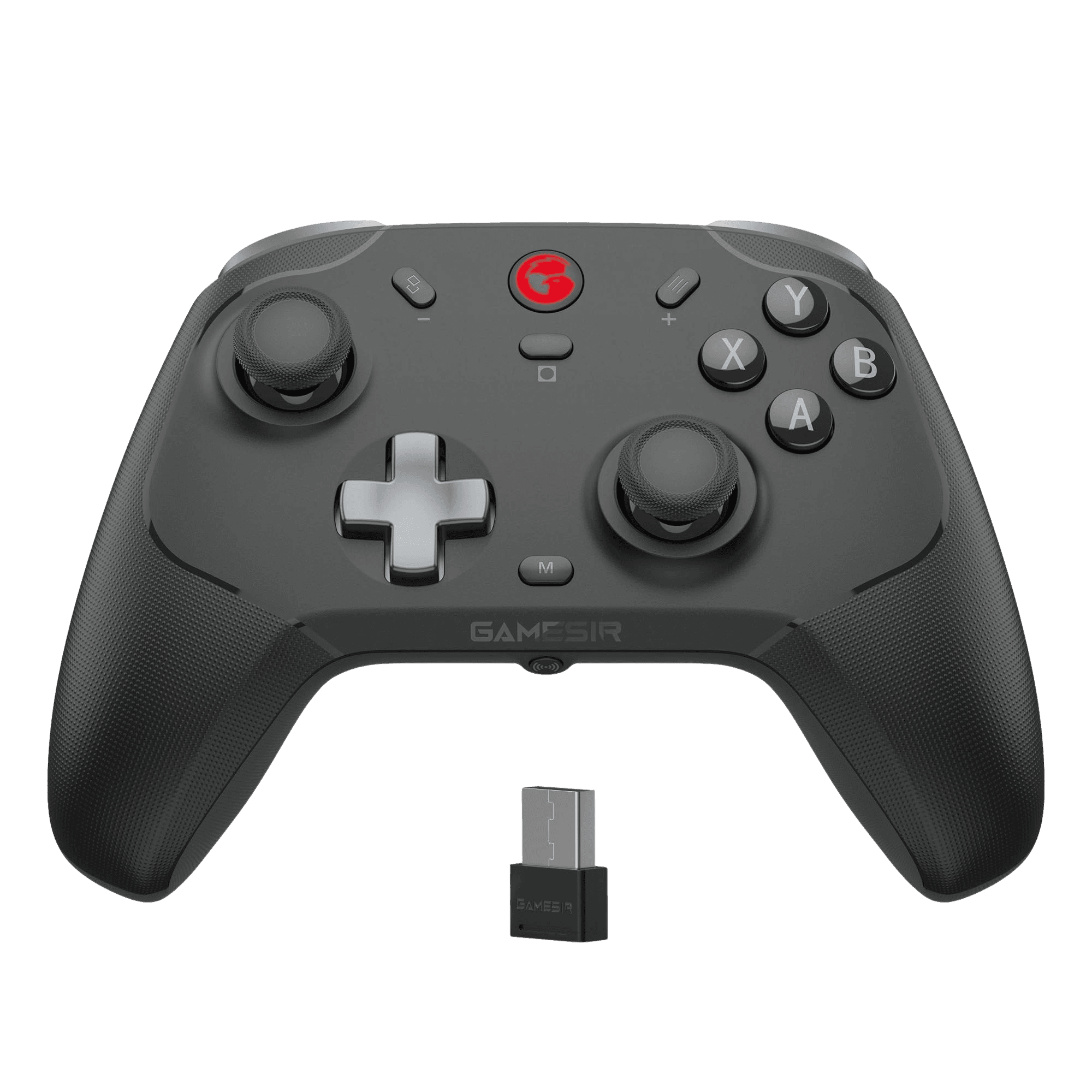
Full GameSir T4 Cyclone Pro diagnostic
The Controller Benchmark runs every relevant subsystem on your T4 Cyclone Pro — Hall-effect sticks, deadzone, microswitch face buttons, Hall-effect triggers in both linear and fast-trigger modes, the quad-motor rumble, latency, and connection stability — then produces a composite Controller Health Score. The Hall sticks should test exceptionally clean for drift; if they show drift, recalibrate via the GameSir Connect app rather than assuming hardware failure.
GameSir T4 Cyclone Pro hardware specifications
| Specification | GameSir T4 Cyclone Pro |
|---|---|
| Connection | USB-C, Bluetooth, 2.4GHz Wireless Dongle |
| Button count | 21 |
| Analog stick type | Hall-effect (drift-resistant) |
| Gyroscope | Yes |
| Rumble / haptics | ERM motors (standard rumble) |
| Impulse triggers | Yes |
| Adaptive triggers | No |
| Touchpad | No |
| Built-in microphone | No |
| Built-in speaker | No |
| Back paddles | Yes |
| Battery life | ~25 hours |
| Weight | 230 g |
| Release year | 2023 |
| MSRP | $49.99 USD |
Recommended tests for GameSir T4 Cyclone Pro
Each test runs in your browser via the Gamepad API — no install, no account, no upload. Run any individually, or use the full benchmark above.
Stick Drift Test
Detect unwanted analog input at rest
Deadzone Test
Measure your stick’s deadzone radius
Hall Effect Checker
Identify Hall Effect vs potentiometer sticks
Trigger Pressure
Verify full analog range on triggers
Button Test
Check every button responds instantly
Circularity Test
Visualize stick travel as a circle
Snapback Test
Measure how fast sticks return to center
Polling Rate
Measure inputs reported per second
Latency Test
Measure input lag in milliseconds
Gyro Test
Test 6-axis motion sensors
Vibration Test
Test both rumble motors independently
Connection Stability
Detect dropouts and signal interruptions
Known GameSir T4 Cyclone Pro issues
Recurring problems users report with this controller, ranked by frequency. Each links to a step-by-step fix guide.
- Common
Trigger vibration only works in Bluetooth XInput mode
This is a documented GameSir limitation, not a defect. The two trigger-mounted rumble motors only activate when the controller is connected via Bluetooth in XInput mode on Windows. Over the 2.4G dongle, wired USB-C, or on Switch/Mac/iOS/Android, only the two grip rumble motors fire. If you bought the T4 specifically for trigger rumble, plan to use it via Bluetooth on a Windows PC.
View fix guide - Common
Not compatible with Xbox consoles
The T4 Cyclone Pro explicitly does not support Xbox One or Xbox Series X|S. This is a Microsoft licensing constraint, not a firmware issue — third-party controllers require an Xbox Wireless chip and licensing fee that GameSir didn't pay for this SKU. If you need Xbox support, GameSir's G7 line is the wired Xbox-licensed alternative.
View fix guide - Occasional
Mode-switching combos not obvious from the box
The T4 Cyclone Pro uses platform-specific pairing combos that aren't visible on the controller itself: hold GameSir + A for Android, GameSir + B for Switch, GameSir + X for iOS, GameSir + Y for Windows. If pairing fails repeatedly, you're likely in the wrong mode. The full combo reference is in the GameSir Connect app under Help.
View fix guide - Occasional
RGB lighting unconfigurable out of the box
Out of the box, RGB lighting effects can't be changed via on-controller combos — you need to install the GameSir Connect app on PC or mobile to adjust them. If the firmware version is too old, the lighting commands won't apply correctly; update firmware via the app first, then configure lighting.
View fix guide - Rare
Stick wobble during gameplay despite Hall sensors
Hall sensors eliminate drift from sensor wear, but the stick gimbals (the mechanical pivot mechanism beneath the magnets) can still develop play over time. If sticks feel loose without registering drift on the test, the gimbal is loose — this is rare on the T4 but documented in some Reddit user reports.
View fix guide
How to pair the GameSir T4 Cyclone Pro
Get your controller connected before running diagnostics — wired or wireless, mobile or desktop.
Choose the connection mode on the back switch
The T4 Cyclone Pro has a mode toggle on the back with three positions: Bluetooth, 2.4G (dongle), and Wired/USB-C. Set the toggle to your intended mode before powering on.
Power on with the platform-specific combo
Hold the GameSir (M) button plus a platform letter: A for Android, B for Switch, X for iOS, Y for Windows. The status LED flashes rapidly when pairing mode is active. For 2.4G use Y (Windows) regardless of host since the dongle is pre-paired.
Connect to your host device
For Bluetooth: open your device's Bluetooth settings and select "GameSir-T4Cyclone Pro" (the exact name varies by mode — Switch sees it as a Pro Controller, Windows sees it as an Xbox 360 controller). For 2.4G: plug the included USB-A dongle into your PC — pairing is automatic.
Install GameSir Connect if you want customization
For button remapping, RGB lighting, vibration intensity, stick curves, and firmware updates, install GameSir Connect on PC (Windows) or mobile (iOS/Android). Profiles save to the controller's onboard memory and persist across hosts.
Press any button to expose the controller to the browser
Browsers gate gamepad access behind a user gesture. Press any button to expose the T4 Cyclone Pro to the Gamepad API. The controller reports with Xbox-style face button labels (A B X Y) by default.
GameSir T4 Cyclone Pro vs the competition
Head-to-head reviews against the other controllers most buyers cross-shop.
- vs
8BitDo Ultimate
Ultimate adds Switch support, back paddles, and a charging dock at $49 with Hall sticks. T4 Cyclone Pro adds Hall triggers and quad-motor rumble at the same price, but no Switch over Bluetooth.
- vs
GameSir Cyclone 2
Cyclone 2 is the 2024 successor with TMR sticks (Mag-Res branding), 1000Hz polling, and a charging dock at $69+. T4 Cyclone Pro is the cheaper Hall-effect baseline at $49.99.
- vs
Gulikit KingKong 3 Max
KK3 Max is the $80 premium Hall-effect option with mecha-tactile face buttons. T4 Cyclone Pro is the $49.99 budget option with Hall triggers and trigger-mounted rumble.
GameSir T4 Cyclone Pro definitions
Plain-language definitions for the terms used on this page. Each links to the full glossary entry with thresholds, mechanism, and FAQs.
GameSir T4 Cyclone Pro questions
Yes — both the analog sticks and the analog triggers use Hall-effect sensors. GameSir rates the sticks for 5 million cycles. This is rare at the $49.99 price point; most budget controllers either skip Hall triggers (only sticks) or use Hall sticks with traditional potentiometer triggers. Verify with the Hall-effect checker test, which should detect Hall sticks via their noise signature.
GameSir explicitly limits trigger vibration to Bluetooth XInput mode on Windows. On Switch, Mac, iOS, Android, or 2.4G/wired connections to Windows, only the two grip rumble motors fire. This is a documented firmware limitation, not a defect. If trigger rumble is the headline feature for you, plan to use the controller via Bluetooth on a Windows PC.
No. The T4 Cyclone Pro explicitly does not support Xbox One or Xbox Series X|S — third-party Xbox controllers require an Xbox Wireless chip and licensing that GameSir didn't include in this SKU. For Xbox-compatible GameSir controllers, the G7 line (wired) is the alternative.
The Pro adds the 2.4GHz USB dongle in-box (the standard model sells the dongle separately), a 3.5mm headphone jack, and the trigger-mounted rumble motors. Both models share Hall-effect sticks and triggers, microswitch face buttons, and tri-mode connectivity. The Pro retails for $49.99; the standard model is around $40.
Hold the GameSir (M) button and pull the trigger you want to change. The trigger toggles between full Hall-effect analog range (0–255) and short-throw fast-trigger mode (binary digital). You can set the two triggers independently. The M button also handles stick mode swaps and vibration intensity changes.
GameSir's official manual rates the 860mAh battery at approximately 25 hours of play. Windows Central's review measured closer to 30 hours under light use. Battery life drops with RGB lighting enabled and with both 2.4G + Bluetooth radios active simultaneously. Charge time from empty is approximately 2.5 hours via the USB-C port.
Yes. Profiles save to the controller's onboard memory, not to the GameSir Connect app. Configure profiles on PC or mobile, then connect to Switch, iOS, or any other host — your button remaps, vibration intensity, RGB settings, and stick curves persist. You only need GameSir Connect installed to change profiles, not to use them.
Yes — by default the T4 Cyclone Pro reports as an XInput device, which Windows interprets as an Xbox 360 controller. This maximizes compatibility with PC games using XInput, the dominant Windows controller API. You can switch to DInput mode with a GameSir Connect setting if a specific game requires it.
Get a full health report for your GameSir T4 Cyclone Pro
Run the Controller Benchmark to score every subsystem and generate a shareable Controller Health Score graded S through F.
Run the Benchmark